NETmc Marine DVR Manual-Rev7.2 Dec 2020 33 of 52
© NETmc Marine Ltd 2020
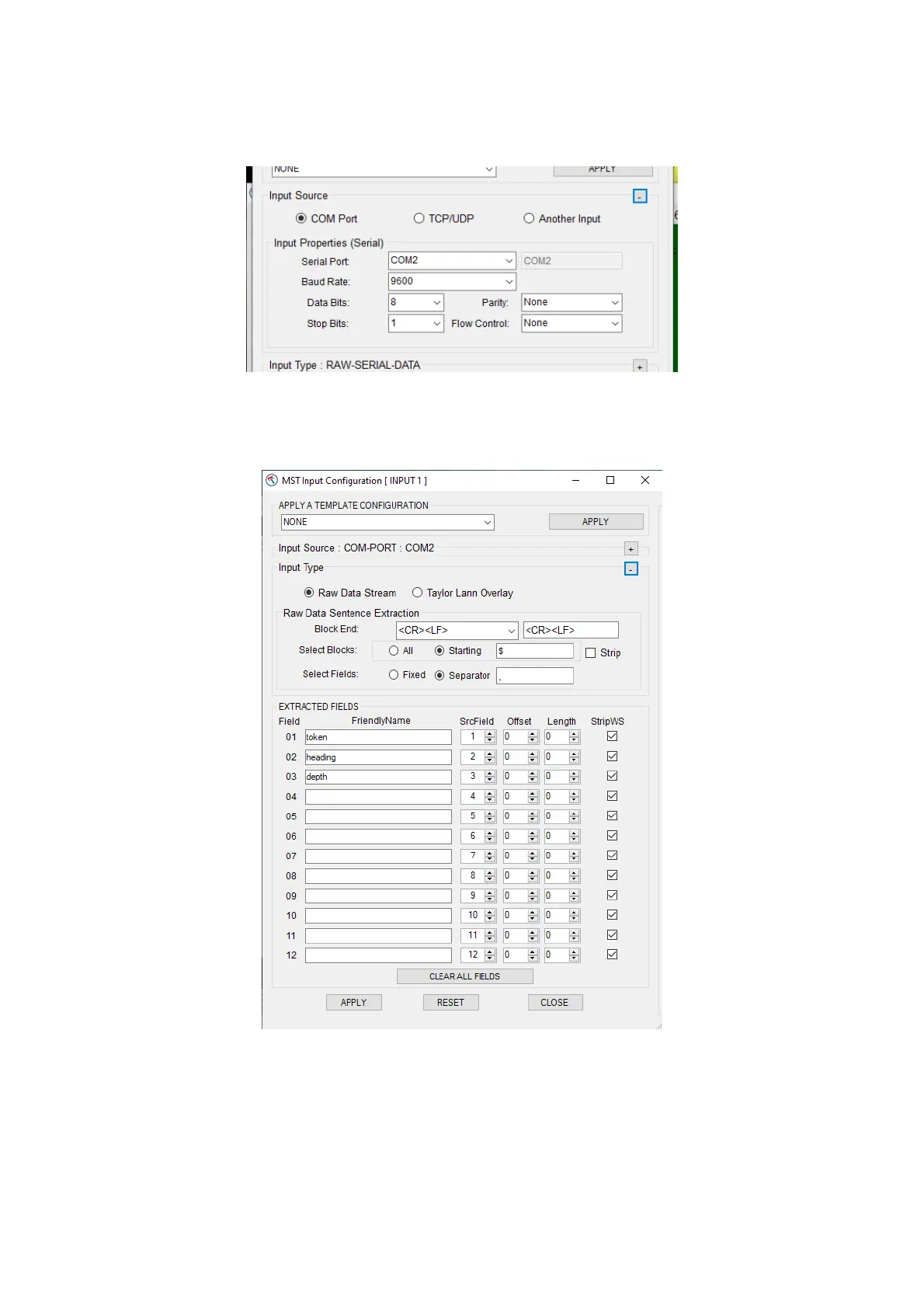
Clicking the IN#1 button open the Configuration page for Input 1
Expanding the Input Source section by clicking on the +, we have selected the com port the data is
coming in on and what baud rate etc it was sent with
The parsing is now setup by expanding the input type section and telling the system what the string
starts with ($ in this case), what separates the items (, in this case) and what terminates the string
(CRLF in this case)
We have named the first 3 parsed parts of the string as token, heading and depth. The item can
only be used if it is named. Token is probably of no use and is only named here as an example –
and would be ignored in proper use.
With the input set and applied, the output now needs to be configured.


 To Next Page