NETmc Marine DVR Manual-Rev7.2 Dec 2020 34 of 52
© NETmc Marine Ltd 2020
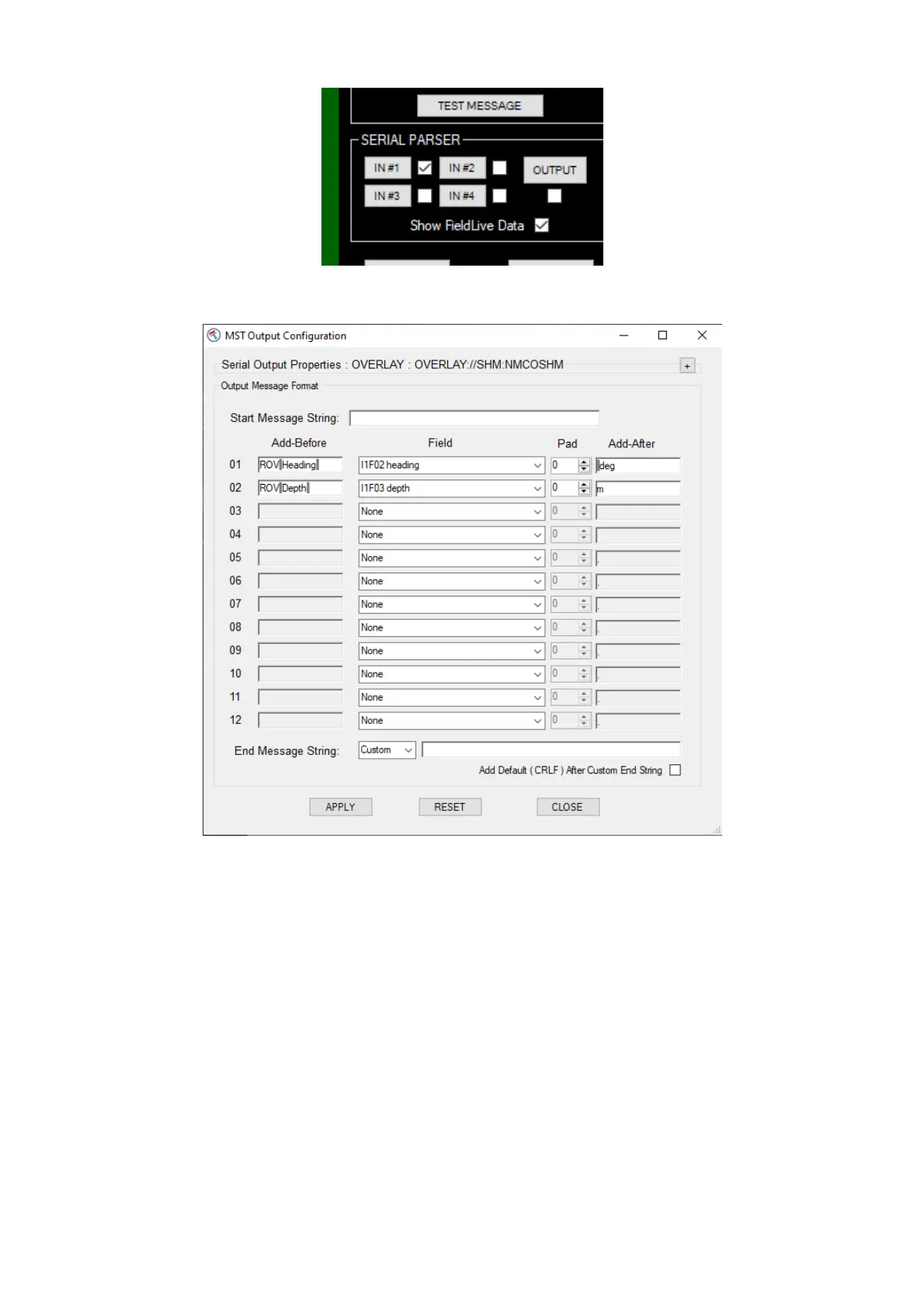
Click the OUTPUT button and the output configuration page will open
The middle column is a pull down system – click on the downward arrow on the right and you will be
presented with a list of all available fields taken from everything which has been setup across all 4
inputs. In this example, we only had one input in use and we selected the 2
nd
and 3
rd
fields which
had friendly names of heading and depth.
We have prefixed with “ROV Depth “ and suffixed with “m”


 To Next Page