NETmc Marine DVR Manual-Rev7.2 Dec 2020 48 of 52
© NETmc Marine Ltd 2020
Remote control (start / stop) from EIVA
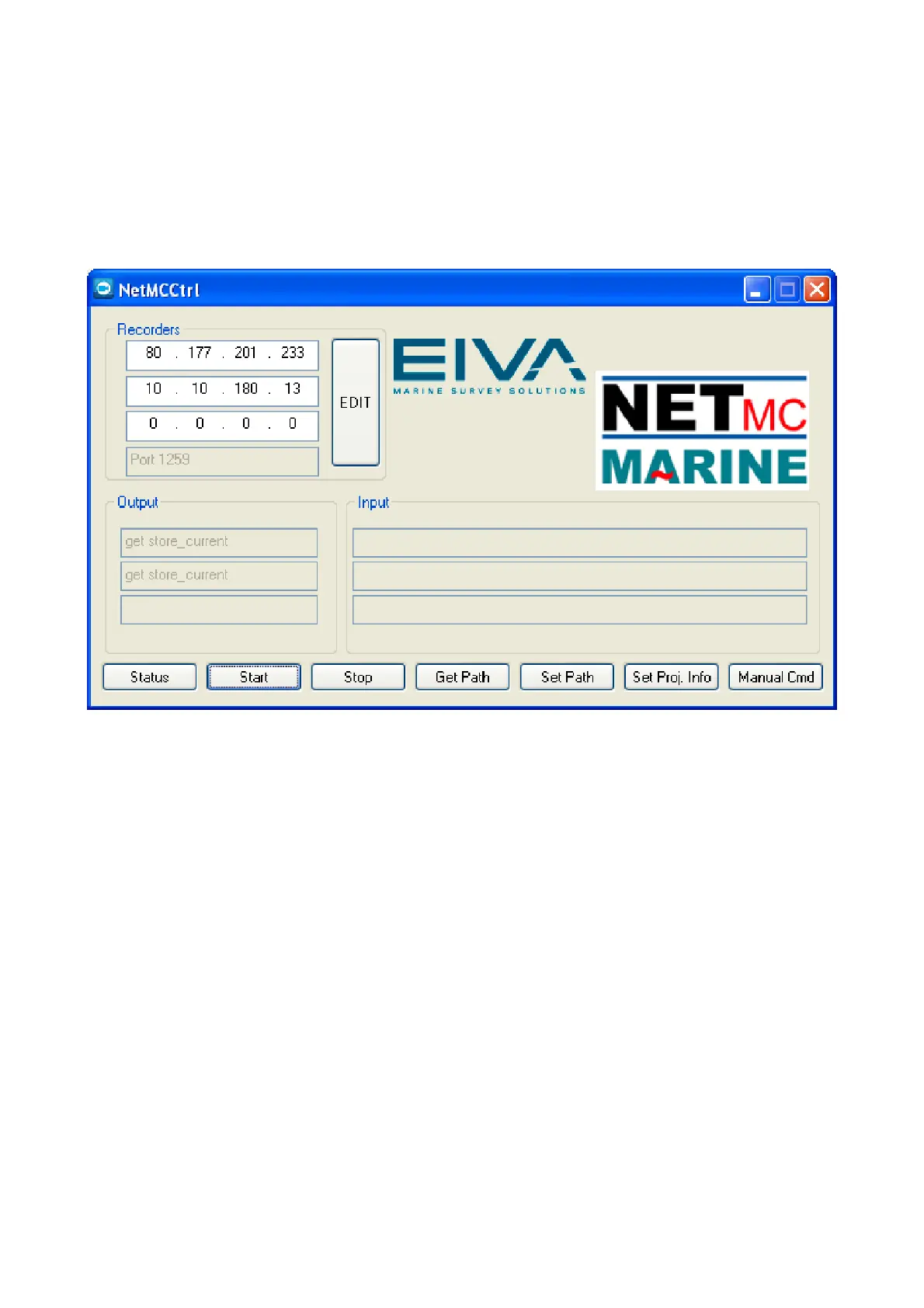
Within the EIVA deploy folder is a tool called NETmc Video Control, this allows you start / stop the
DVR recording automatically when the survey starts / stops. However, it should be noted that it is
not essential to automate file start/stop, as NaviModel will find the point in the video based on time –
not when it was started – though it is a useful tool to prevent the DVR being unnecessarily left
recording, filling up the drive space.
Originally designed to control up to three recorders, the NETmc Video Control is most commonly
used now to control just one multi-channel recorder.
Simply edit the list of recorders (top left) and add the IP address of your DVR in there. The buttons
along the bottom let you test the system by starting / stopping and asking for status etc.
Once successfully tested, the app can be minimised but should be left running in the background –
where NaviPac will instigate the control automatically.
Video files can be stored in any location – as long as the location is visible to the DVR when
recording and EIVA when replaying. Often this is just the storage drive on the DVR – but if you have
a central network storage device (server or NAS) you may wish to direct the video there.
At the point of replay – EIVA will audit the folder of video files and build a time based dataset which
it will use to load up the correct video frames as you navigate the survey data and events.


 To Next Page