14
5.4 Wireless control configuration
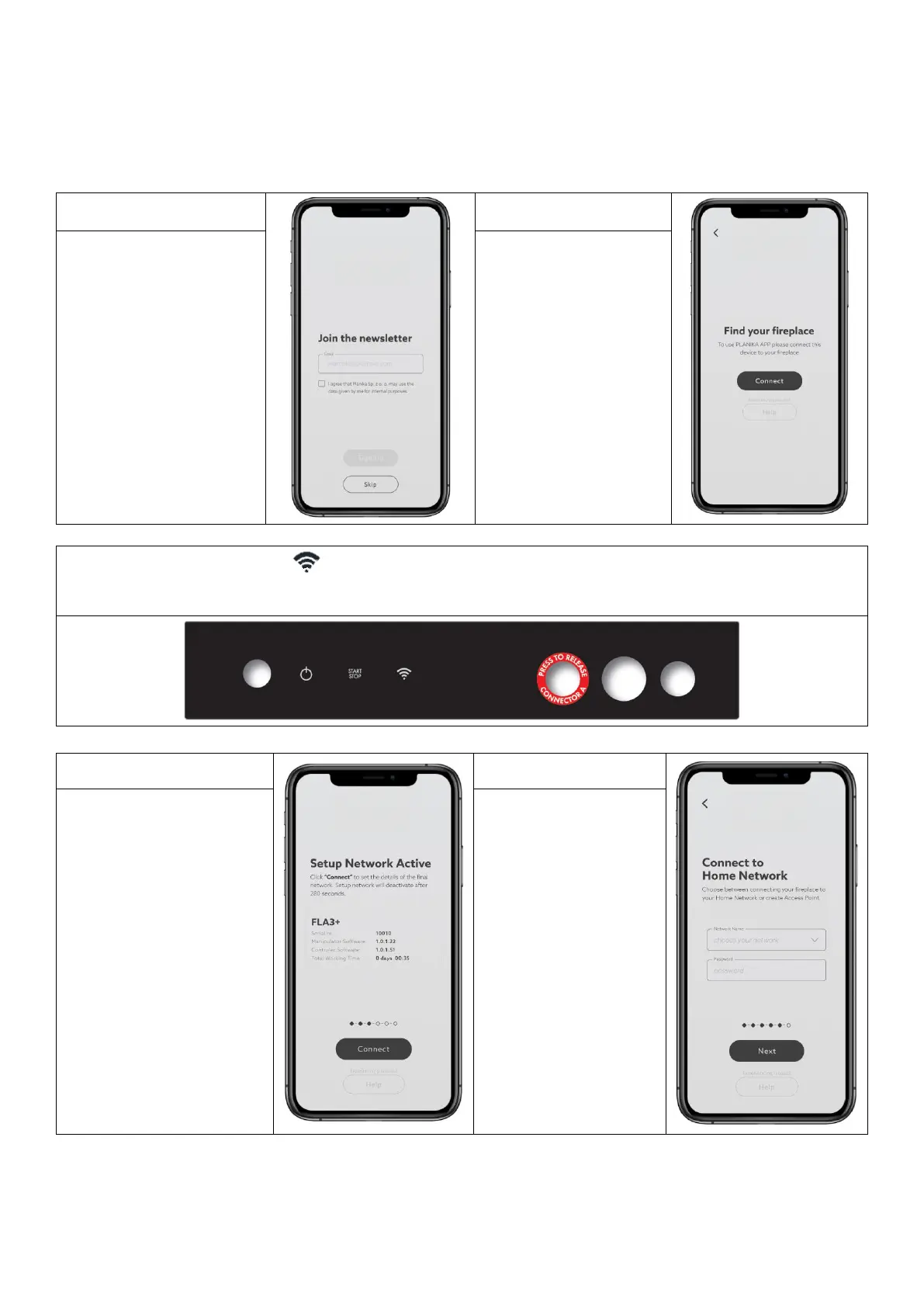
Download the FLA3 NET-ZERO app on your mobile device from the app store.
Follow these instructions to pair the burner with the mobile app. If you have multiple burners follow the instructions
to pair each burner individually (simultaneous pairing of more than one burner is not possible).
4. On the mobile device make
sure WiFi is turned on. Find
and connect to the
Planika_WiFi_setup
network. (if the network is
not visible, turn the burner
off for 10 seconds then
turn it back on and repeat
step 3). The burner will be
automatically found by the
mobile app, which will be
confirmed by the app
(SETUP NETWORK ACTIVE).
Press CONNECT.


 To Next Page