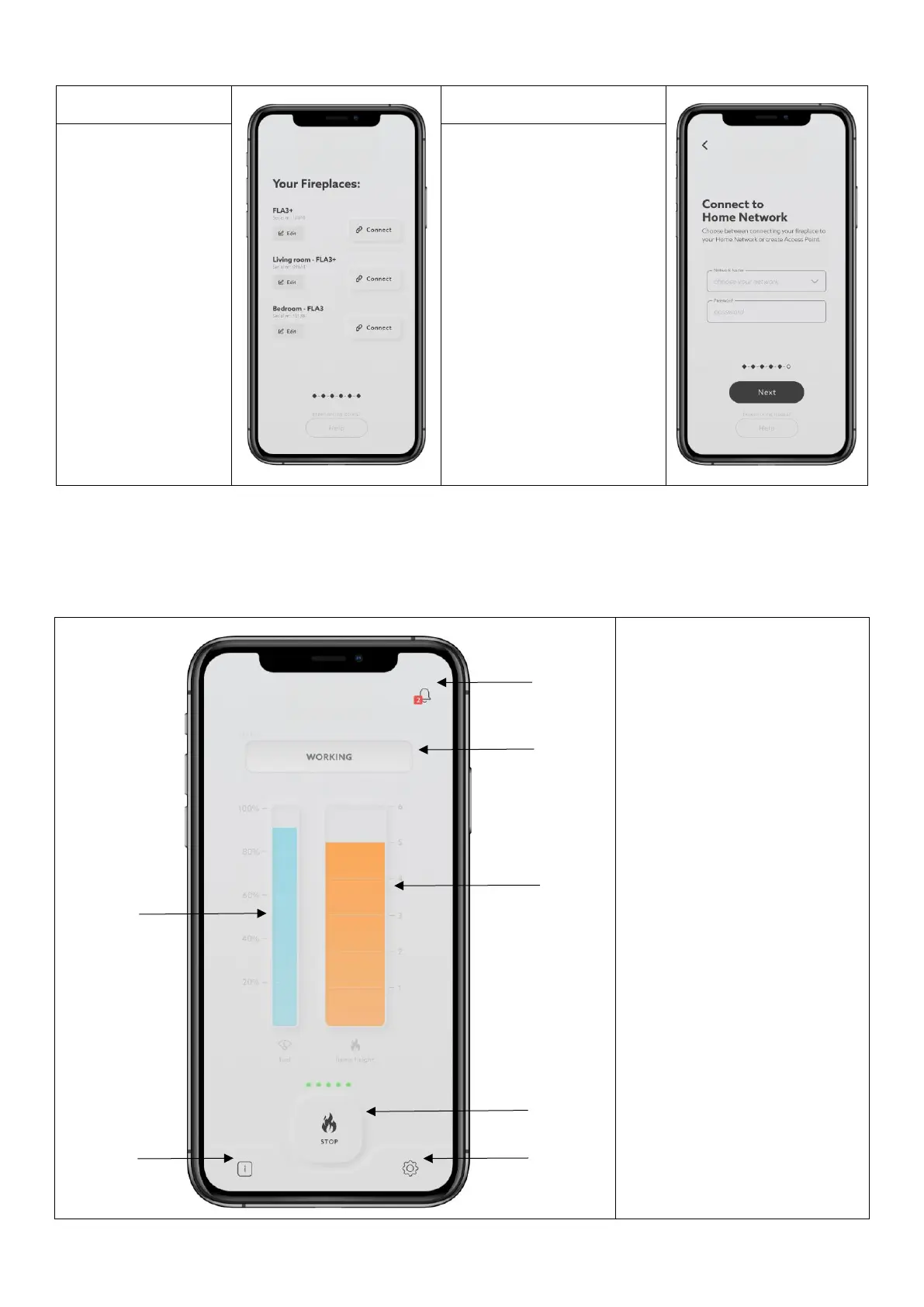
7. You can also create a
dedicated network ACCESS
POINT and connect the
mobile device directly to the
burner. This allows use of the
app if a home network is not
available. To do that, press
(HELP), choose (CONNECTION
TYPE), and (ACCESS POINT),
then confirm by pressing
(CREATE ACCESS POINT).
Enter a new name for the
network and a password.
Confirm by pressing NEXT.
After successful configuration, the WiFi button will light up (GREEN).
6 FLA3 NET-ZERO MOBILE APP


 To Next Page