Programming Instructions 58
RNS
®
System User Manual
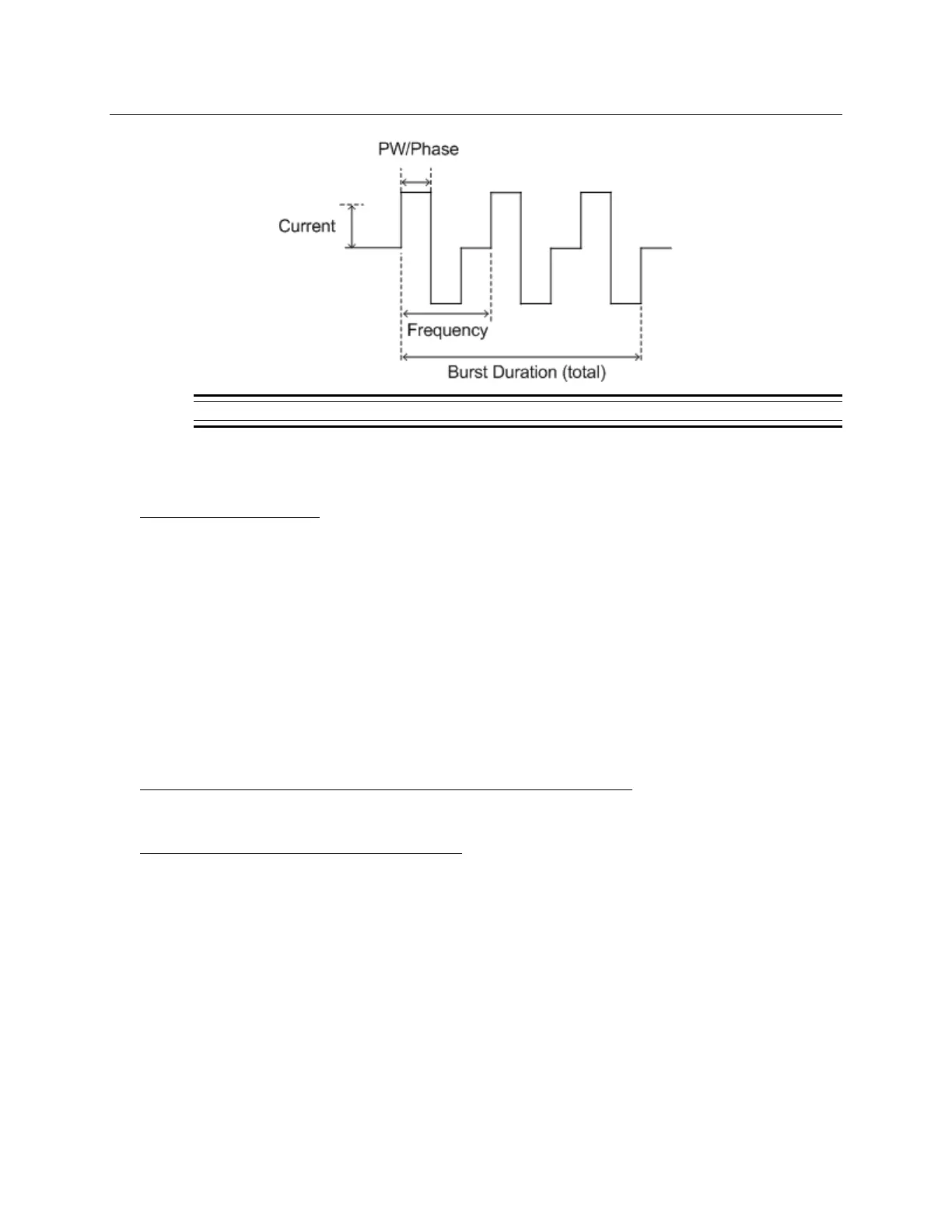
Figure 18: The parameters of a single burst of stimulation.
6. Select the DELIVER button to initiate the test stimulation. Delivery of the test stimulation may
be stopped by selecting the H
ALT button.
Storing a Real-time ECoG
1. Select the STOP button to stop the ECoG from scrolling.
2. Select the S
TORE button to save the ECoG record.
Note: The length of the ECoG stored equals the buffer size up to a maximum of 4 minutes.
S
YNCHRONIZING THE PROGRAMMER WITH THE NEUROPACE
®
PATIENT DATA MANAGEMENT SYSTEM
The programmer should be synchronized with the NeuroPace
®
Patient Data Management System
(PDMS) upon neurostimulator reprogramming or collection of new neurostimulator data. Database
synchronization sends a copy of the neurostimulator interrogation and programming information
stored on the programmer to the PDMS.
Additional Resources Describing the Patient Data Management System
The Patient Data Management System User Manual
Synchronizing the Programmer with the PDMS
1. Connect the programmer to the Internet.
2. Go to the programmer M
AIN MENU screen.
3. Select the T
RANSFER DATA button.
4. Select the S
YNCHRONIZE button to synchronize with the PDMS. This screen also displays
detection sets received from the PDMS. You must A
CCEPT these sets before you can
program them into the neurostimulator.
Note: A notification should appear on the programmer to confirm that synchronization is
complete.



 To Next Page