Programming Instructions 63
RNS
®
System User Manual
Programming the Newly selected Settings
Programming the RNS
®
Neurostimulator sends all newly selected settings from the programmer to
the neurostimulator. The P
ROGRAM SETTINGS tab is the only location on the programmer from which
new settings can be programmed into the neurostimulator.
1. Select the P
ROGRAM SETTINGS tab.
2. Select R
EVIEW CHANGES to view changes prior to programming.
3. Select the P
ROGRAM button.
Note: ECoG storage triggers are inactive during programming. Programming clears activity
information and ECoGs stored in the neurostimulator. If there is any new
information, be sure to interrogate the neurostimulator prior to programming.
S
ETTING UP ECOG STORAGE
Electrocorticograms (ECoGs) can be stored by the RNS
®
Neurostimulator when an ECoG storage
trigger occurs. The maximum number of ECoGs that can be stored is affected by the number of
channel(s) selected ON for storage, and the capture duration. The oldest stored ECoGs are
continually replaced by the newly stored ECoGs, except as noted below.
The number of ECoGs stored for a particular ECoG storage trigger may be reserved. Reserved
ECoGs are only overwritten by newer ECoGs of the same ECoG storage trigger type. ECoG storage
may also be scheduled at four different times on a 24-hour clock.
Selecting ECoG Storage Settings
1. Go to the CONFIGURE SETTINGS tab.
2. Select the EC
OG STORAGE tab.
3. Select the C
HANNEL(S) (CH1 through CH4). Only the channels selected ON will be recorded
and stored.
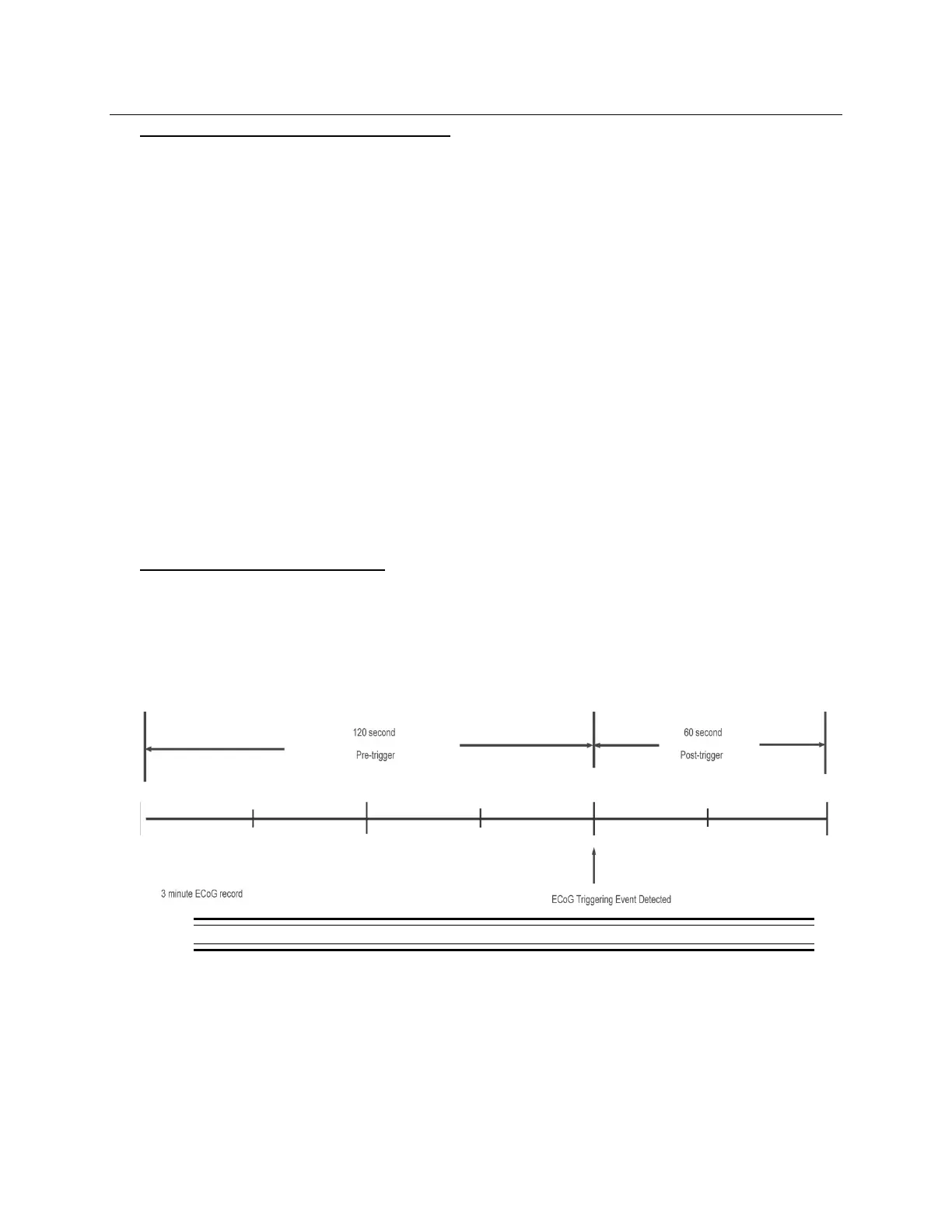
4. Determine the desired length (in seconds) of stored ECoGs.
Figure 23: Illustration of a stored ECoG with a 120 second pre-trigger and a 60 second post-trigger period.
5. Select the ECoG storage TRIGGERS that will initiate storage of an ECoG.
• L
ONG EPISODES triggers initiate ECoG storage when a detected episode continues
beyond a preset duration (L
ONG EPISODE LENGTH). This trigger can be used whenever
detection is ENABLED.
• P
ATTERN A and PATTERN B triggers initiate ECoG storage when an episode beginning
with a characteristic pattern (Pattern A or Pattern B) is detected. Selecting one of these



 To Next Page