Programming Instructions 68
RNS
®
System User Manual
SETTING UP DETECTION
Detection settings are used by the RNS
®
Neurostimulator to recognize epileptiform activity as defined by
the physician.
Although detection sets can be created and modified using either the PDMS or the NeuroPace®
Programmer, it is recommended that these activities be carried out on the PDMS, for reasons of
convenience. However, only the NeuroPace® Programmer can be used to program the new settings into
the Neurostimulator.
For information on creating and modifying detection sets on the PDMS, please see the Patient Data
Management System User Manual
Enabling, Disabling, or Changing the Detection Settings
1. Go to the CONFIGURE SETTINGS tab.
2. Select the D
ETECTION tab.
3. Select a detection setting file, which may be any of the following:
• A default file for a one or a two lead configuration.
• A file previously created, developed, and saved during a configure detection session.
• A file retrieved from the neurostimulator during interrogation and generated using the
S
AVE button.
• A file downloaded from the PDMS and accepted.
4. If desired, modify the detection set by adjusting specific detection parameters.
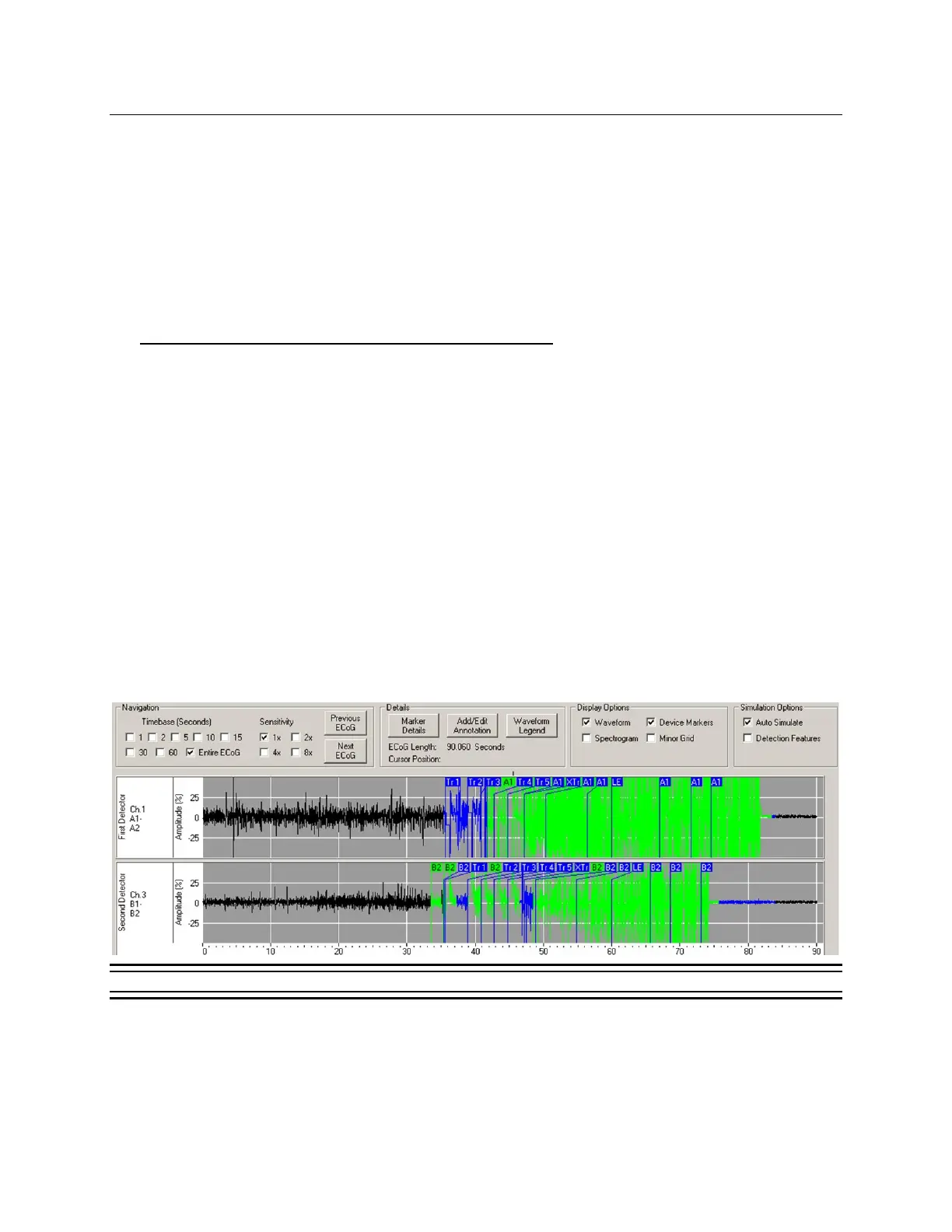
5. Simulate the performance of the newly selected detection settings. Detection simulation is
performed on the ECoGs available on the programmer. Simulation can be accomplished by
selecting "Auto Simulate" from the EC
OG LIST, PATTERN A OR PATTERN B tabs. The simulated
detection will be displayed in green on the ECoG as displayed in this example:
Figure 27: Detection Simulation.
Note: If simulating performance of a 2-channel detection set, be sure to select ECoG
records that contain signal data for both channels.
6. Once the detection settings are found to be appropriate, go to the D
ETECTORS tab and enter a
detection set name or select G
ENERATE NAME.



 To Next Page