88 Series Outboard / 8801 Issue 7.3
File Downloading
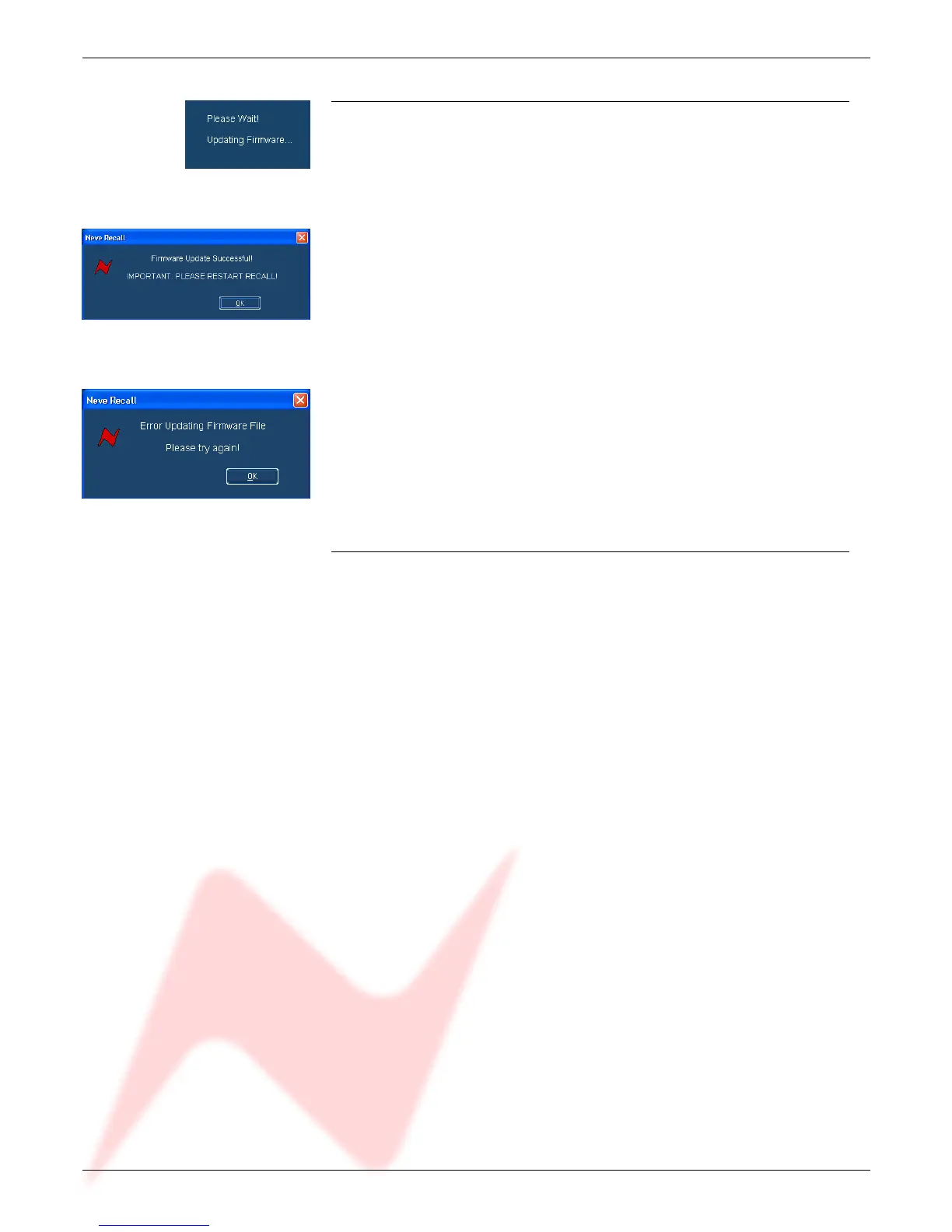
Once the file is selected the transfer will begin, and the Recall screen will
display that the download is under way.
This process may take up to two minutes.
Upon completion, the message Firmware Update Successful will be
displayed.
Click OK to continue.
You can continue to update other units successfully without restarting Recall,
but the Recall software must be restarted once this process is finished.
If the transfer fails (for example if the USB is removed or power is lost to the
unit), a warning message will prompt you to try again.
If Recall is started with a unit that has no firmware, the user will be prompted to
upgrade the firmware, as the unit cannot be used in Recall unless the firmware
installation is successful.
Corrupted or Old Firmware
If the firmware is corrupted or the unit has an old version of firmware, a
prompt will appear upon starting the Recall software to indicate that firmware
must be updated before the user can proceed.
The process described above can then be followed to update the latest
firmware.
- 22 -


 To Next Page