88 Series Outboard / 8801 Issue 7.3
Phase Button
All inputs can be phase reversed using the Phase button.
The Phase button will illuminate to indicate a phase inversion between input
and output.
Filters Section
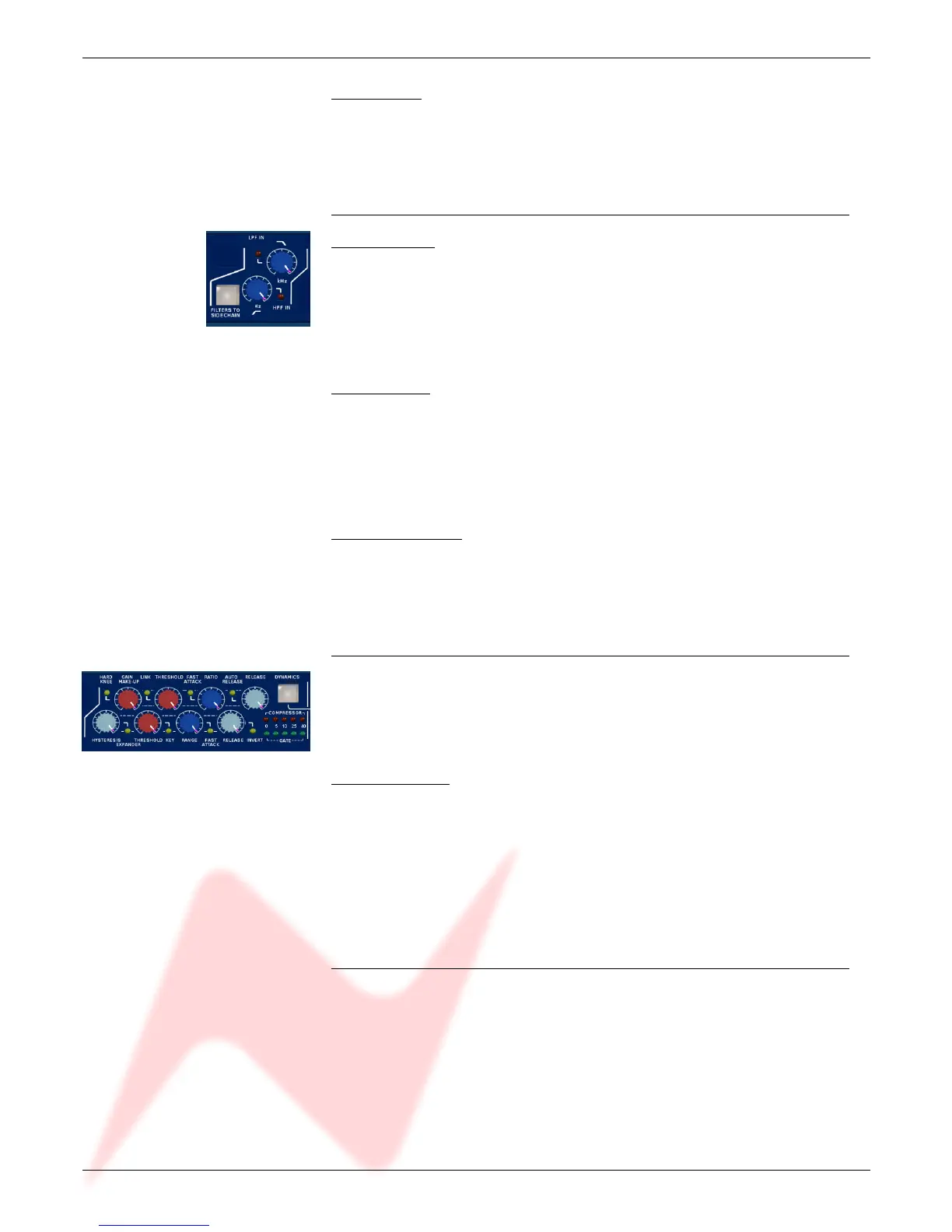
High Pass Filter
The high pass filter has a 12dB per octave (20dB per decade) slope and a
frequency range from 30Hz to 300Hz.
It is switched into circuit by pressing the High Pass frequency knob.
The associated led lights to indicate activation.
Low Pass Filter
The low pass filter has a 12dB per octave (20dB per decade) slope and a
frequency range from 1.5kHz to 18kHz.
It is switched into circuit by pressing the Low Pass frequency knob.
The associated LED lights to indicate activation.
Filters to Sidechain
The Filters To Sidechain button puts both filters in the sidechain.
When the filters are in the sidechain they are not available in the channel
path and vice versa.
Dynamics Section
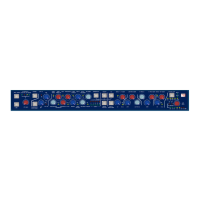
Full Limiter/Compressor and Gate/Expander facilities are available.
The Limiter/Compressor uses the top row of controls and the Expander/Gate
uses the bottom row of controls.
Dynamics Button
The Dynamics button activates the Dynamics section.
When illuminated, both Compressor/Limiter and Expander/Gate functions are in
circuit.
When not illuminated both are bypassed.
• To disable the Compressor, set Threshold to +20dBu and Ratio to 1.
• To disable the Gate set Range to 0dB.
Dynamics Sidechain
The dynamics sidechain is the control signal for the dynamics processing.
By default the sidechain receives the signal picked up at the input of the
Dynamics gain stage.
The Filters and EQ can be moved to the sidechain path by pushing the Filters
to Sidechain and EQ To Sidechain buttons respectively.
When in the sidechain the Filters and EQ do not act on the channel path.
- 8 -


 To Next Page