22
NOTE: IF A PHONE NUMBER HAS BEEN ENTERED UNDER THE CALL FOR SERVICE MENU
OPTION IT WILL BE DISPLAYED ON THE ESERVICE SCREEN.
3. Custom Splash Screen Graphic—this graphic image is displayed when
the power to the machine is cycled on. This is the only place this
graphic is seen. Use the image conversion program to convert a
landscape image (such as a Coffee Co Logo) and note where the file is
saved in the output directory. This file will have _thumb suffix to show
that it has been converted. Rename the converted file splash and
copy it onto a USB Flash drive (ensure that the Flash drive does not
already have a file named splash.bmp).
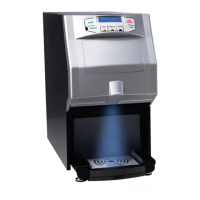
To load the file into the Fresh Cup 4 Touch, turn off the power switch, insert
the Flash drive into the USB outlet, and switch the power back on. The
screen will remain blank and the Blue Cup light will begin to flash. A
message will then be displayed that indicates the new file has been
transferred as displayed by the green status bar. Touch the screen to return
to normal mode.
User generated Drink Recipes file:
An application named Fresh cup recipes.exe is also included on the USB
Flash storage device. Use it to develop custom recipe values and then
transfer the new values to the Fresh Cup 4 touch machine using the USB
interface on the machine.
Adjustments to the recipe values can be made using the drop down tabs and selecting
the desired values. Once the new recipe set has been selected, the file should be



 To Next Page
 Loading...