
 Need help?
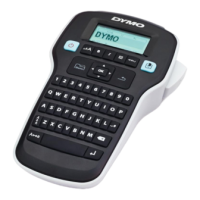
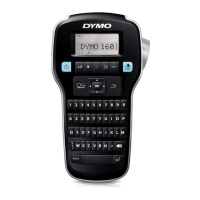
Do you have a question about the newell DYMO LabelManager 160 and is the answer not in the manual?
Learn how to power the label maker using batteries or an optional AC adapter.
Instructions for inserting six AAA alkaline batteries into the label maker.
Connects an optional 9 Volt, 2 Amp power adapter to power the label maker.
Guidance on how to insert and remove DYMO D1 label cassettes.
Details on turning the label maker on/off and automatic shut-off.
Explains the graphical display and its features.
How to use navigation keys for editing labels and menu selections.
Function of the Cancel key to exit menus or cancel actions.
How to delete characters using the Backspace/Clear key.
Toggles capitalization on or off for text input.
Instructions on how to insert clip art images into labels.
Guidance on inserting symbols and punctuation into labels.
How to add accented characters and variations of letters.
Details on available font sizes and how to change them based on label width.
How to apply bold and italic styles to label text.
Steps to clean the extremely sharp cutter blade using a cotton ball and alcohol.
Instructions for cleaning the print head using the provided tool or contacting support.
Solutions for when the label maker screen shows no display.
Troubleshooting steps for issues with poor print quality.
Solutions for problems with the cutter's performance.
Addressing the error for exceeding the maximum number of characters.
Solutions for exceeding the maximum number of lines allowed.
Indicates low battery status and required action.
Troubleshooting steps when no label cassette is inserted.
Solutions for motor stalling due to a label jam.
Detailed steps on how to remove the label backing.
 General
| Brand | newell |
|---|---|
| Model | DYMO LabelManager 160 |
| Category | Label Maker |
| Language | English |

 To Next Page