
 Need help?
Do you have a question about the newell DYMO LM160 and is the answer not in the manual?
Details device compliance with FCC rules for digital devices and potential interference.
Instructions and benefits for registering the label maker online at dymo.com.
Explains powering the label maker via batteries or an optional AC adapter.
Step-by-step guide for inserting six AAA alkaline batteries into the device.
How to connect an optional 9 Volt, 2A power adapter for device operation.
Procedure for inserting and removing DYMO D1 label cassettes, with safety notes.
Initial setup steps including language and label width selection.
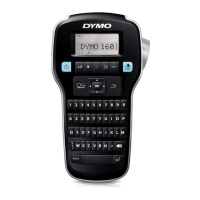
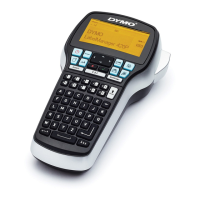
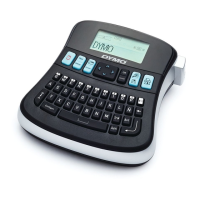
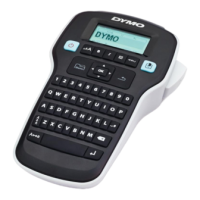
Introduces the label maker's keys and functions, referencing Figure 1.
Details turning the device on/off and automatic power-off features.
Explains the graphical display and using navigation keys for menu and editing.
Describes Cancel, Backspace/Clear, and Caps Mode key functionalities.
How to use the Menu key to access Symbols/Clip Art and Settings tabs.
Steps to insert clip art images and symbols using the menu.
How to add accented characters and their variations using specific key combinations.
Options for adjusting font size based on label width and applying bold/italic styles.
How to apply box or underline styles to text for emphasis.
Instructions for printing text vertically or on two lines.
Procedure for cleaning the sharp cutter blade using a cotton ball and alcohol.
Steps to clean the print head using the provided cleaning tool.
Guide to resolve issues like no display, poor print quality, and label jams.
How to submit comments and suggestions regarding the user guide documentation.
Information on environmentally sound disposal and recycling of the product.
Details the printer and power adapter input/output voltage and current ratings.
 General
| Type | Label Maker |
|---|---|
| Display | LCD |
| Keyboard | QWERTY |
| Printing Technology | Thermal Transfer |
| Print Resolution | 180 dpi |
| Maximum Print Height | 9 mm |
| Cutter Type | Manual |
| Memory | 9 label memory |
| Power Source | AC adapter |
| Tape Compatibility | D1 |
| Label Width | 6 mm, 9 mm, 12 mm |
| Fonts | 1 font |
| Styles | Normal, bold, italic, underline |

 To Next Page