
 Need help?
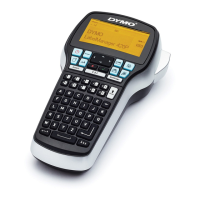
Do you have a question about the newell Dymo LabelManager 420P and is the answer not in the manual?
Powering the label maker using the rechargeable battery pack.
How to insert the included rechargeable battery pack into the unit.
Instructions for connecting the charging adapter to recharge the battery.
Guidance on inserting DYMO D1 label cassettes into the maker.
Initial setup including language, units, and label width selection.
Steps to create and print a basic label.
Details available font sizes and how to select them based on label width.
Explains the 12 different font styles available for labels.
Lists the eight available font types for label customization.
 General
| Brand | newell |
|---|---|
| Model | Dymo LabelManager 420P |
| Category | Label Maker |
| Language | English |

 To Next Page