
 Need help?
Do you have a question about the newell DYMO LetraTag 200B and is the answer not in the manual?
Register your label maker online to receive benefits like software upgrade notifications and special offers.
Instructions on how to insert the four high-capacity AA alkaline batteries into the label maker.
Steps to insert the DYMO LT label cassette into the label maker, ensuring correct positioning.
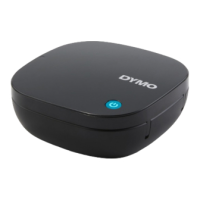
Information about the label maker's power indicator light and automatic shut-off feature.
Guidance on printing labels from a mobile device using the DYMO LetraTag Connect app and Bluetooth.
Detailed steps for safely cleaning the label maker's sharp cutter blade using alcohol and a cotton ball.
Troubleshooting steps for when the label maker fails to power on, including battery checks.
Solutions for when labels do not print, covering Bluetooth, range, and battery status.
Guidance on resolving general label maker errors, checking cassette insertion and battery levels.
Tips for improving print quality, including checking label cassette, batteries, and print head.
Steps to resolve tape jams, including removing jammed labels and cleaning the cutter blade.
Troubleshooting poor cutter performance by cleaning the cutter blade.
 General
| Brand | Newell |
|---|---|
| Model | DYMO LetraTag 200B |
| Category | Label Maker |
| Type | Handheld |
| Display | LCD |
| Print Technology | Thermal Transfer |
| Label Width | 12 mm |
| Power Source | Battery |
| Battery Type | AA |
| Batteries Included | No |
| Font Styles | 5 |
| Symbols | 195 |
| Auto Shut-off | Yes |
| Underline | Yes |
| Frame | Yes |
| Tape Compatibility | DYMO LetraTag Tapes |
| Connectivity | No |

 To Next Page