HR2280/2180 Cordless Barcode Scanner Quick Guide
Introduction to LR-433-WPAN protocol
The scanner utilize 430.5~432.0MHz, 433.05~434.79MHz RF wireless communication with
LR-433-WPAN wireless communication protocol. LR-433-WPAN protocol first time
introduces adaptive frequency hopping technique. With this new protocol, cordless scanner
is able to pick up a higher-performance RF channel from a group of channels in terms of
consolidated communication. LR-433-WPAN protocol supports up to 128 handheld units (16
handheld-units/cradle x 8 cradle = 128) within the same effective communication range. A
circle of response time for one cradle with 16 handheld units is 1 second, while the response
time for one cradle with one handheld unit is less than 0.1 second.
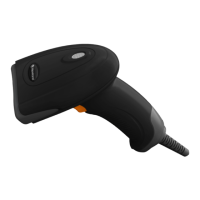
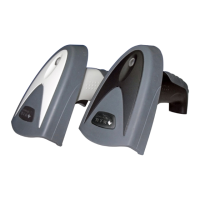
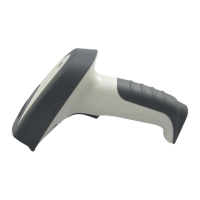
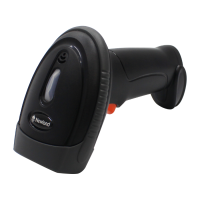
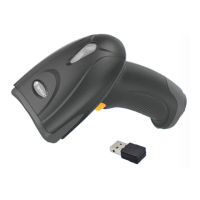
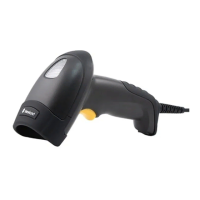
Parts of the handheld unit
Exit window ① ②Trigger ③Red LED (Charging indicator)
④Communication/Charge socket Power button⑤ Sound hole⑥
Red LED (⑦ Not successful transmission); Blue LED (Power); Green LED (Setting)
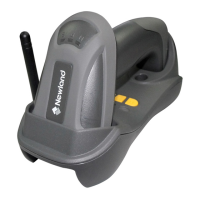
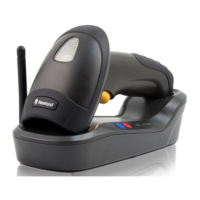
Parts of the cradle
① B button (Reserved); S button (Upgrade / Reset); P
button (USB Enumeration)
② Red LED (Initiation failure); Blue LED (Power);
Green LED (Data In / Radio Frequency hopping
indicator)
③ Antenna
Installation of cradle
With PS2 cable
1. Plug one end of the PS2 cable to the cradle, one
end to PS2 port on PC, and one end to the
keyboard.
2. Plug the output of the AC/DC adaptor into the
power terminal of on the cradle. Plug the
AC/DC adaptor provided by the manufacturer
into an electrical outlet.
With USB cable
1. Plug one end of the USB cable to the cradle.
Plug the other end into the USB port of the
computer.
2. Plug the output of the AC/DC adaptor into the
power terminal of on the cradle. Plug the
AC/DC adaptor provided by the manufacturer
into an electrical outlet.
With RS-232 cable
1. Connect the DB9 serial communication cable
with the cradle and the COM port of the
computer.
2. Plug the output of the AC/DC adaptor into the
power terminal of on the cradle. Plug the
AC/DC adaptor provided by the manufacturer
into an electrical outlet.
Charge battery
1. Please charge the battery before the first time of use.
The charge indicator (red LED) on the handheld unit is
turned on when the charging is in process. When the
charging process completes, the red LED is turned off.
2. Charging time: 8 hours for fully charged.
Power on handheld unit: Press the power button on handheld unit for two seconds.
Power off handheld unit: Press the power button on handheld unit for two seconds.
Effective data communication range
To achieve longer communication range, avoids concrete, wall and metallic storage racks
between the barcode scanner and the cradle. Obstacle between the barcode scanner and
the cradle would decrease the communication severely. Test result is up to 200 meters for
free space data communication range under the condition of clear weather, temperature at
27℃, visibility of 5 kilometers.
) A standard kit contains: a handheld unit, a cradle (with PS2, or USB, or RS232 cable), a
5V AC/DC adaptor (for battery charge) and a CD-ROM (containing software and electrical
manuals).
)Use dry and soft cloth to clean the handheld unit and the cradle.
Note: 1. See “HR2280/2180 series User Manual” for more information. 2. For better readability, please print this document with laser printer. 3. Version: 1.1.11.

 Need help?
 General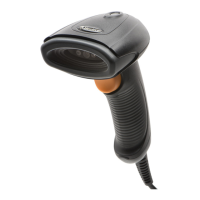



 To Next Page