EUM/OPS/MAN/14/780549
v1F e-signed, 25 July 2017
Newtec MDM6000 DVB-S2 Receiver EUMETCast Setup Guide
Page 6 of 20
3 RECEIVER INTIAL CONFIGURATION
3.1 Physical Connections
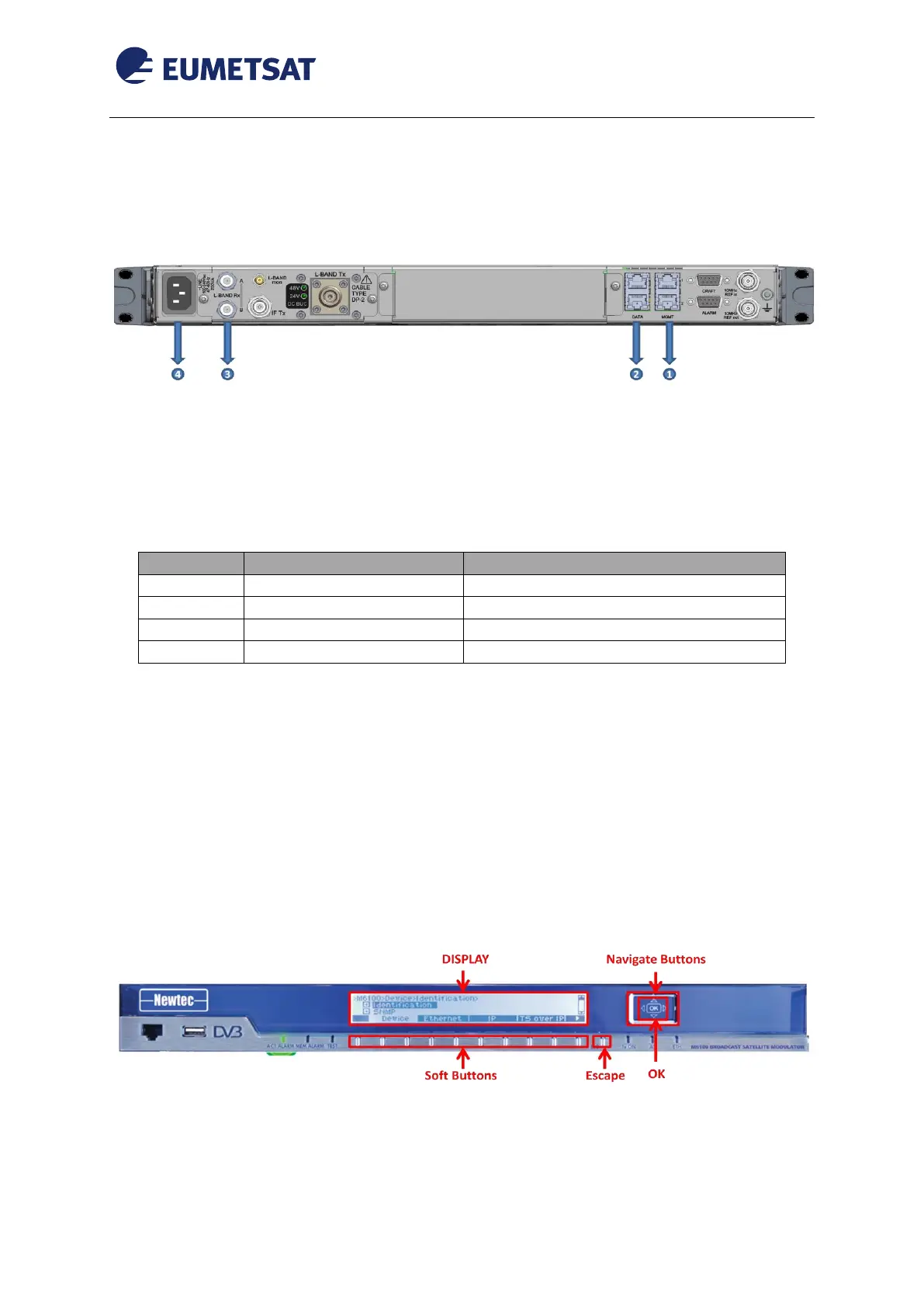
Figure 2 Back Panel Connectors
The back panel consists out of the following general connectors: USB, VGA, PS2, serial
interface. These are used to connect peripheral devices.
The connectors used in the MDM6000 device configuration are described in the following
table:
10/100/1000 base-T Ethernet LAN
10/100/1000 base-T Ethernet LAN
F-connector (male) 75 Ohm
IEC 60320 C13 power cord connector
Table 1 MDM6000 Connectors
Connect the MDM6000 to the power (see Error! Reference source not found. and the
table above);
Connect the network cable from the EUMETCast reception station network interface to
the MGMT1 port of the MDM6000 to configure the device
Connect the antenna cable to the L-BAND Rx A connector.
3.2 Set the Management IP Address
This section explains how to set the Management IP Address.
Figure 3 Control Panel Buttons
Insert the power cable to start the device.
Wait for the menu tree to display.



 To Next Page