EUM/OPS/MAN/14/780549
v1F e-signed, 25 July 2017
Newtec MDM6000 DVB-S2 Receiver EUMETCast Setup Guide
Page 8 of 20
3.4 Status Indicators
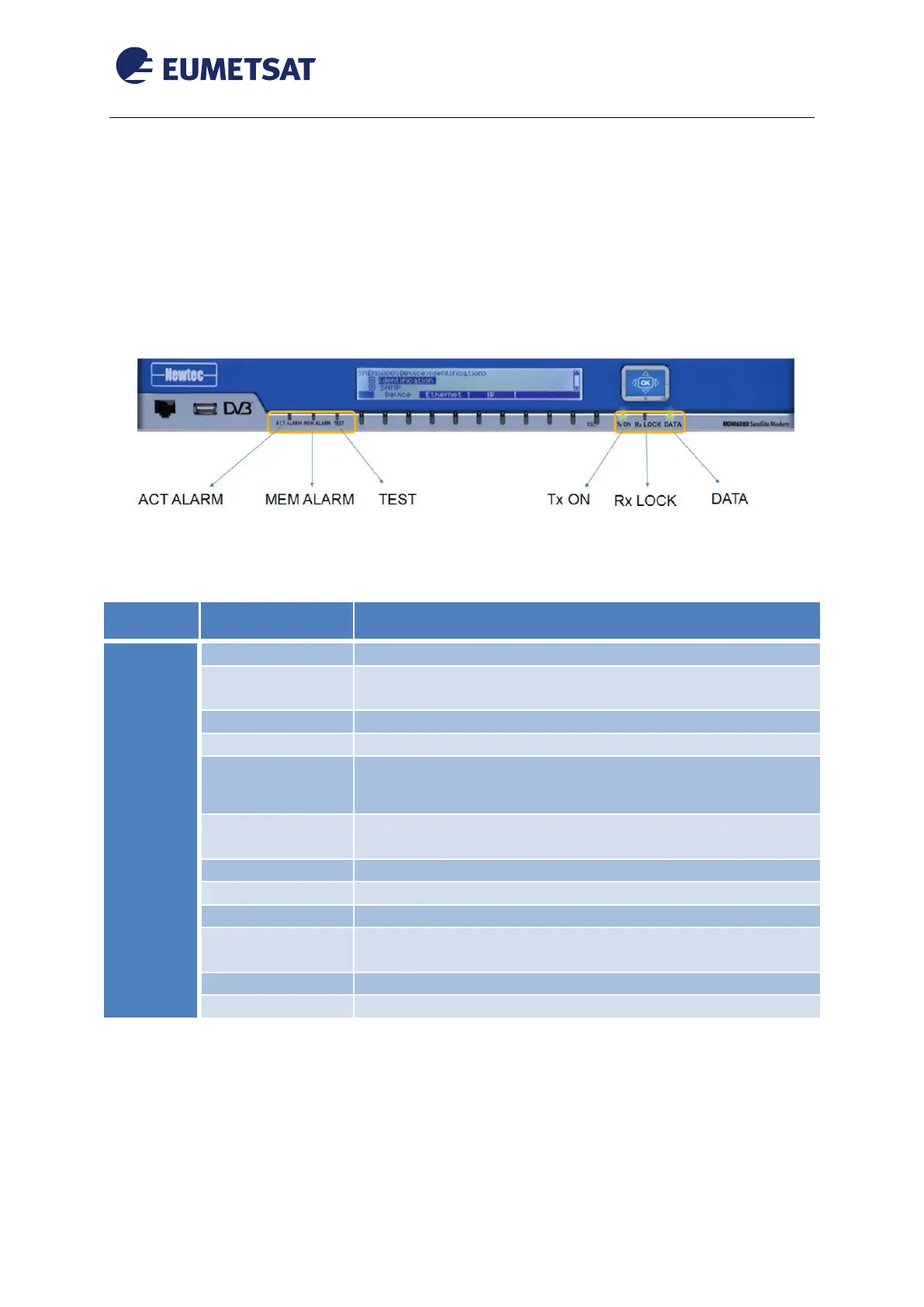
The control panel located on the front panel of the device has five LEDs. These LEDs
provide you with critical information related to different parts of the system. This section
explains what each LED indicates when illuminated and any corrective action you may need
to take.
Figure 4 Control Panel LEDs
A general device or interface alarm is present on the device.
Alarms other than the general device alarm or interface
alarm are present on the device.
There are no alarms present on the device.
A memorized alarm is present on the device.
Indicates that all alarms are cleared, no memorized alarm is
present on the device.
The demodulator part of the modem cannot lock to the
incoming carrier.
The demodulator part of the modem is locked
The demodulator part of the modem is disabled.
Indicates an interface alarm
The incoming / outgoing data is configured but there is no
activity monitored during the last second.
The incoming / outgoing data signal is valid.
The input and output interfaces are not enabled.
Table 2 Control Panel LED Indication



 To Next Page