38
In some cases, limitations of third party software may require you to choose the 4:2:0 setting. In addition,
TriCaster supports two H.264 quality options. Note that the entry designated Web Quality invokes a fixed
standard definition, 2 Mbit/sec capture profile suitable for online sharing (i.e., this format is always encoded in
SD resolution, even in HD sessions).
Note: Because H.264 files cannot be rescued in interrupted before completion (as, for example, in the case of a
power outage), we strongly recommend recording as Quicktime for mission critical capture.
DESTINATION
Select drives or other storage volumes as targets for the different
recordings using the Destination drop-down menu.
3.7 GRAB
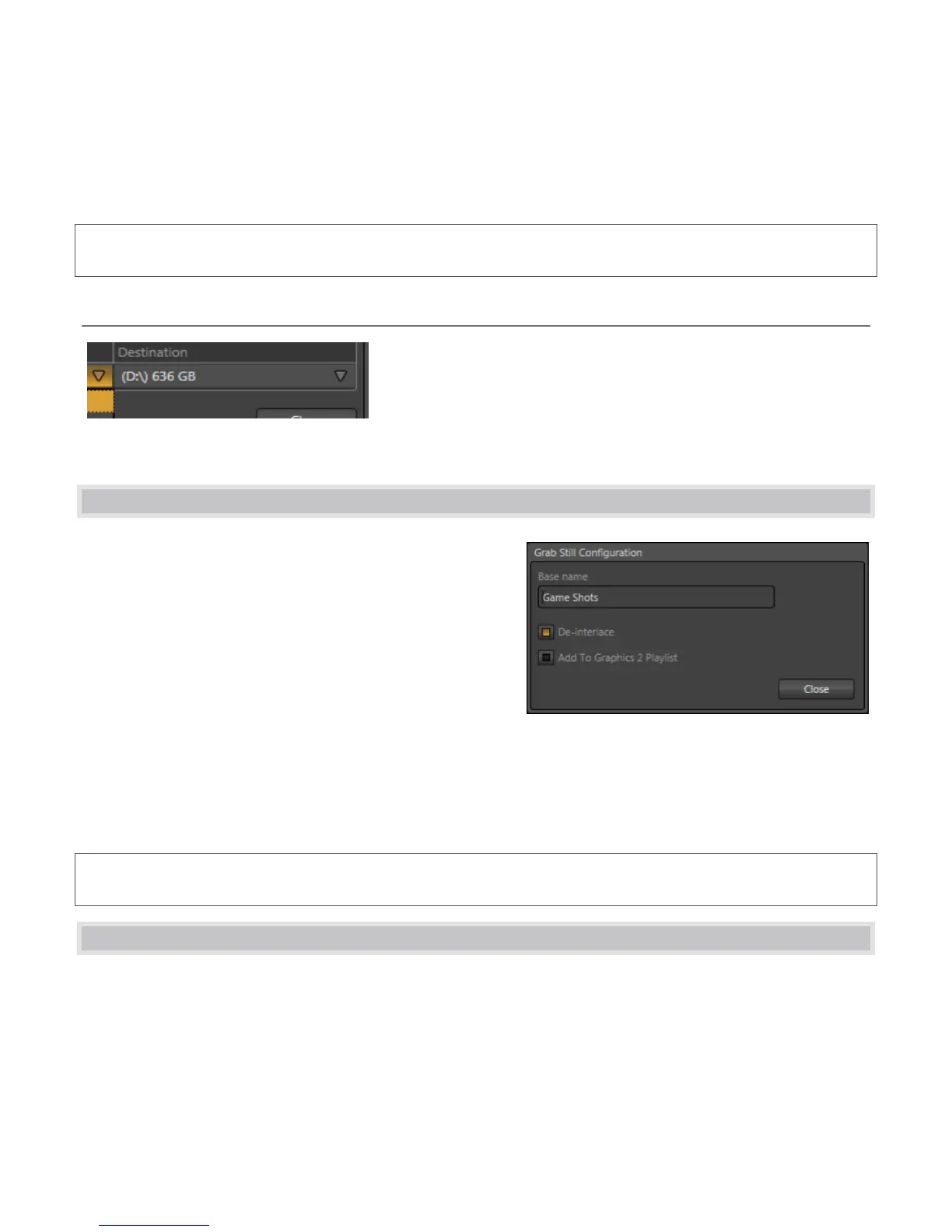
At times, all you really want to capture is a still image from
the current Program Output video stream. This is the
purpose of TriCaster’s Grab function. Click the Configure
button (gear) next to Grab beneath the Program Output
monitor to open the Grab Still Configuration panel.
The options presented are similar to those of Record
Configuration, though a bit simpler. Again, enter a Base
Name. The name you supply which will be numerically
incremented as required. Enable the Add to Graphics 2
Playlist switch to automatically include newly captured clips at the end of the current Graphics 2 module playlist,
ready for immediate playback during the live production. Grabbed image files are stored in a folder named for
the session, inside the main Still folder.
Hint: During a session, the ‘grab counter’ situated beside the button keeps track of the number of images stored
for the current base name entry.
3.8 VIRTUAL INPUTS
Virtual Input buttons sit on TriCaster’s Switcher rows just like other video inputs, but in fact they possess very
powerful features. Much like the M/E (Mix/Effect) rows of a traditional video switcher, they permit a multi-layer
composition to be prepared from multiple sources. In addition to the two sources just considered (Inputs A and
B), Virtual Inputs provide an integrated Overlay channel, as well.



 To Next Page