39
Figure 60
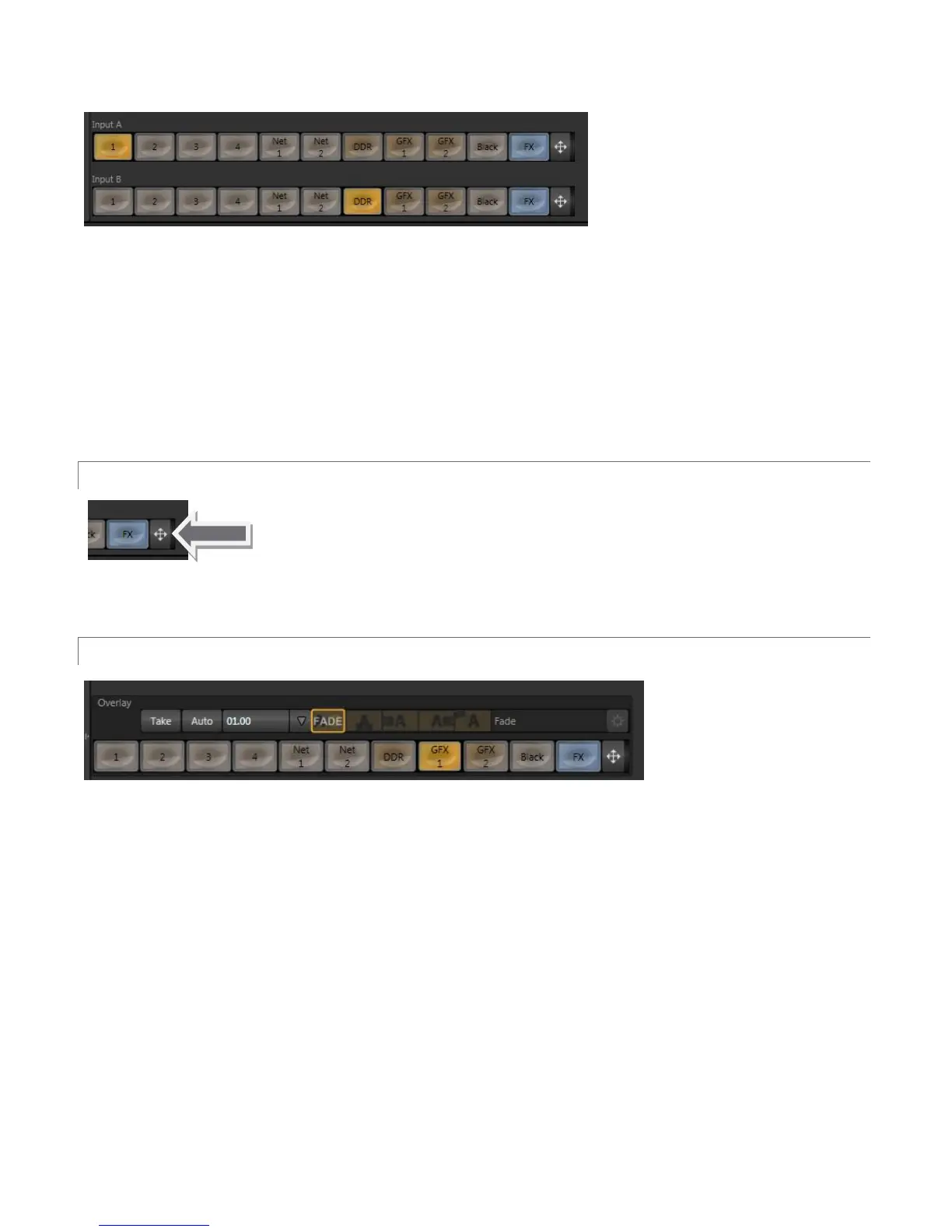
Virtual Inputs support two primary video sources. These two sources are labeled Input A and B. Selection is
made using buttons in the lower part of the tabbed panel, corresponding to TriCaster’s Switcher sources.
When a Virtual Input is displayed, Input A appears above (or, if you prefer, ‘in front of’) Input B by default. If
Input A is fully opaque it completely hides Input B. However, when LiveMatte settings for Input A result in
transparency, or the Input A source has transparency by virtue of being a 32bit file, or its active Position settings
mean it does not completely cover Input B, then Input B will appear through transparent regions in the result.
3.8.1 POSITIONER
Position controls for both Input A and Input B appear at right of their respective rows
(Figure 61). Click the double-headed arrow button to open the Positioner. The panel
that opens is identical to the DSK layer Positioner discussed back in Section 3.4.2.
3.8.2 OVERLAY
Figure 62
Another switcher-style source selector, labeled Overlay, is situated right above the Input A row. At right Just
above that you will also see local transition controls that are quite similar to those found in the Switcher’s
Transition pane. Really, the Virtual Input Overlay feature matches the DSK channels found in the Switcher’s main
Transition section in almost all respects.
Unlike the DSKs, though, its inclusion in Virtual Input tabs make it a ‘pre-Switcher’ video layer (along with Input A
and B). This means that the Overlay is applied before that composition is sent to the Switcher. Thus content in a
VI Overlay appears beneath anything displayed via the two (Switcher) DSK channels.
The Overlay selection and Position controls work just like their Input A and B cousins, discussed earlier (see
Section 3.8.1).



 To Next Page