54
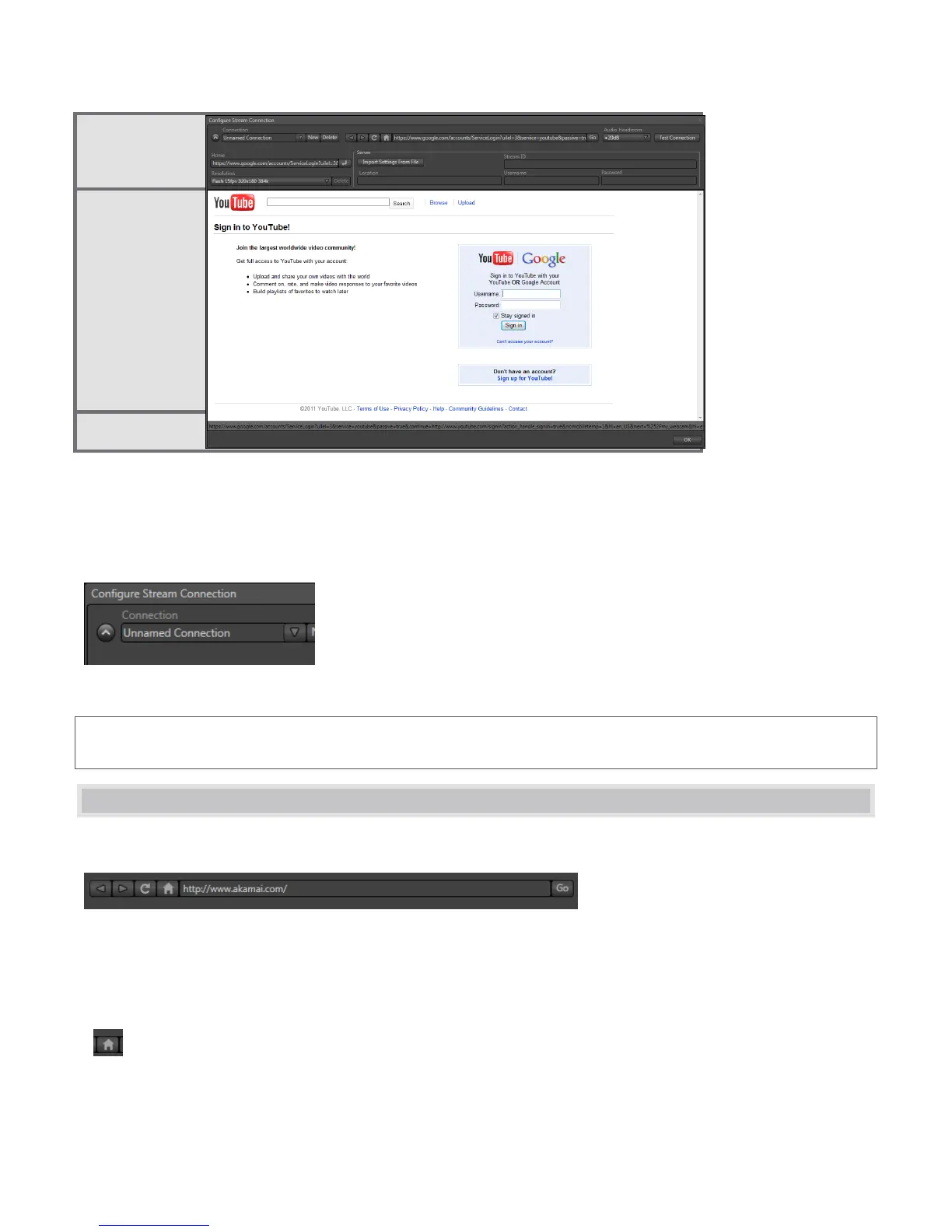
The uppermost contains controls for creating and managing Connection presets, along with familiar web
browser navigation tools.
The large viewport beneath displays the current webpage, if any.
Finally, the panel’s footer contains a status line and OK button.
Figure 77
Hint: If you like, once you have configured your Connection(s), you can collapse the header to a compact view
using the up/down control to the left of the connection name field (Figure 77).
5.2 WEB BROWSER
A simple set of navigation controls (Figure 78) is provided above the Web Browser viewport.
Figure 78
Easily recognizable Backward, Forward and Refresh buttons operate just like those on a typical web browser.
The URL field allows you to type in a webpage address, and access it using the Go button at right.
The operation of the Home button varies a bit from standard browser usage, and a little explanation
might be useful.



 To Next Page