Note:
If you want to search your notes by keywords, you must "recognize" firstly, since your
handwriting will be considered images instead of texts before recognition.
You have 2 ways to search for a note.
Method 1: Search by a tag. Flip a tag, the related notes will show up.
Method 2: Enter a keyword on the search bar, and the notes that include this word will
show up.
My tags
Hit my tags, you can easily find the notes with this tag.
Offline Mode
Note:
The uploading speed depends on many factors, such as the network speed, the size of
the offline notes, the period of last connection, the phone system, etc. We recommend
uploading notes as promptly as possible to prevent lost notes.
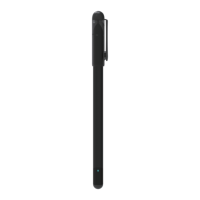
The NEWYES SyncPen3 supports offline writing. The writing created when offline will be
stored in the pen. The pen has large storage space, it can save up to 800 pages. But please
ensure that your Smartpen is turned on and the LED at the end flashes blue.
When you connect the Smart Pen, a reminder will pop up asking you to synchronize the
offline notes. Click Check, then Sync to synchronize the offline notes.
About Me
Note:
The uploading speed depends on many factors, such as the network speed, the size of
the offline notes, the period of last connection, the phone system, etc. We recommend
uploading notes as promptly as possible to prevent lost notes.
It will show up the number/email that you used to register the app.
ID - The id of your account, each user has a unique id.
Feedback: You can submit a question here, but we suggest you write an email to us
directly, we will handle the case faster by email.
Settings
APP language: There are 9 APP interface languages. Choose the one you need here.
Agreement: You can check the app agreement here.
Privacy Policy: You can check the app privacy here
What's fresh: It introduces the updates of each version.
Email: It's a place to put your email for sending the notes quickly to your email.
Renew checking: It will show the version update.
Switch Areas: It's to switch the server place.
Sign out: Log out of the account.
Delete Account: Delete the account permanently and delete the data from our cloud.
Online interaction This feature is under construction.
10


 To Next Page