• You can find the MAC number list here, choose yours and click bind.
• You can also unbind the SyncPen and connect it to another account.
You can set the handwriting transcribed language here. For more handwritten language
recognition settings, you can check page 8 Recognize.
My sync pen
Transcribe language
If you want to bind your SyncPen with one account, then other users won't be able to
connect your SyncPen accidentally. It's a good way to protect your data safety.
It will show all your used SyncPens, and you can bind or unbind SyncPen here.
Note:
One SyncPen can only be bonded to one account. If you want to change the associated
account, please unbind it firstly the repair.
Working With Pages
You can preview the created content on the thumbnail images. You can change the views
and sorts as follows.
View
• Tap
• Tap image or list
to change image view or list view.
Manage Multiple Pages
Long-press any page, you can see the options of managing multiple pages, you can select
several pages and add tags for them or delete them.
Tap , you can find two options,
1. Tap page sharing, you can share the page on Facebook or Twitter.
2. Tap bind to share, you can bind the pages to PDF or JPG, then share.
Know More About The Page
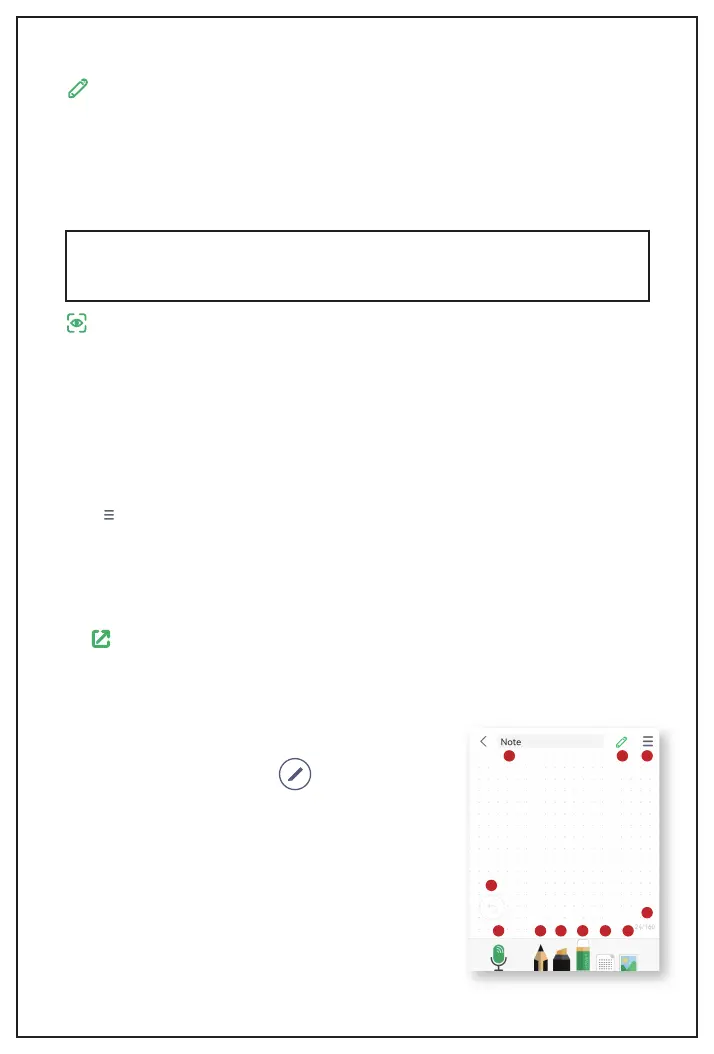
On the specific page, when click , you will see more
writing settings.
6
1 2 3 4 5 6
8
7
11109


 To Next Page