30 31
4
QUICK GUIDE
4
QUICK GUIDE
6
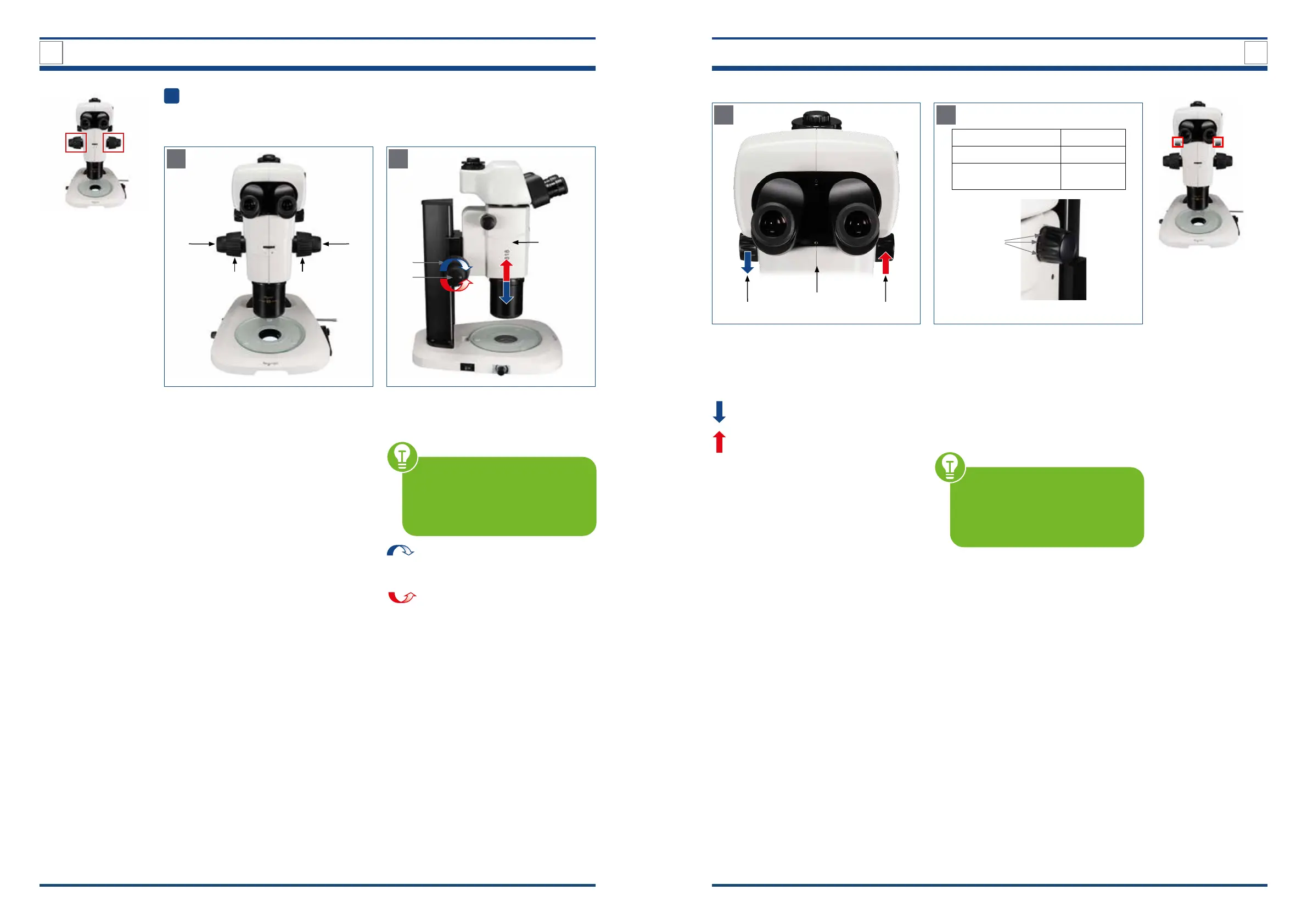
Settings on the zoom unit
A
Illustration xx A: Focusing controls.
2a 2b
1b1a
Focusing controls
To adjust the focus, rotate the focusing
knobs (1,2) on the right and left sides of
the stereo microscope.
Coarse focusing knobs (1a, 1b):
Pre-focusing, large distance between
specimen and objective.
Fine focusing knobs (2a, 2b):
The ne focus is used for image sharp-
ness. Fine and precise regulation of the
distance between the specimen and the
objective.
B
Illustration xx B: Relationship between focusing knobs and zoom
unit.
2
3
1
Relationship between focusing knobs
and zoom unit
NOTE: Familiarize yourself with
the correlation between the di-
rection of rotation of the focusing
knobs and the vertical movement
of the zoom unit.
Turning the focusing knobs (1,2)
forward
Zoom unit (3) moves downwards
Turning the focusing knobs (1,2)
backward
Zoom unit (3) moves upwards
a) Adjust the focus using the focusing knobs
A
Illustration xx/ A: Zooming knobs.
Zooming knobs
Turn the zooming knobs (1a, 1b) on the
right and left of the zooming body (2) to
change the magnication.
Turning the knob forward
Magnication decrease
Turning the knob backward
Magnication increase
The magnication values are marked on
the right-hand zooming knob (1b).
B
Illustration xx/B: Magnication details.
Zoom ratio 18:1
Zoom range 0.75x – 13.5x
Total magnication
(1x objective, 10x eyepiece)
7.5 – 135x
3
Magnication values
Turning the zooming knobs cause the
magnication to change in the range
from 0.75x to 13.5x (18:1 zoom ratio).
The following magnication steps (3) are
possible:
0.75x, 1x, 2x, 3x, 4x, 5x, 6x, 7x, 8x, 9x, 10x,
11x, 12x, 13x and 13.5x
NOTE: At the following magni-
cation steps, the zooming knobs
engages with an audible “click”:
0.75x (starting position), 1x, 2x, 3x,
6x, 10x, 13.5x (nal position).
b) Set desired magnication on the zooming knob with scale
1a 1b
2



 To Next Page