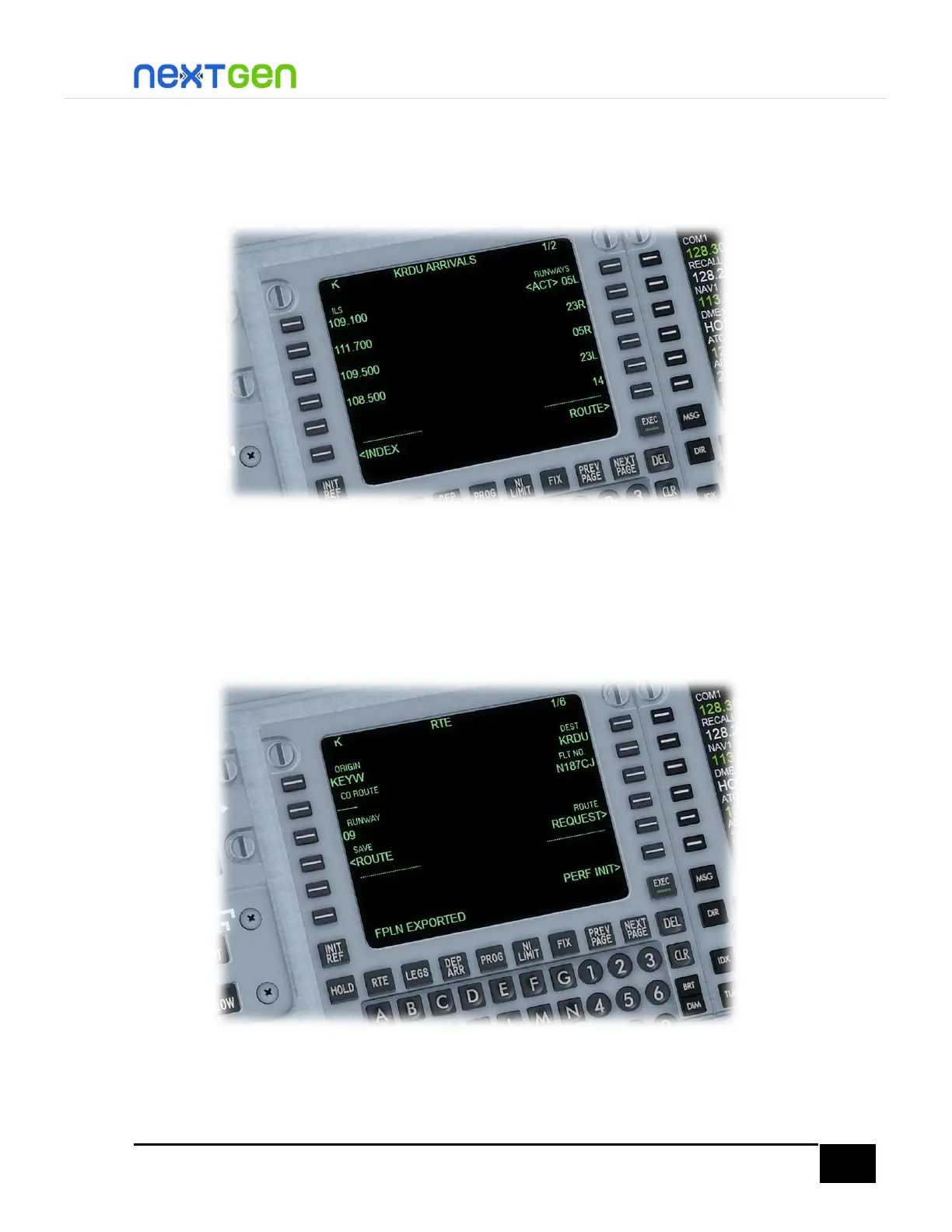
Approach Entry
Press the DEP ARR button and select the LSK 2R for the destination. There you will select the runway
05L for approach and arrival, by pressing the respective right line select key. It will be automatically
set and you will see later on further sections a surprise on how to set up the aircraft for approach.
Save the Flight Plan
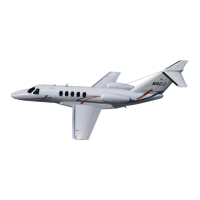
If you want to save the flight plan for further use, go to RTE page by pressing the RTE button, then
press the LSK 4L where it should read “< SAVE FPLN”. A message will appear shortly after pressing
the button. When you see a “FPLN EXPORTED” message, a PLN file is created and saved into the
FSX/P3D default files folder at your Documents folder. You can then clear the message by pressing
either the CLR key or the DEL key.


 To Next Page