Cold & Dark Procedures
We will now start the airplane back up from a Cold and Dark state.
Usually this aircraft shuts down after arrival, then powers up again after hours of standing on ground
prior to begin a new flight plan. Here, we will not go through the process of entering a route again –
for that, you can refer to the earlier parts of this document. We neither will be talking about the
required checks and tests to perform. To do so, you can refer to the actual procedures in the Checklists
document.
The target here is only to show you how to get the airplane up and running, in the same configuration
as when the aircraft loads in sim, in few steps.
NOTE: If you want to start the flight with the CJ4X in Cold and Dark state, first load a flight with any
of the default aircraft (Baron 58 or any other of that kind, DO NOT use the default F-35 if you are
flying on Prepar3D as this may cause bugs when initializing the CJ4’s internal code), then shutdown
engines and turn battery, avionics and alternators off. Now, load the CJ4. It will be loaded in Cold &
Dark configuration.
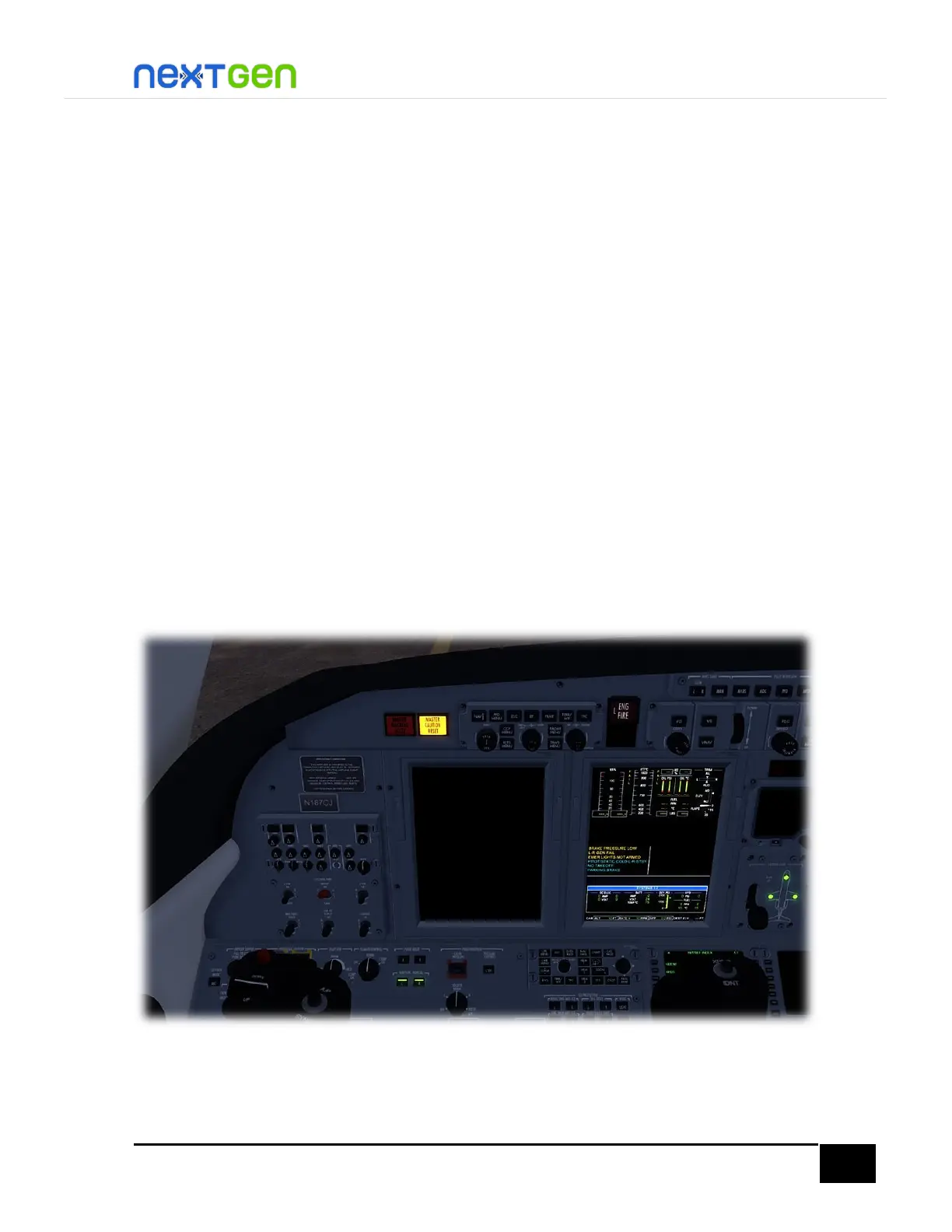
Electrical Power-Up & Preflight
To power up the aircraft, press the BATT switch to turn the battery on. You will hear the battery
spooling up, and see the MFD pilot on, with FAIL flags on the engine indicators. This is
because the avionics are not connected yet.
Turn the AVIONICS switch to ON position, so that you can quickly start the engines. In real-
life, generally the flight crew starts the avionics in DISPATCH position first, so that the pilot(s)


 To Next Page