touchdown). Set it to 200 feet. Once you are done, press the middle of the DATA knob to exit
edition mode and save changes. Now, press the REFS MENU button (1) to exit the REFS menu.
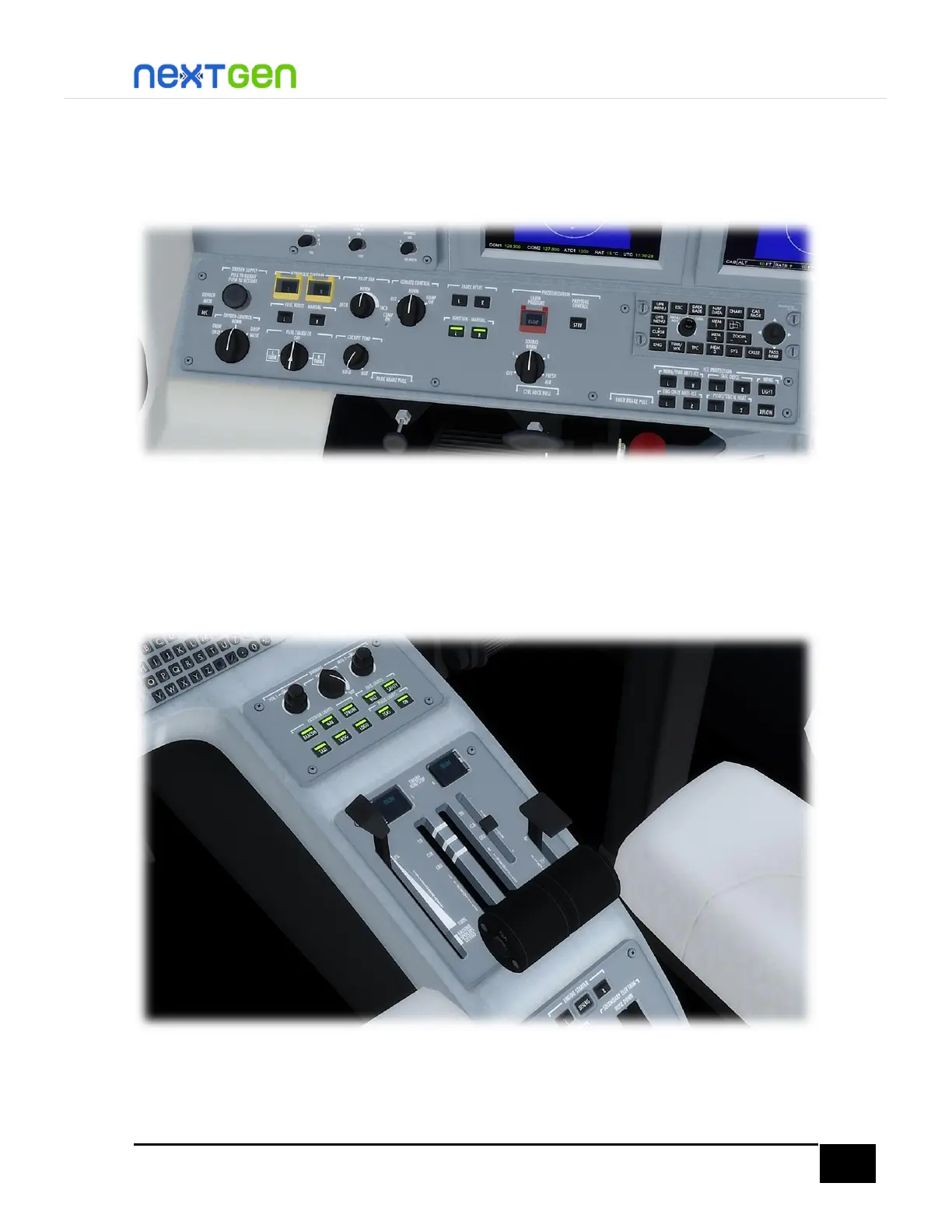
Now, we will configure the aircraft for takeoff. First, check the Left Tilt Panel. It must be like in
the following picture:
Also check the Electrical Panel (left side of the PFD and below the Audio Panel). The BATT
switch and GEN switches must be in ON position. The AVIONICS and STBY FLT DISPLAY
switches in ON position, and the EMER LIGHTS switch on ARMED position. To move the latter
three switches, left-click to move downwards and right-click to move upwards.
Then, check the Pedestal and click (if necessary) until you get something like in the figure
below:
There, all exterior lights are on, panel (cockpit) lights are off, engines running, starters
disengaged, spoilers retracted, throttles in IDLE position and flaps on 0° or 15°. For this


 To Next Page