9
3 Operation
3.1 Instrument overview
3.1.1 Instrument display
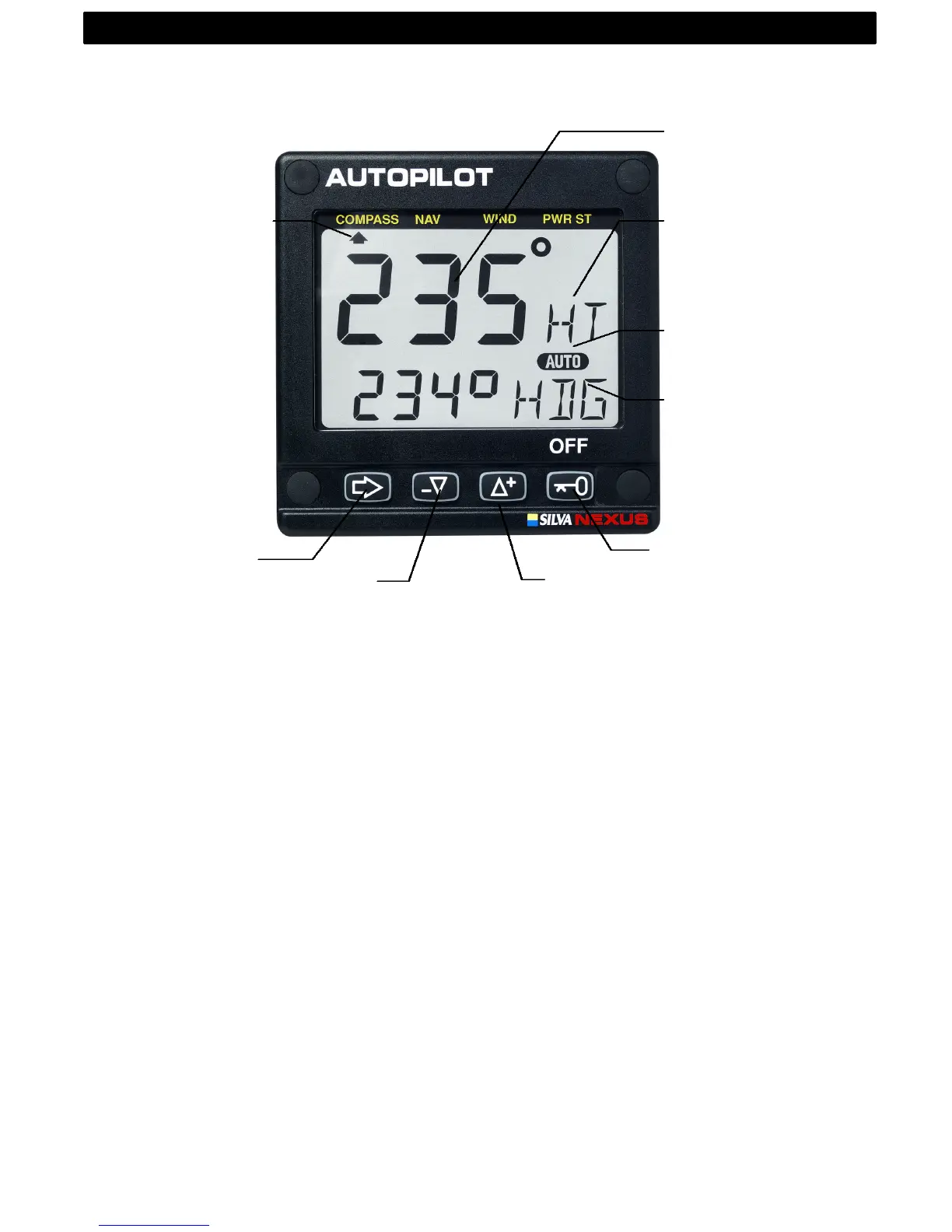
The display consists of two lines, a top-line with 24 mm (1”) digits and a
lower-line with 13 mm (0.5”) digits.
3.1.2 Instrument pages and functions
The Autopilot instrument has its functions divided into 4 pages. The
page names are printed above the display:
COMPASS, NAV (Navigation), WIND and PWR ST (Power steer)
The selected function is indicated by the page-arrow at top of the dis-
play.
3.1.3 Instrument modes
Standby mode: The instrument functions as a passive compass re-
peater.
Autopilot mode: When any Autopilot function is activated.
Setup mode: It allows calibrating your Network settings.
Edit mode: It allows editing settings (when digits are flashing).
3.1.4 Instrument power on/off
You will switch on/off your Nexus instruments by using the instrument
switch on your electrical panel as the instruments have no separate
power on/off-button.
4 OPERATION OPERATION
Reference
course /



 To Next Page