20
The rudder angle limit sets maximum angle for the rudder. If the limit is
set to 45°, it is not possible to exceed a rudder angle 45° on either port
or starboard. Check the maximum rudder angle by turning the steering
wheel to port and starboard and read the maximum angle. If the angle
is greater on one side, decrease the smallest angle by 3°, and enter that
setting as the limit.
5.4 Alarm setup group [A]
To silence an alarm, press any push button.
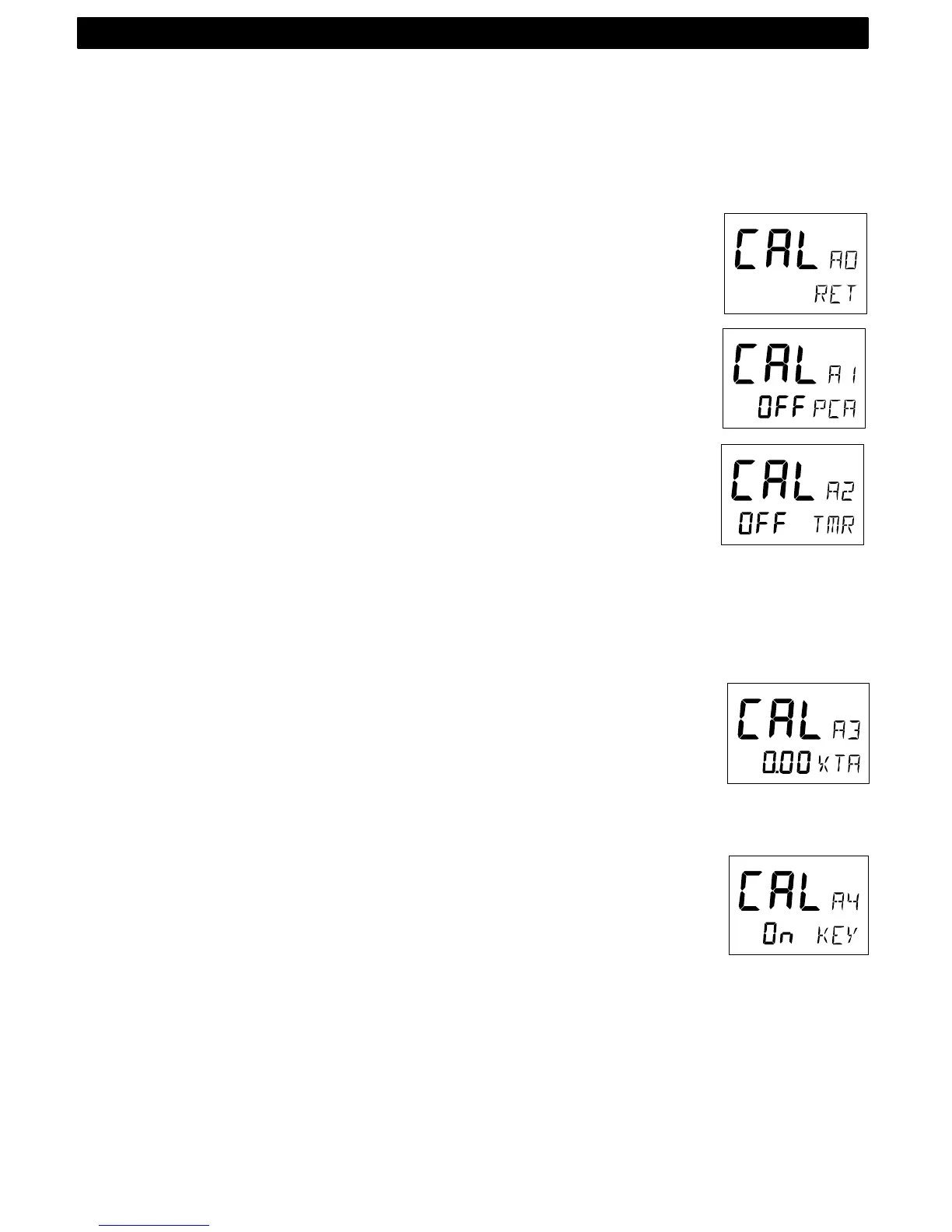
5.4.1 A0, Return [RET]
To return to previous mode, press KEY when the text [RET] is dis-
played.
5.4.2 A1, Pilot Course Alarm [PCA]
Possible settings are [OFF] and [00°-99°]. Default setting is [OFF].
When the boat’s average course differs more than the [PCA] setting,
the alarm will sound and the display will blink.
5.4.3 A2, Timer watch alarm [TMR]
Possible settings are [OFF] or [On]. Default setting is [OFF].
On = audible alarm activated.
The audible alarm will sound every 5 minutes to alert the person on
watch.
To confirm and restart the timer, press any push-button. If not con-
firmed within 1 minute, the optional external alarm buzzer, if connected
to the Nexus Server, will sound for 1 minute, to alert the rest of the
crew.
5.4.4 A3, Cross Track Error alarm [XTA]
Possible settings are [0.00] = OFF to [9.99]. Default setting is [0.00].
This function is only available in NAV function when the Autopilot is
connected to a Nexus Network and a navigator is connected to the
Nexus Server.
If the pilot’s cross track error exceeds the set threshold of distance of
the track, the alarm will be activated.
5.4.5 A4, Push-button beep [KEY]
Possible settings are [OFF] or [On]. Default setting is [ON].
[On] = Sound when push buttons are pressed. [OFF] = No sound.
5.5 Compass setup group [C]
Auto-deviation, auto-deviation-check and auto-deviation clear, are only
available if a Nexus compass transducer is connected. The auto-
deviation routine will automatically correct all possible faults, except
alignment.
Note! As soon as you place any kind of ferrous items close to the com-
pass, the auto-deviation and auto-deviation check routines should be
SETUP


 To Next Page