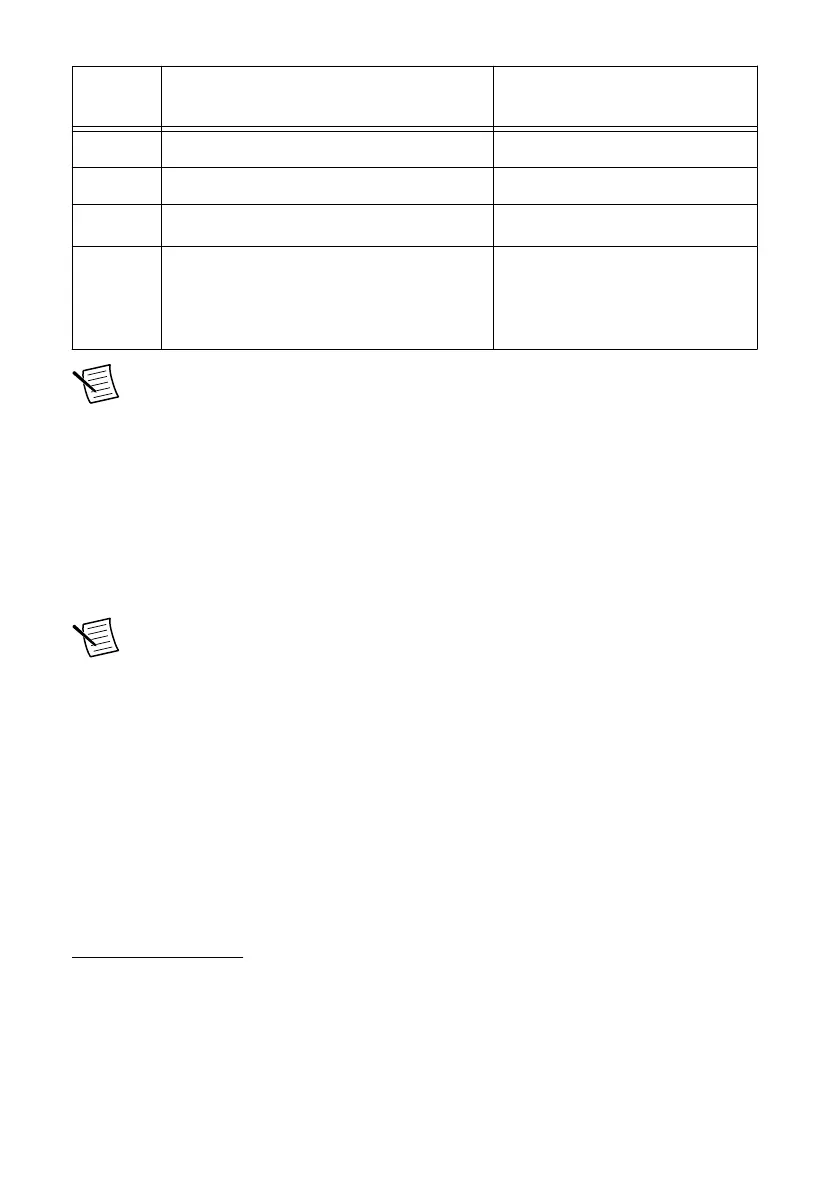
Sequence Software Corresponding Programming
Mode
1 LabVIEW 2017 SP1 or later
2 LabVIEW Real-Time Module 2017 or later
3 LabVIEW FPGA Module 2017 or later
1
LabVIEW FPGA Mode
4 NI CompactRIO Device Drivers 17.6 or
later
2
Real-Time Mode
Real-Time Scan Mode (IO
Variables)
Note If you do not have the software media included with your hardware or do not
have a media drive, go to ni.com/downloads to download the required software.
After installing the software, you must activate it using NI License Manager.
Software Compatibility Resources
For more information about installing the correct versions of software, visit ni.com/info and
enter the Info Code swsupport.
For tips on resolving software compatibility issues with CompactRIO systems, visit ni.com/
info and enter the Info Code swcompatibility.
Note If you try to install software that already exists on your host computer, the
installer will show nothing installed.
1
LabVIEW FPGA Module is not required when using Real-Time or Real-Time Scan (IO Variables)
program modes. To program the user-accessible FPGA on the cRIO-904x or deploy C Series
modules in the LabVIEW FPGA program mode, LabVIEW FPGA Module is required.
2
NI CompactRIO Device Drivers 17.6 and later include NI-DAQmx driver software. To deploy
C Series modules installed in the cRIO-904x in Real-Time (NI-DAQmx) mode, ensure that NI-
DAQmx is selected during installation. To deploy C Series modules installed in the cRIO-904x in
Real-Time Scan (IO Variables) mode, ensure that NI Scan Engine is selected during installation.
cRIO-904x Getting Started Guide | © National Instruments | 3



 To Next Page