Installing the C Series Modules
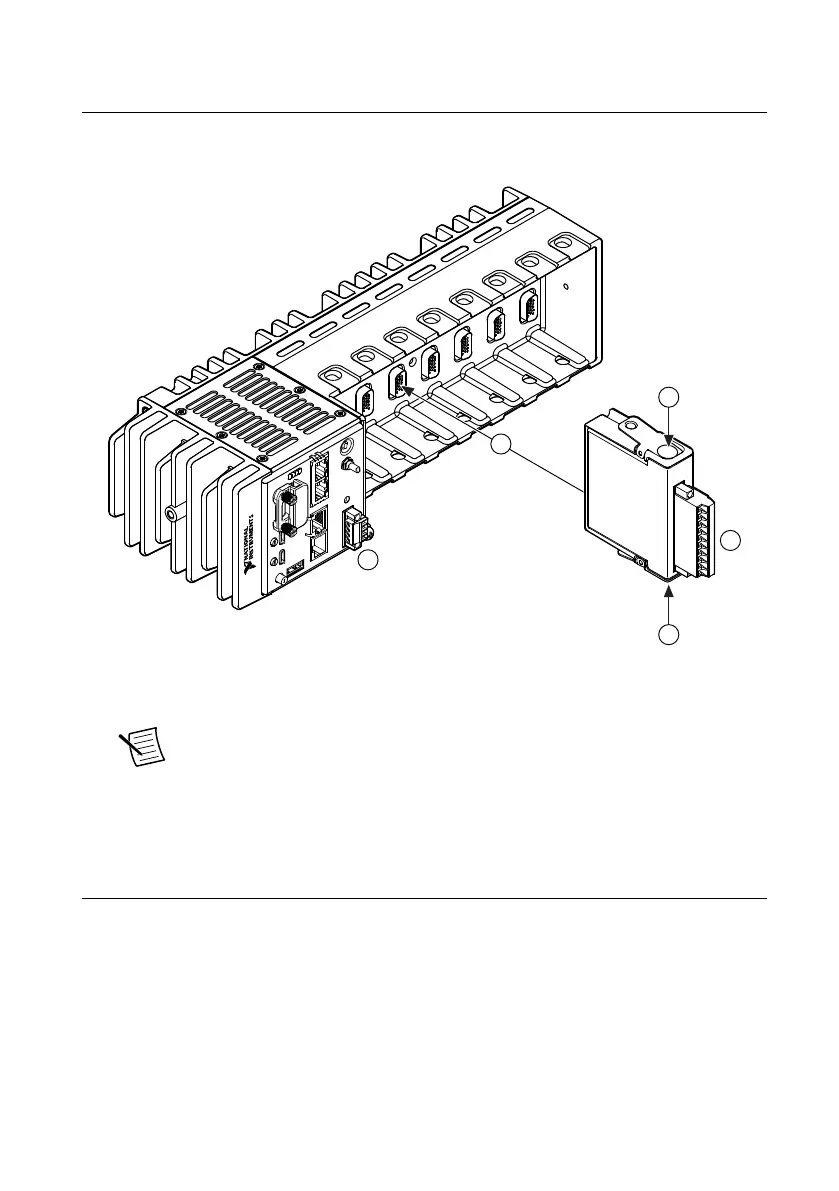
Complete the following steps to install a C Series module.
1. Verify that power is not connected to the I/O connector(s) on the C Series module and the
cRIO-904x.
Note If the system is in a nonhazardous location, the cRIO-904x can be
powered on when you install modules.
2. Press the latches on the C Series module.
3. Align the C Series module with a slot and seat it in the slot until the latches lock in place.
Connecting the cRIO-904x
The cRIO-904x has the following connectors, LEDs, and buttons. For a full description of all
front panel features, see the cRIO-904x User Manual.
4 | ni.com | cRIO-904x Getting Started Guide



 To Next Page