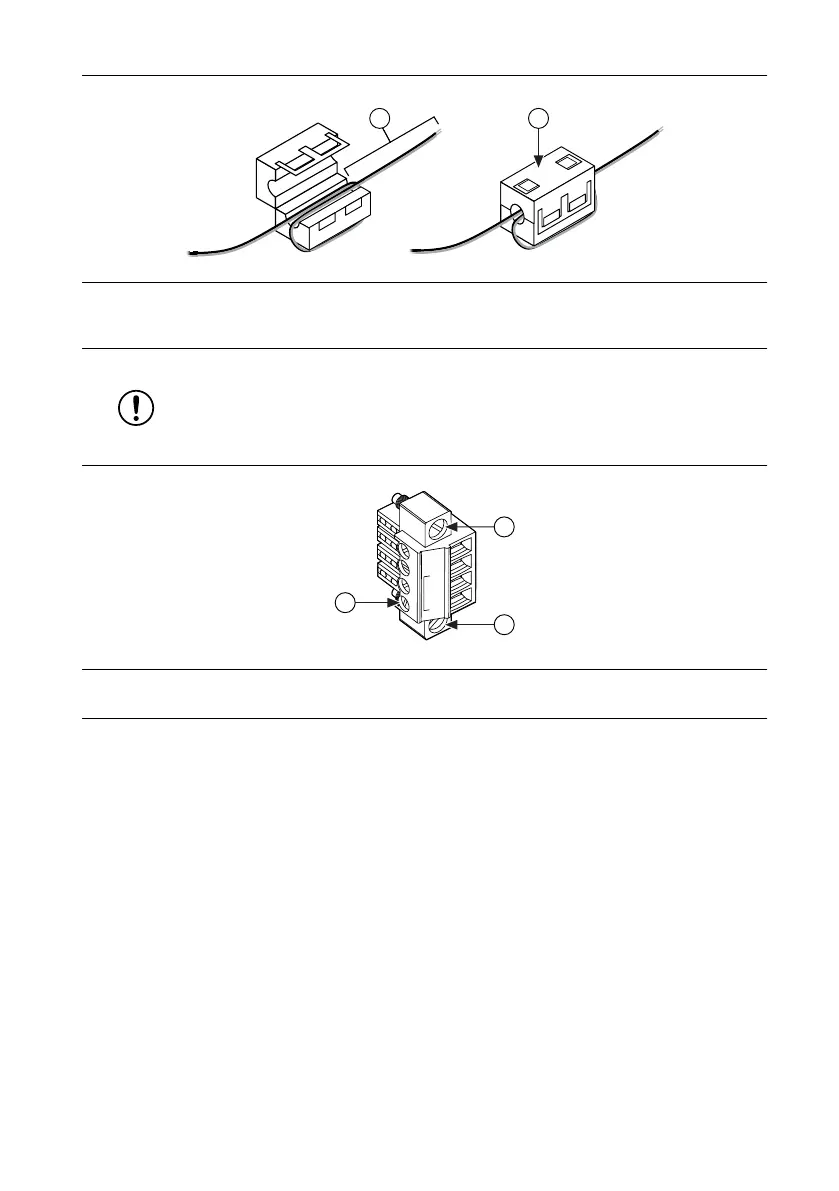
Figure 3. Installing a Ferrite on the Power Leads
1. Pass the leads through the ferrite twice, leaving 50 mm to 75 mm (2 in. to 3 in.) between the ferrite and
the end of the leads.
2. Close the ferrite around the leads.
3. Remove the power connector from the cRIO-904x.
Notice Do not tighten or loosen the terminal screws on the power connector
while the cRIO-904x is powered on.
Figure 4. Power Screw Terminal Connector Plug
1. Terminal Screw
2. Connector Screw Flanges
4. Connect the primary power supply and optional secondary power supply to the power
connector, as shown in the following figure.
8 | ni.com | cRIO-904x Getting Started Guide



 To Next Page