Setting
1.
Tick “use proxy" if you do not want to use a proxy.
2.
Mark “server" and press the OK button.
3.
Enter the correct details via the virtual keypad.
4.
Mark “OK" and press the OK button.
5.
Repeat 1 - 3 for "port", "user name" and "password".
6.
Mark “confirm" and press the OK button.
TIP
All settings made since opening the menu can be reset by marking "reset"
and pressing the OK button.
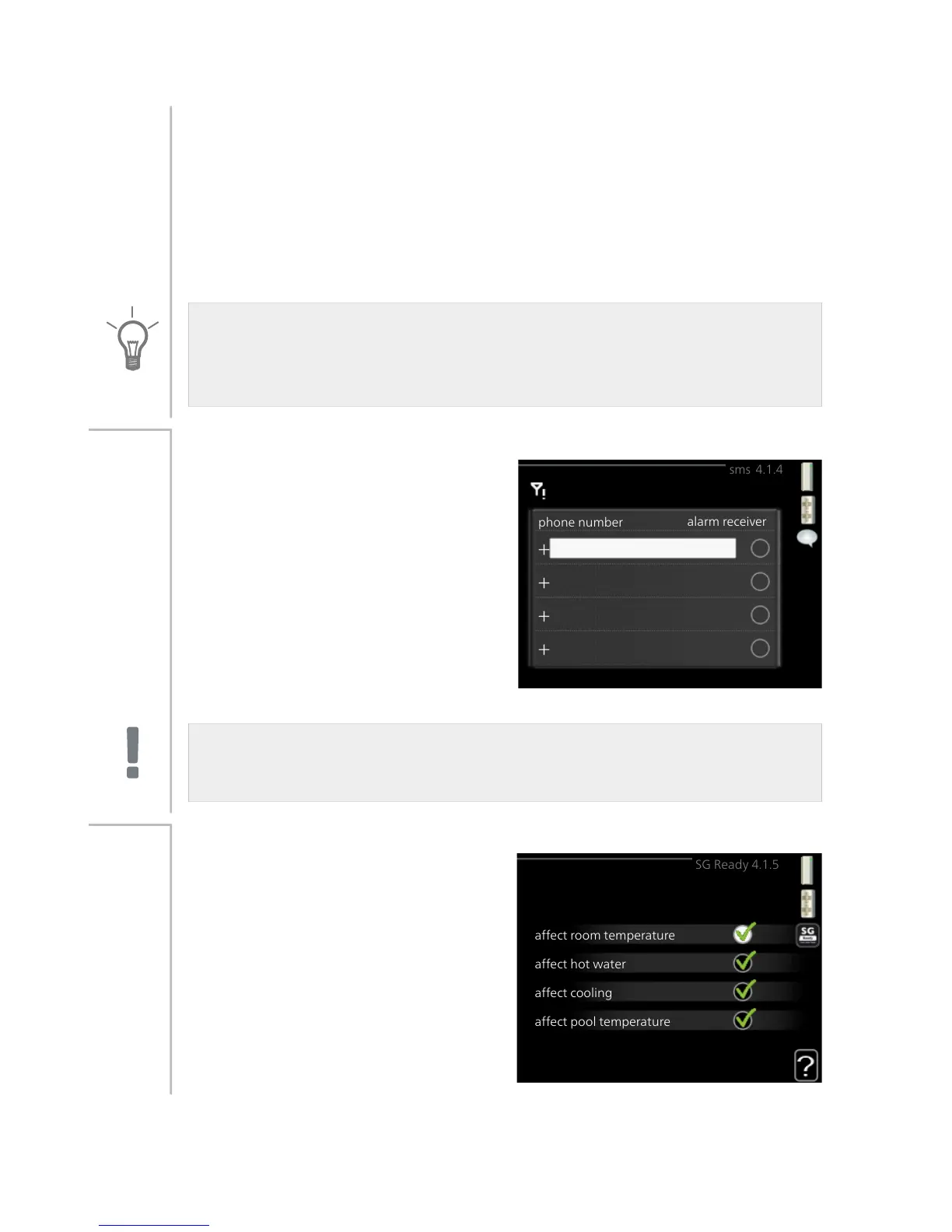
sms (accessory is required)
phone number
alarm receiver
sms 4.1.4
Make settings for the accessory SMS
40 here.
Add the mobile numbers that are to
have access to change and receive
status information from the heat
pump. Mobile numbers must include
country code e.g. +46 XXXXXXXX.
If you want to receive an SMS mes-
sage in the event of the alarm mark
the box to the right of the telephone
number.
Menu
4.1.4
NOTE
Telephone numbers provided must be able to receive SMS messages.
SG Ready
affect hot water
affect cooling
affect pool temperature
affect room temperature
SG Ready 4.1.5
This function can only be used in
mains networks that support the "SG
Ready"-standard .
Make settings for the function "SG
Ready" here.
affect room temperature
Here you set whether room temperat-
ure should be affected when activat-
ing "SG Ready".
Menu
4.1.5
NIBE™ F1155Chapter 3 | F1155 – at your service60



 To Next Page