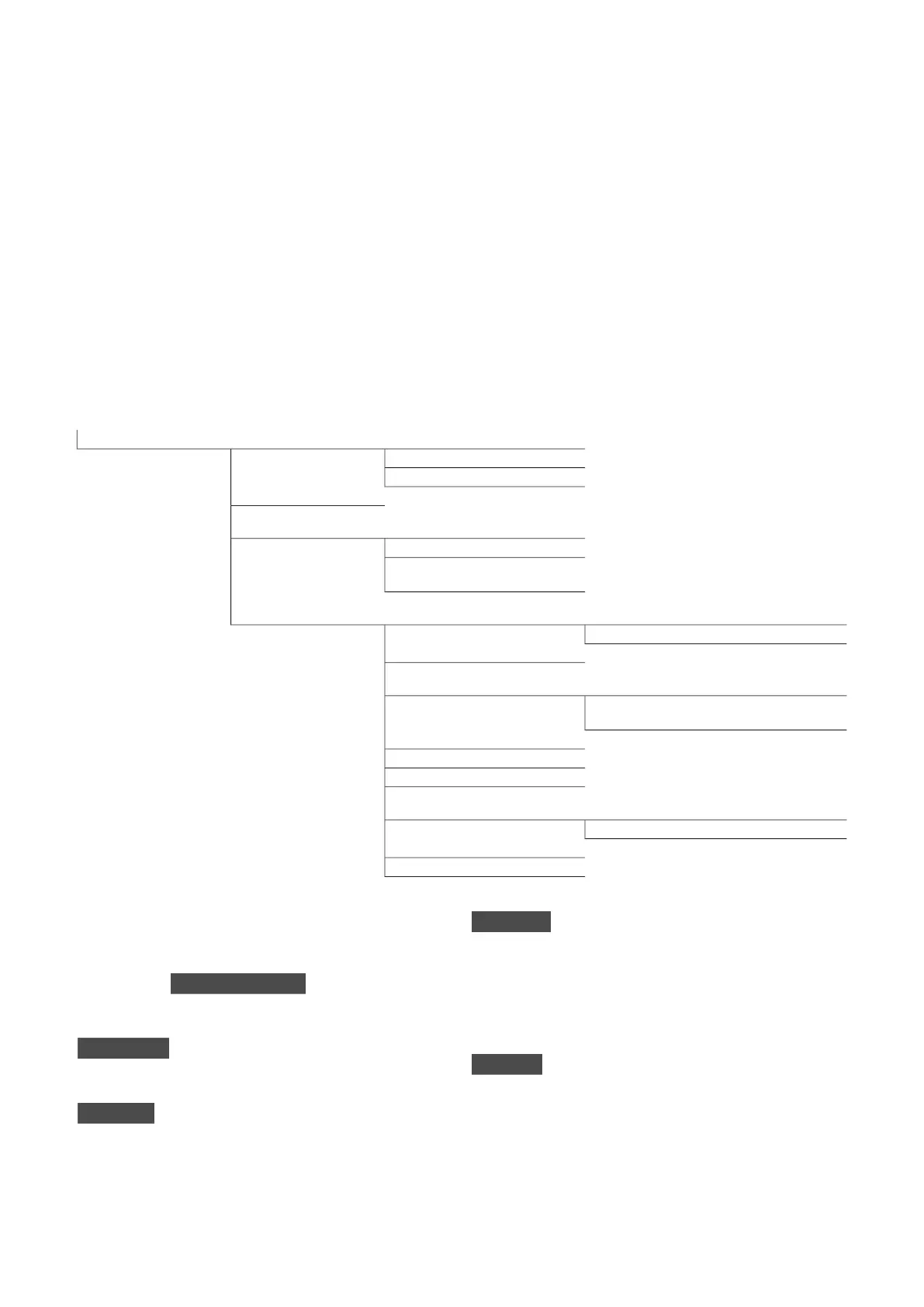
Menu 1 – INDOOR
CLIMATE
OVERVIEW
1.1.1 - temperature heating1.1 - temperature1 - INDOOR CLIMATE
1.1.2 - temperature cooling *
1.1.3 - rel. humidity *
1.2 - ventilation
1.3.1 - scheduling heating1.3 - scheduling
1.3.2 - scheduling cooling *
1.3.2 - scheduling ventilation
*
1.9.1.1 heating curve1.9.1 - curve1.9 - advanced
1.9.1.2 - cooling curve *
1.9.2 - external adjustment
1.9.3.1 - min. flow line temp. heating1.9.3 - min. flow line temp.
1.9.3.2 - min. flow line temp. cooling
*
1.9.4 - room sensor settings
1.9.5 - cooling settings *
1.9.6 - fan return time *
1.9.7.1 - own heating curve1.9.7 - own curve
1.9.7.2 - own cooling curve *
1.9.8 - point offset
1.9.9 – night cooling*
* Accessories are needed.
Sub-menus
For the menu INDOOR CLIMATE there are several sub-
menus. Status information for the relevant menu can
be found on the display to the right of the menus.
temperature Setting the temperature for the climate
system. The status information shows the set values
for the climate system.
ventilation Setting the fan speed. The status informa-
tion shows the selected setting. This menu is only dis-
played if the exhaust air module is connected (access-
ory).
scheduling Scheduling heating, cooling and ventilation.
Status information "set" is displayed if you set a schedule
but it is not active now, "holiday setting" is displayed if
the vacation schedule is active at the same time as the
schedule (the vacation function is prioritised), "active"
displays if any part of the schedule is active, otherwise
it displays " off".
advanced Setting of heat curve, adjusting with external
contact, minimum value for supply temperature, room
sensor and cooling function.
MENU 1.1 - TEMPERATURE
If the house has several climate systems, this is indic-
ated on the display by a thermometer for each system.
NIBE F1345Chapter 3 | Control - Menus12
3 Control - Menus



 To Next Page