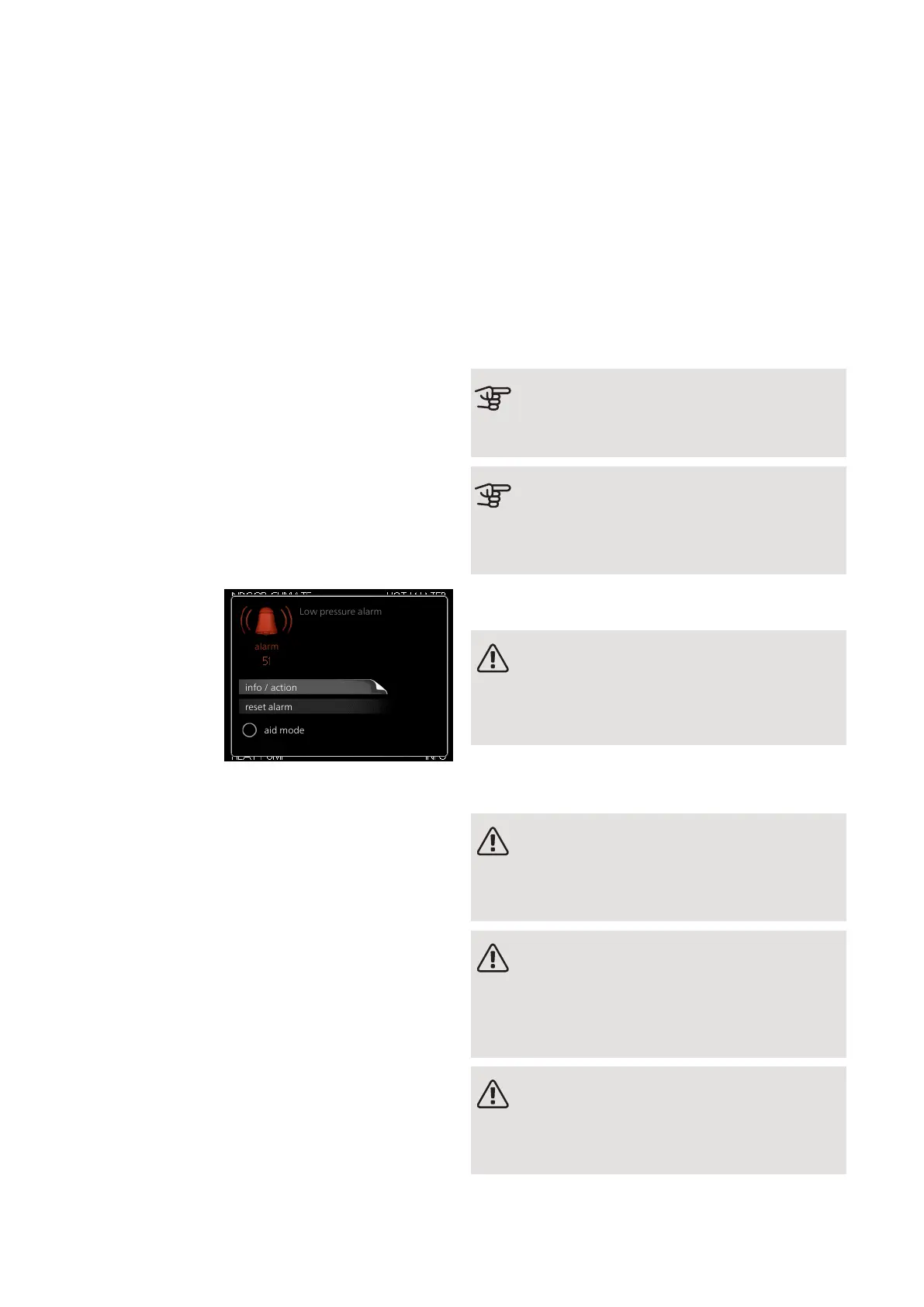
In most cases, F1345 notes a malfunction (a malfunction
can lead to disruption in comfort) and indicates this with
alarms, and instructions for action, in the display.
Info-menu
All the heat pump’s measurement values are gathered
under menu 3.1 in the heat pump’s menu system. Ex-
amining the values in this menu can often make it easier
to identify the source of the fault. See the help menu
for more information about menu 3.1.
Manage alarm
info / action
reset alarm
aid mode
Low pressure alarm
alarm
In the event of an
alarm, some kind of
malfunction has oc-
curred, which is in-
dicated by the
status lamp chan-
ging from green
continuously to red
continuously. In ad-
dition, an alarm bell
appears in the information window.
ALARM
In the event of an alarm with a red status lamp a mal-
function has occurred that the heat pump cannot remedy
itself. In the display, by turning the control knob and
pressing the OK button, you can see the type of alarm
it is and reset it. You can also choose to set the heat
pump to aid mode.
info / action Here you can read what the alarm means
and receive tips on what you can do to correct the
problem that caused the alarm.
reset alarm In many cases, it is sufficient to select “reset
alarm” for the product to revert to normal operation. If
a green light comes on after selecting “reset alarm”,
the alarm has been remedied. If the red light is still on,
and a menu called “alarm” is visible in the display, the
problem causing the alarm still remains.
aid mode “aid mode” is a type of emergency mode.
This means that the heat pump produces heat and/or
hot water even though there is some kind of problem.
This could mean that the heat pump’s compressor is
not running. In this case, the immersion heater produces
heat and/or hot water.
Caution
To select aid mode an alarm action must be
selected in the menu 5.1.4.
Caution
Selecting "aid mode” is not the same as cor-
recting the problem that caused the alarm. The
status lamp will therefore continue to be red.
If the alarm does not reset, contact your installer for
suitable remedial action.
NOTE
You need the product's (14 digit) serial number
for servicing and support.
See section "Serial number".
Troubleshooting
NOTE
Work behind covers secured by screws may
only be carried out by, or under the supervision
of, a qualified installation engineer.
NOTE
In the event of action to rectify malfunctions
that require work within screwed hatches, the
incoming supply electricity must isolated at the
safety switch.
NOTE
Because F1345 can be connected to a large
number of external units, these should also be
checked.
NIBE F1345Chapter 5 | Disturbances in comfort52
5 Disturbances in comfort



 To Next Page