Draining the heating medium side in a cooling
module
If, for example, the heating medium pump requires re-
placing or a cooling module requires servicing, drain the
heating medium side as follows:
1.
Close the shut-off valves outside the heat pump for
the heating medium side (return and flow line).
2.
Connect a hose to the bleed valve (QM1) and open
the valve. Some liquid will run out.
3.
Air must get into the system for the remaining liquid
to run out. To let in air, loosen the connection slightly
at the shut-off valve that joins the climate system
with the heat pump by connection (XL2) for the re-
spective cooling module.
When the heating medium side is drained, the required
service can be performed and/or replacement of any
components carried out.
Draining the entire climate system
If the entire climate system requires draining, do this as
follows:
1.
Connect a hose to the bleed valve (QM1) and open
the valve. Some liquid will run out.
2.
Air must get into the system for the remaining liquid
to run out. This is done by unscrewing the bleed
screw on the highest placed radiator in the property.
When the climate system is empty the requisite service
can be carried out.
EMPTYING THE BRINE SYSTEM
In order to service the brine system it may be easier to
drain the system first.
Draining the brine system in a cooling module
If, for example, the brine pump requires replacing or a
cooling module requires servicing, drain the brine system
by:
1.
Close the shut-off valve outside the heat pump for
the brine system.
2.
Connect a hose to the drain valve (QM2), place the
other opening of the hose in a container and open
the valve. A small amount of brine will flow into the
container.
3.
Air must get into the system for the remaining brine
to run out. To let in air, loosen the connection slightly
at the shut-off valve that joins the brine side with
the heat pump by connection (XL7) for the respect-
ive cooling module.
When the brine side is empty the requisite service can
be carried out.
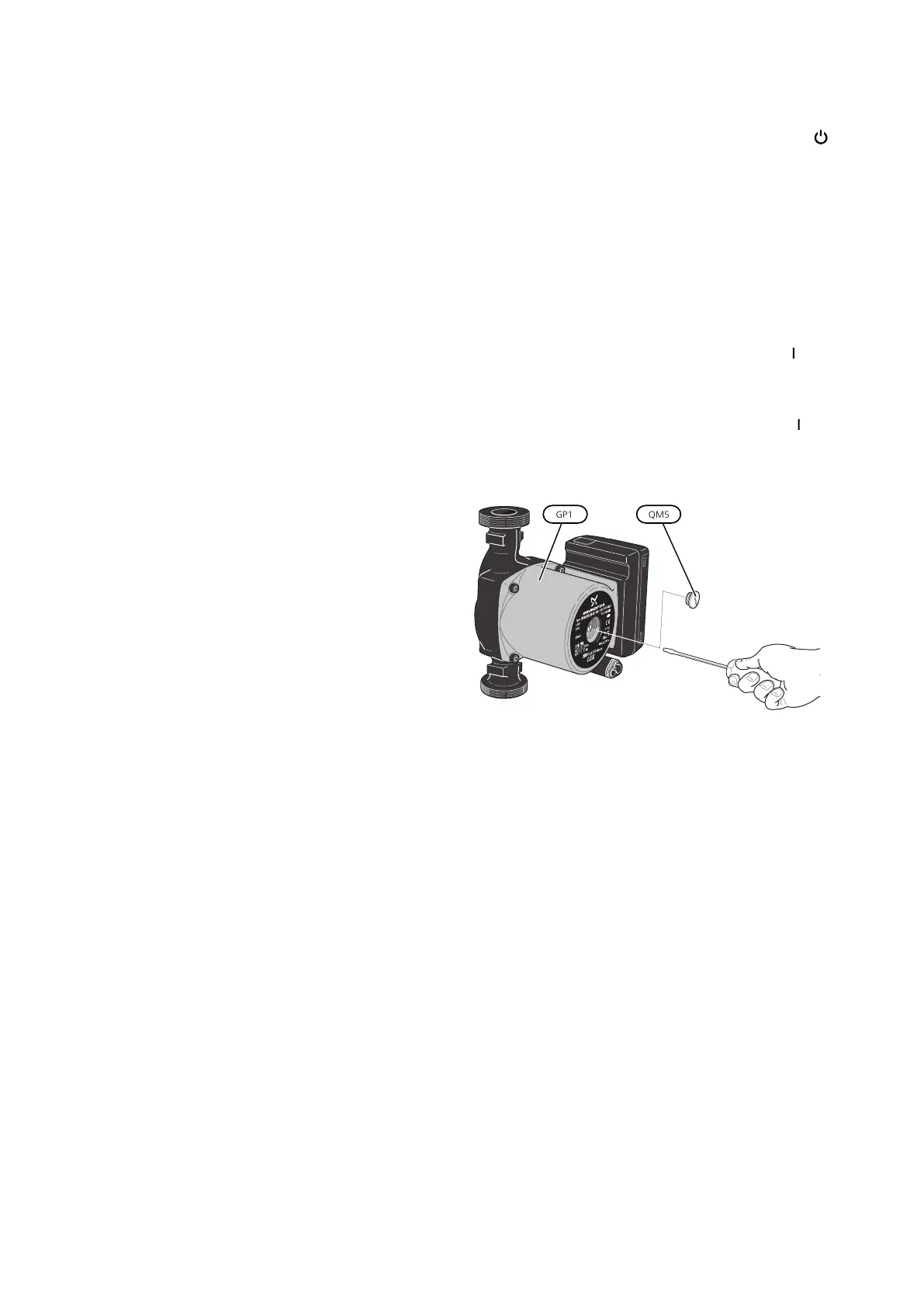
HELPING THE CIRCULATION PUMP TO
START
1.
Turn off F1345 by setting the switch (SF1) to " ".
2.
Remove the front cover
3.
Remove the cover for the cooling module.
4.
Loosen the venting screw (QM5) with a screwdriver.
Hold a cloth around the screwdriver blade as a small
amount of water may run out.
5.
Insert a screwdriver and turn the pump motor
around.
6.
Screw in the venting screw (QM5).
7.
Start F1345 by setting the switch (SF1) to "" and
check that the circulation pump is working.
It is usually easier to start the circulation pump with
F1345 running, and with the switch (SF1) set to "". If the
circulation pump is helped to start while F1345 is run-
ning, be prepared for the screwdriver to jerk when the
pump starts.
The image shows an example of what a circulation pump can look
like.
45Chapter 4 | ServiceNIBE F1345



 To Next Page