CBOX1050
INSTALLATION AND PROGRAMMING MANUAL
13
SECTION 7: 1050 CONTROL BOX INSTALLATION & SETUP
CONTROL
BOX
PIVOT ARM
LOCATION
GATE
6 FOOT
MINIMUM
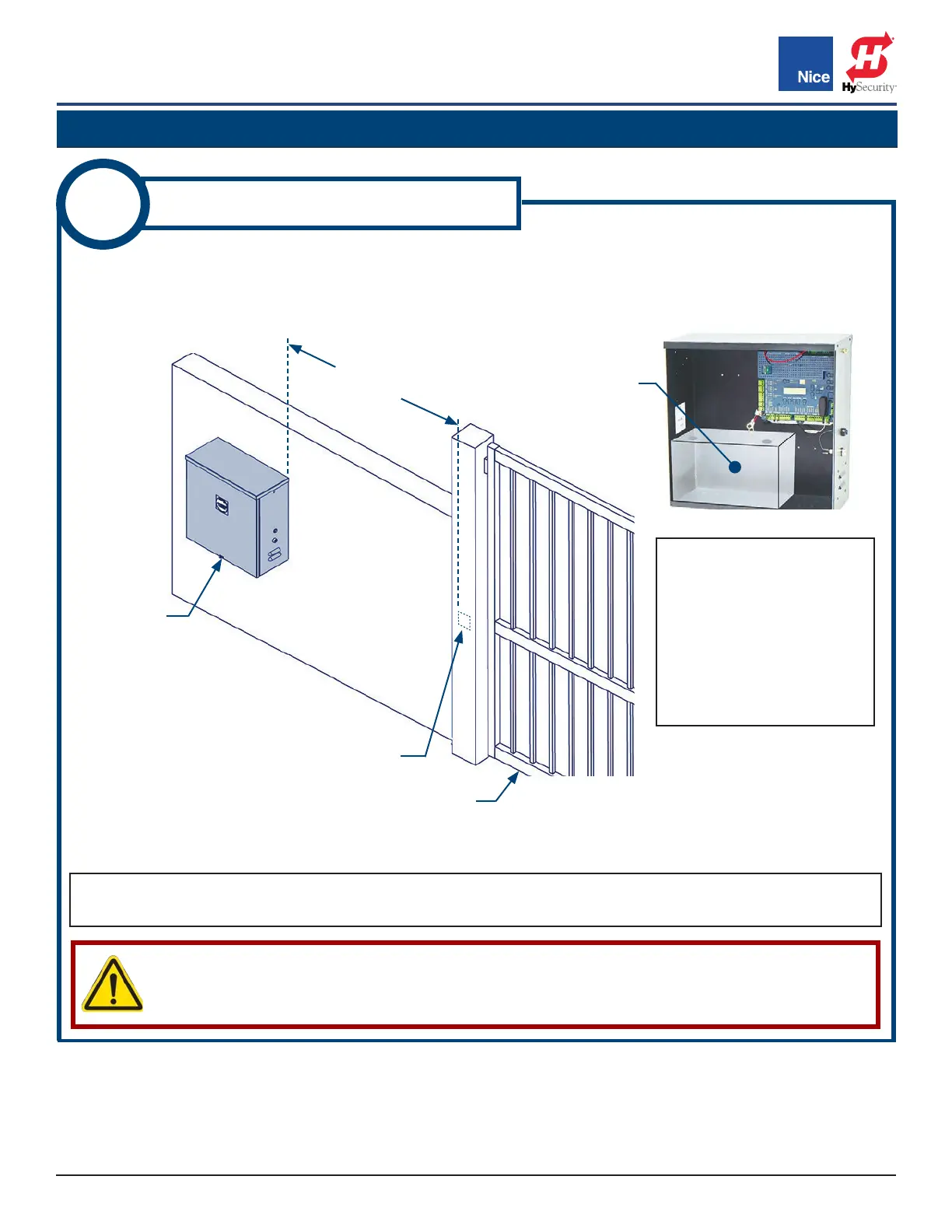
IMAGE 1-1: CONTROL BOX MOUNTING LOCATION
1
MOUNT CONTROL BOX
1. Mount control box on same side as primary actuator (for dual gate systems, same side as the actuator
with shorter harness) and at least six feet away from pivot arm (IMAGE 1-1).
2. Set battery inside of control box with terminals toward the front.
LOCATE
BATTERY HERE
CAUTION!
DO NOT MOUNT THE CONTROL BOX WHERE THE PERSON USING THE PUSH BUTTON ON
SIDE OF BOX CAN COME IN CONTACT WITH THE GATE!
NOTE: IMAGE 1-1 shows a typical install. The control box may be installed on either side of the wall
depending on which direction the gate opens or where a person monitoring the gate will be located.
NOTES: Mounting holes
and hardware for the control
box are NOT included.
Drill holes as needed and
use hardware capable of
supporting the weight of
the control box with the
battery included.
www.ApolloGateOpeners.com | (800) 878-7829 | Sales@ApolloGateOpeners.com



 To Next Page