CBOX1050
INSTALLATION AND PROGRAMMING MANUAL
31
19
ASSIGNING NEW REMOTE CONTROL
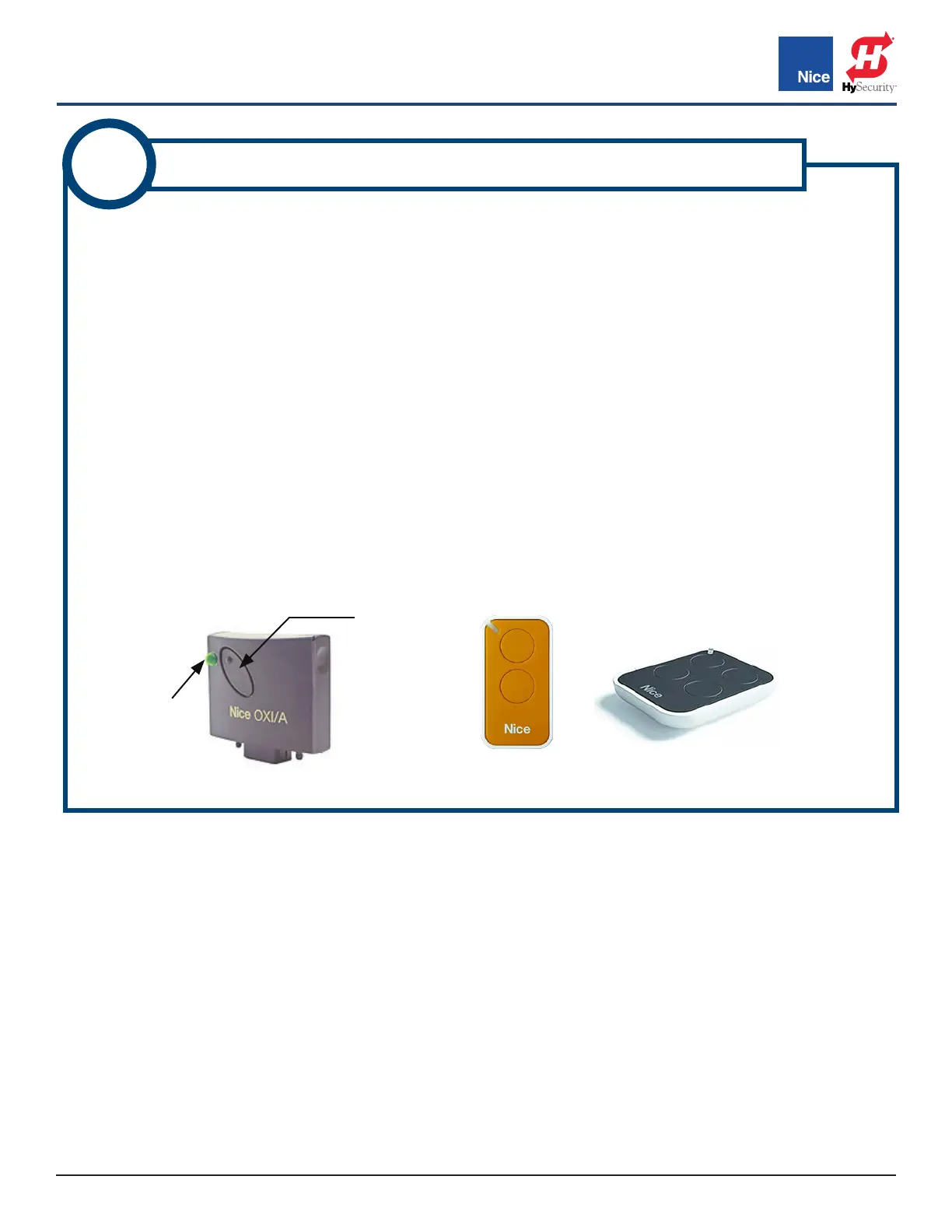
Procure a functioning Nice 2-button or 4-button remote control with a battery installed (IMAGE 19-1) and
assign it to the Nice
OXI/A receiver as follows:
1. Press and hold the program button on the side of the Nice OXI/A receiver module (IMAGE 19-1, Left)
until the green LED lights up on the side of the receiver, then release the button.
2. Within 10 seconds, press and hold any key on the Nice remote control until the LED in the Nice receiver
blinks green 3 times, indicating that the remote control is programmed to control the receiver.
3. After the LED on the Nice receiver blinks green 3 times, another 10 second interval is started to program
another Nice remote control if desired.
4. Repeat step 3 to program the additional Nice remote control (transmitter). Step 3 may be repeated as
many times as necessary to program all available Nice remote controls.
5. Verify that the Nice remote control(s) can control the gate by pressing one or more buttons individually
on the remote control(s).
6. If remotes do not function properly, refer to the FUNCTION/Radio Ch. Menu in SECTION 8 to assign the
correct function to the radio channels.
GREEN
LED
IMAGE 19-1: OXI/A RECEIVER (LEFT),
2-BUTTON REMOTE (MIDDLE) & 4-BUTTON REMOTE (RIGHT)
PROGRAM
BUTTON
www.ApolloGateOpeners.com | (800) 878-7829 | Sales@ApolloGateOpeners.com



 To Next Page