CBOX1050
INSTALLATION AND PROGRAMMING MANUAL
49
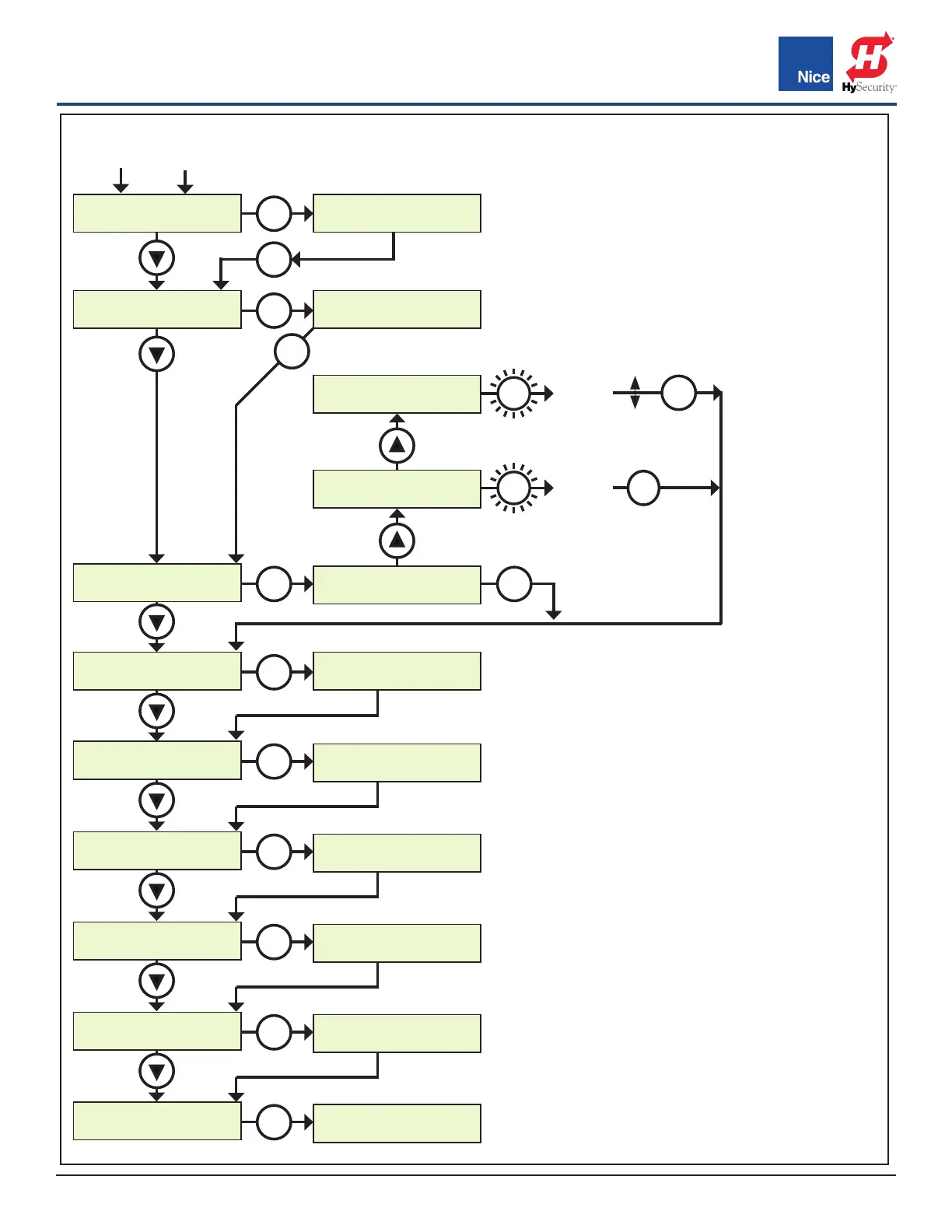
DISPLAY
6. Sun Volt
DISPLAY
7. Motor Volt
DISPLAY
8. Service
DISPLAY
9. Motor
DISPLAY
------------
DISPLAY
------------
DISPLAY
------------
DISPLAY
------------
DISPLAY
------------
DISPLAY
------------
DISPLAY
10. Motor 1
DISPLAY
11. Motor 2
DISPLAY
12. Charger
DISPLAY
13. Diagnosc
DISPLAY
14. Last Reset
SUN VOLT
24.6V
MOTOR VOLT
24.7V
SERVICE
Total 6
SERVICE
Paral 0
SERVICE
Maint. 10,000
OK
OK
OK
OK
OK
OK
OK
OK
OK
OK
OK
OK
OK
Connued from last page
OK
OK
OK
PRESS &
HOLD
CLEAR
COUNT
CLEAR
COUNT
PRESS &
HOLD
50,000
1,000
DISPLAY BUTTON MENU (CONT.):
Sun Volt: Displays the solar panel input voltage in
volts DC.
Motor Volt: Displays the voltage at the motor in
volts DC.
Service: The following information is recorded
and viewable about the operating history of the
gate:
• Total: Displays the total number of open-close
cycles (non- Settings ).
• Partial: Display the total number of partial cycles.
Reset by pressing the “OK” button for several
seconds.
• Maint: Display the number of cycles before ser-
vice is required. Settings from 1000 to 50000 cy-
cles in increments of 1000 cycles.
Motor: Used only for commercial operators. Dis-
plays the Motor position, voltage, and current for
the MOTOR output.
Motor 1: Used to view position, voltage, and cur-
rent for Motor1 (primary actuator).
Motor 2: Used to view position, voltage, and cur-
rent for Motor2 (secondary actuator).
Charger: Displays the battery charger voltage and
current.
Diagnostic: Factory use only.
Last Reset: Factory use only.
DISPLAY BUTTON (CONT.):
www.ApolloGateOpeners.com | (800) 878-7829 | Sales@ApolloGateOpeners.com



 To Next Page