Need help?
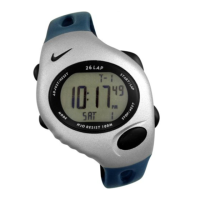
Do you have a question about the Nike TEMPEST and is the answer not in the manual?
Instructions for setting the watch's time and calendar information for two time zones.
Procedure to change the alternate time zone information and glimpse its details.
How to turn the confirmation tone on or off for button presses.
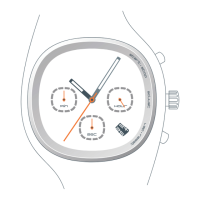
Instructions on how to start, stop, and measure elapsed time in 1/100 increments.
How to check split times during an ongoing measurement.
Steps to reset the chronograph to zero after stopping it.
Procedure to set the countdown timer in one-second increments.
Instructions on how to start the countdown timer.
How to pause and restart the countdown timer.
Steps to reset the timer after pausing it.
Guide to setting a twenty-second alarm and its time zone reference.
How to turn the alarm ON or OFF.
How to illuminate the display using the LIGHT button.
Instructions for activating and deactivating automatic display illumination.
 General
| Category | Fitness Electronics |
|---|---|
| Brand | Nike |
| Model | TEMPEST |
| Battery Life | Up to 7 days |
| Display | OLED |
| Compatibility | iOS, Android |
| Connectivity | Bluetooth |
| Sensors | Accelerometer, Heart Rate |


 To Next Page