EasyManua.ls Logo

Nike TEMPEST - Modes

Nike TEMPEST
11 pages
Print Icon
To Next Page IconTo Next Page
To Previous Page IconTo Previous Page
Loading...
M
O
D
E
STA
R
T
/
S
T
O
P
A
D
J
U
S
T
S
P
L
I
T
/
R
E
S
E
T
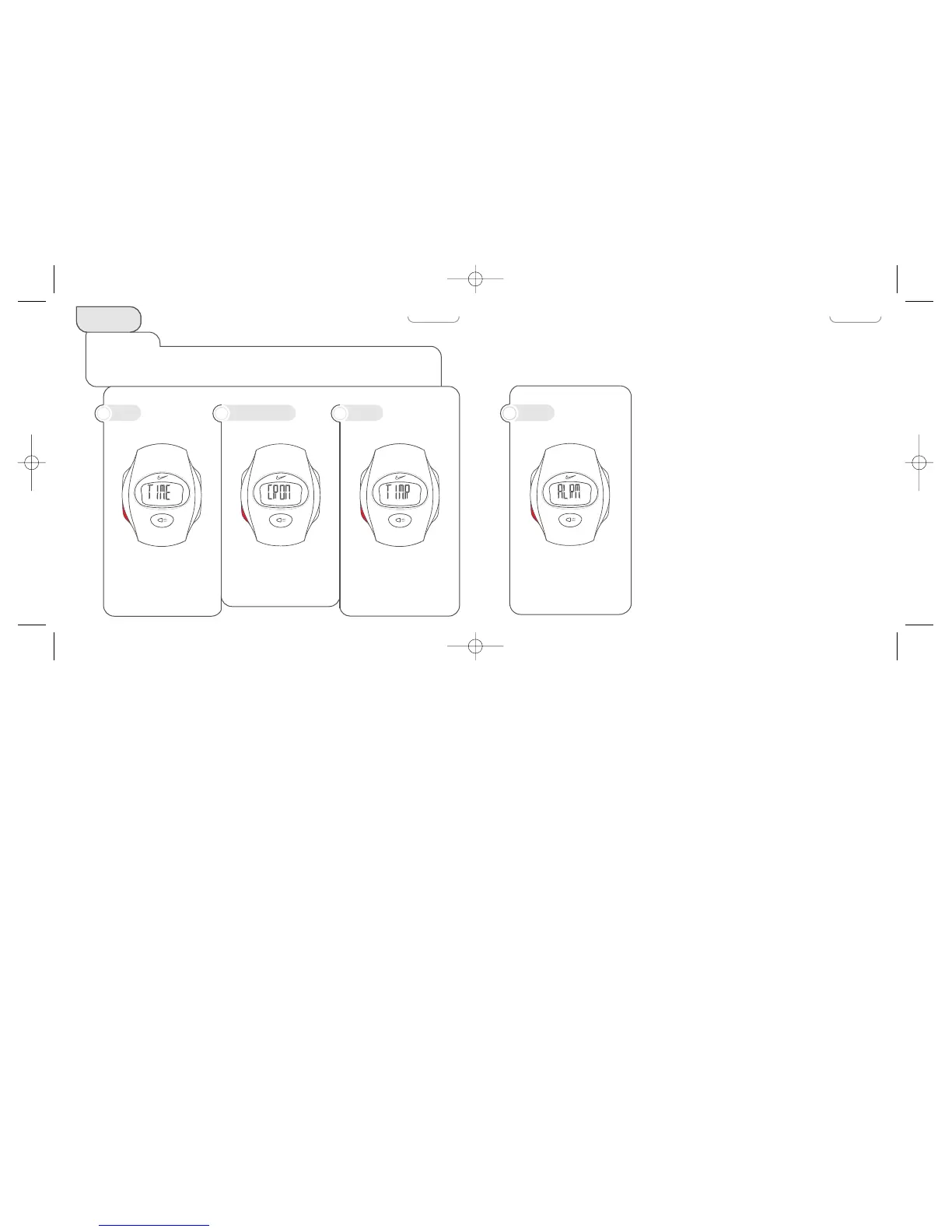
A programmable, twenty
second alert.
d
ALARM
M
O
D
E
STA
R
T
/
S
T
O
P
A
D
J
U
S
T
S
P
L
I
T
/
R
E
S
E
T
M
O
D
E
STA
R
T
/
S
T
O
P
A
D
J
U
S
T
S
P
L
I
T
/
R
E
S
E
T
M
O
D
E
STA
R
T
/
S
T
O
P
A
D
J
U
S
T
S
P
L
I
T
/
R
E
S
E
T
MODES
Select a Mode
Press the MODE button repeatedly until the desired mode (TIME, CRON, TIMR or ALRM)
appears. Release button, in 1-2 seconds the selected mode is displayed.
Measures elapsed and split
times in 1/100 of a second
increments.
Digital display provides
time and calendar
information for two
different time zones.
Fully programmable
countdown timer.
a
TIME
b
CHRONOGRAPH
c
TIMER
4 5
Tempest Manual 4.0 6/8/99 11:18 AM Page 4

Related product manuals