-9-
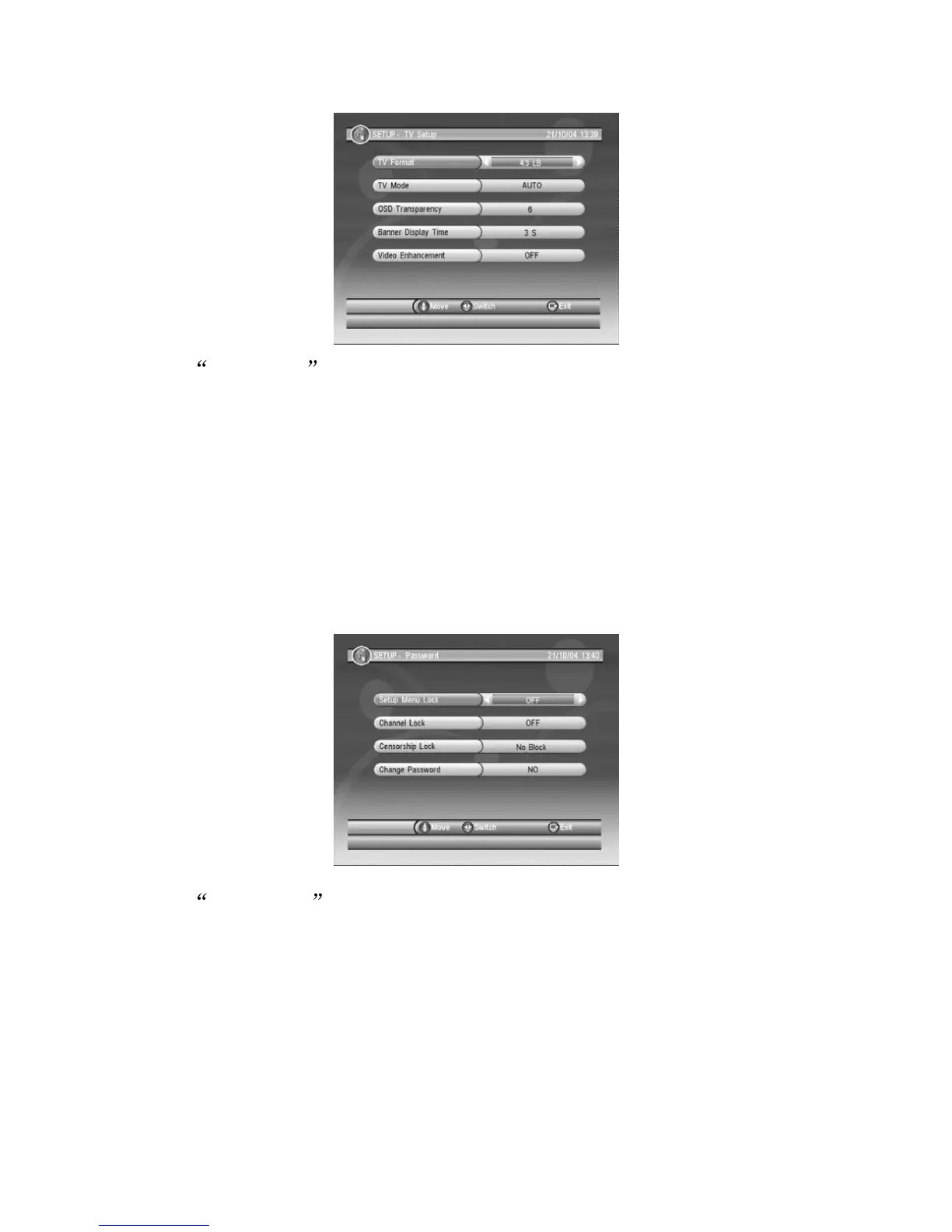
8.1.2 TV Setup
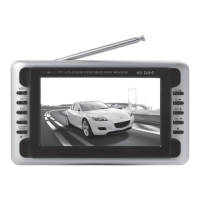
Under Password , you can setup items you wish to lock with your
password (ie: MENU, Channels) or change password.
(1) Setup Menu Lock: when this function is activate, user will need to
enter password when re-enter Menu.
(2) Channel Lock: when this function is activate, user will need to
enter password if wish to enter TV/Radio List or Anto-Scan and
Manual-Scan.
(3) Censorship Lock: Able to setup according to age groups.
(4) Change Password: Enter both current and new password to
change password.
Under TV Setup Menu for the following items:
(1) TV format: Display mode, '4:3LB', '4:3PS', '16:9LB' and '16:9FIT'.
(2) TV mode: AV output system, selection of 'PAL', 'NTSC', 'AUTO'.
(3) OSD Transparency: Setting for OSD transparency levels.
(4) Banner Display Time: Menu banner time display setting.
(5) Video Enhancement: Setting for Picture enhancement.
Note: Some items request supported by the TS.
8.1.3 Password


 To Next Page