-10-
The default password of the device is 0000, please memorize after
changing password.
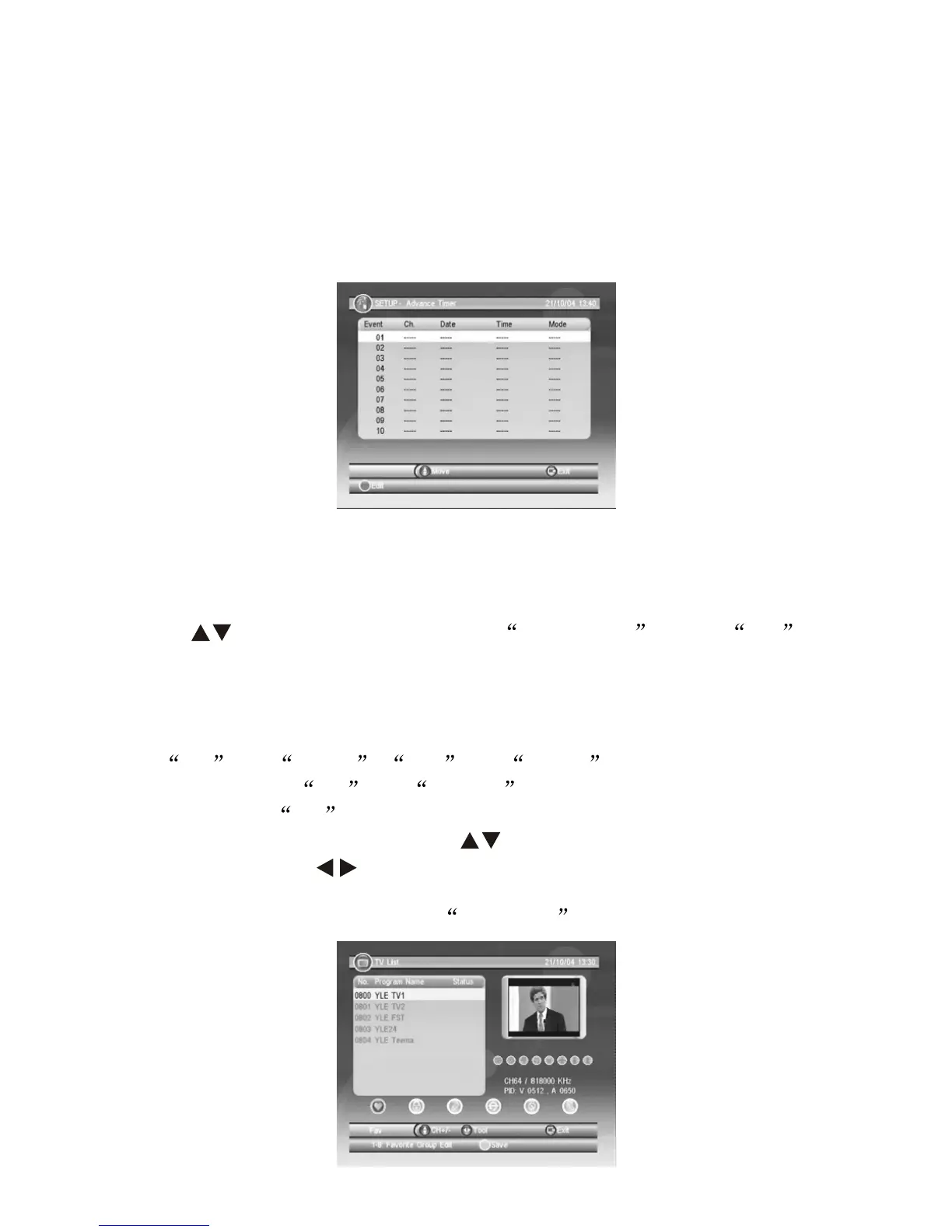
8.1.4 Advance Timer
Uers can setup appointed time to watch appointed Channels, start
and finish time can be setup according to the timer system in this
device, please confirm with the timer system from this device before
setting up; Detailed guide as follow:
8.1.5 SW Update
Available to be updated via other device or external memory devices.
8.1.6 Set Default
Press key to move the cursor to Set Default , press OK
to confirm. After Set Default, program list will be deleted and return
to first time installation Gide surface.
8.2 TV/RADIO
For TV and Radio , List and Guide operation will remain
the same in both TV and RADIO mode, below are the
operational for TV .
8.2.1 Enter TV List Menu, press to select the channels you
wish to edit, press to select the item you wish to edit, from left
to right as: Favorites, Lock, Edit, Skip, Delete and Search. Follow the
below picture to operate, press YELLOW key to save setup.


 To Next Page