-6-
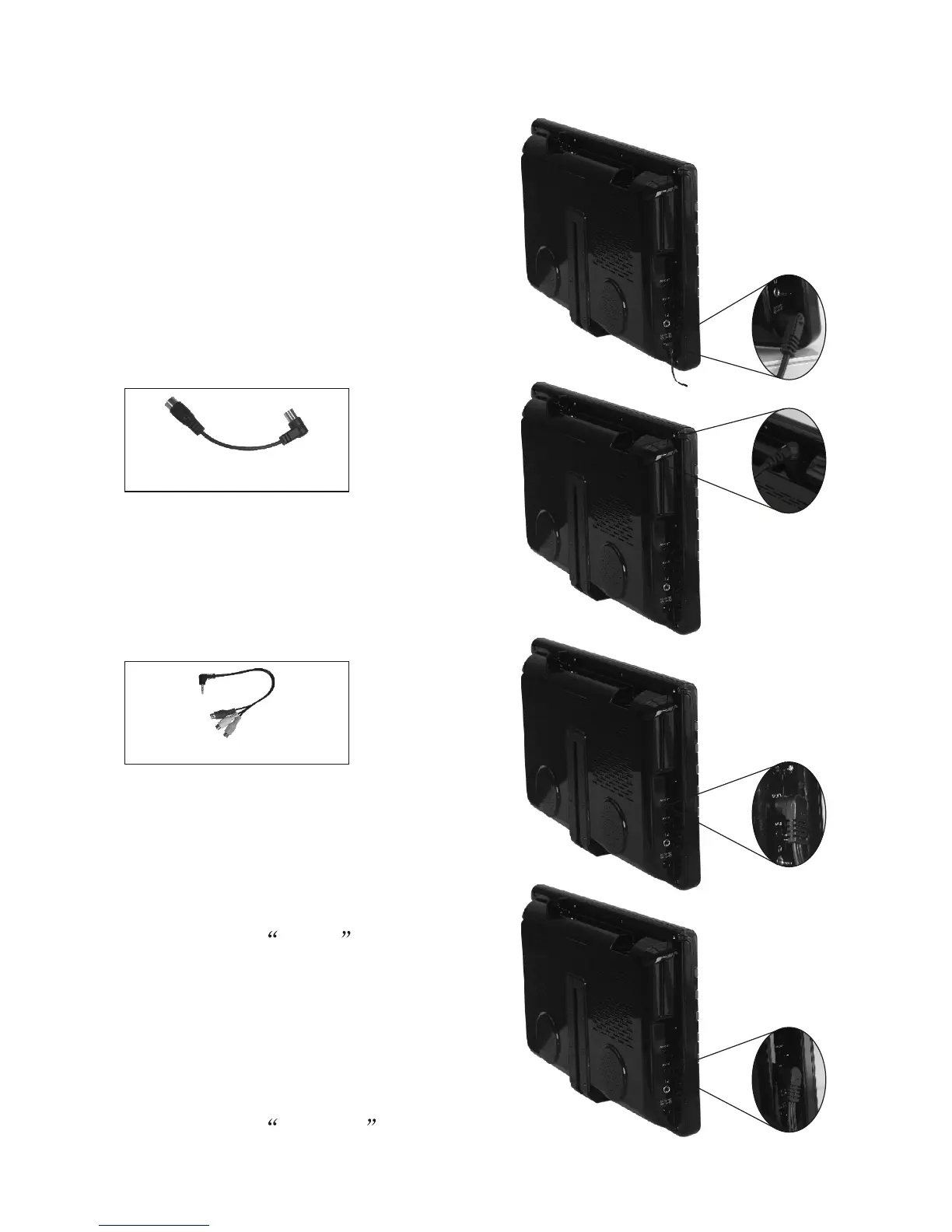
VI Connection of Main Interfaces
3. Connection of AV cable
(1) AV input: Insert the external
video cable into the yellow end
of AV cable. Insert the audio left
channel cable into the white end
and the audio right channel cable
into the red end. Then, insert the
AV cable into AV IN jack.
(2) AV output: Insert the external
video cable into the yellow end of
AV cable. Insert the audio left
channel cable into the white end
and the audio right channel cable
into the red end. Then, insert the
AV cable into AV OUT jack.
Note: AV OUT is only available in DTV and CARD mode.
2. Connection of Antenna Cable:
Align one end of the attached antenna
cable plug in the antenna jack on TV
set and the other end plug in the
external antenna jack.
75ohm antenna conversion line
1. Connection of Power Supply:
Align the power supply plug on AC
adapter with the jack on the machine
rear cover marked with DC.
AV conversion cable


 To Next Page