Press key to select the music you wish to play, press OK
to confirm, press RED from the remote control for play/pause,
GREEN key for stop, YELLOW key for repeat, press this key
respectively can select Repeating , Repeat all , Random ,
Repeat OFF ; BLUE key for fast forward, press this key
respectively can select X2, X3, X4, play.
Key in this case is volume key, when the music is not playing,
press this key as key.
8.3.5 Enter My Movie surface, press INFO key to change
driver (mentioned in 8.3.1)
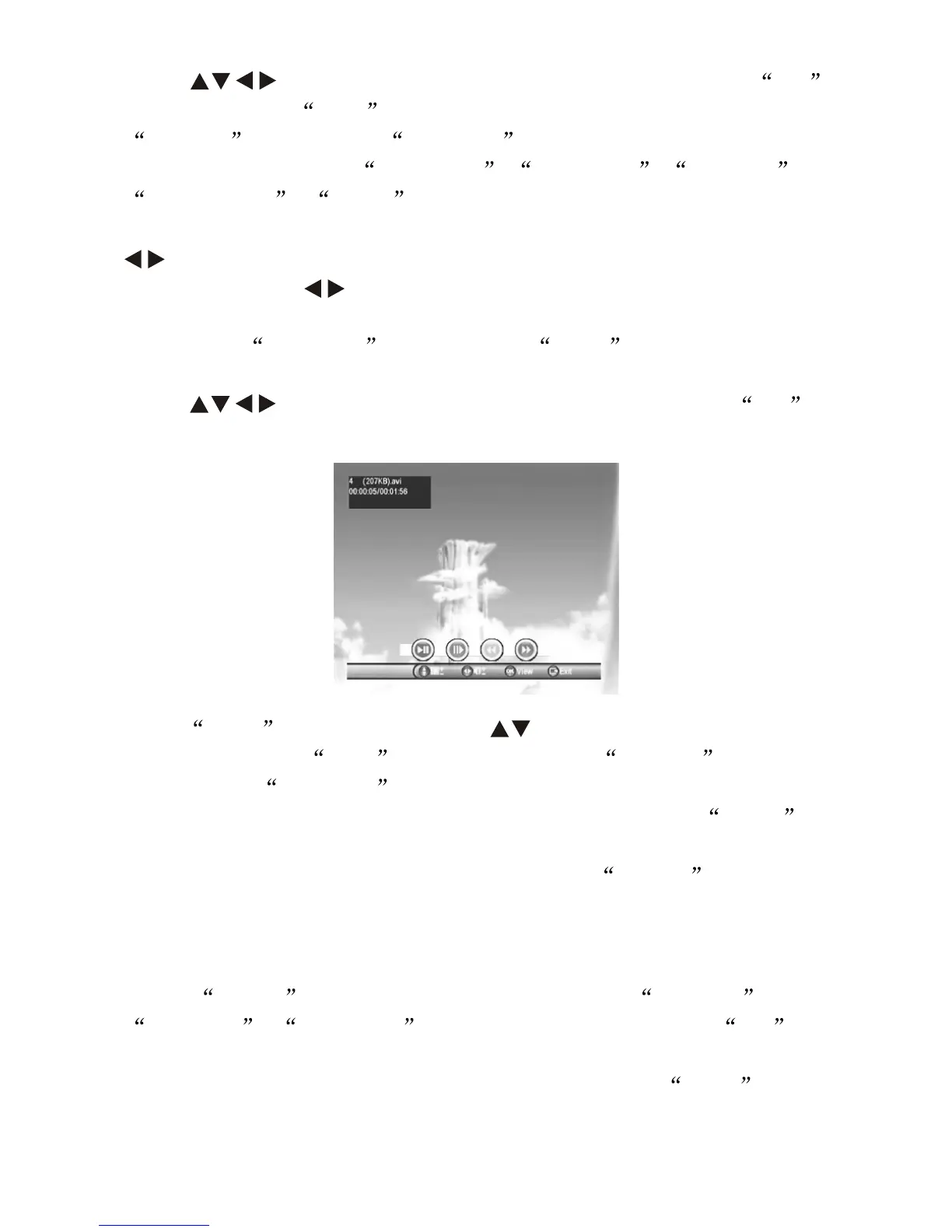
Press key to select the item you wish watch, Press OK
key to play, as follow:
Press INFO for play tools, press key to select previous or
next movie, press RED key for play/pause; GREEN key for
stepforward; YELLOW key for fast backward, press this key
repectively for backward X2, X4, X8, X16, X32 and play; BLUE
key for fast forward, press this key repectively for forward X2, X4, X8,
X16, X32 and play; when playing movie, press AUDIO from the
remote control to switch left/right sound track.
8.4 GAME
Under GAME menu, there will be 3 sub-menu Gomoku ,
Calender , Calculator . Select the sub-menu, press OK to
enter.
Note: Calculator supports maximnm 9 digit numbers, INFO as
confirm key.
-14-


 To Next Page