6
s
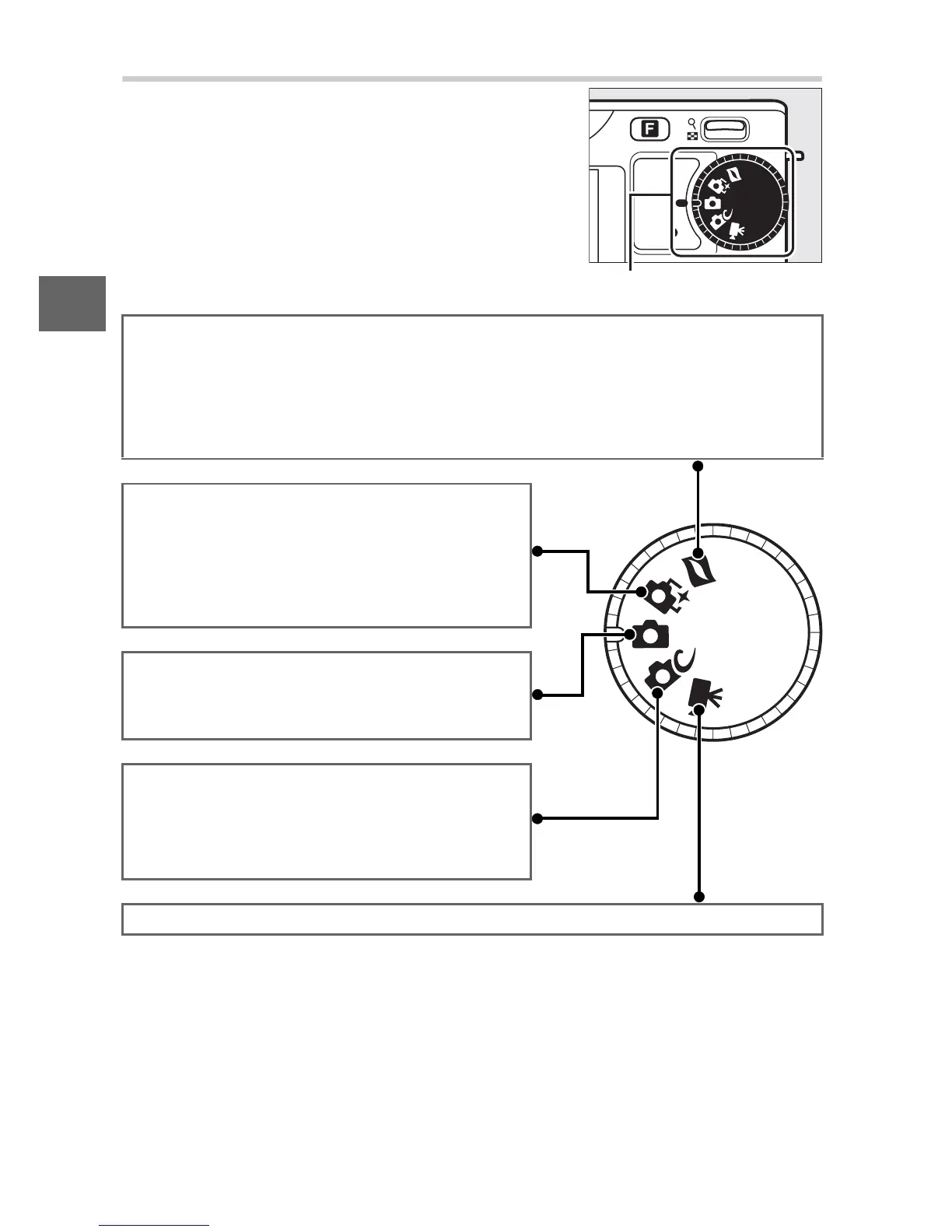
The Mode Dial
The camera offers a choice of the follow-
ing shooting modes:
Mode dial
Motion Snapshot mode (0 49): Each time the shutter is released, the cam-
era records a still image and about a second of movie footage. When the
resulting “Motion Snapshot” is viewed on the camera, the movie will
play back in slow motion over approximately 2.5 s, followed by the still
image.
Smart Photo Selector mode (0 35): Each time
the shutter is released, the camera auto-
matically selects the best shot and four
best shot candidates based on composi-
tion and motion.
Auto photo mode (0 21): For photographs.
The camera automatically adjusts set-
tings to suit the subject.
Creative mode (0 27): For photographs in
which you want to use special effects,
match settings to the scene, or shoot in
exposure modes P, S, A, or M.
Movie mode (0 41): Record HD or slow-motion movies.



 To Next Page