14
First Steps
Basic Setup
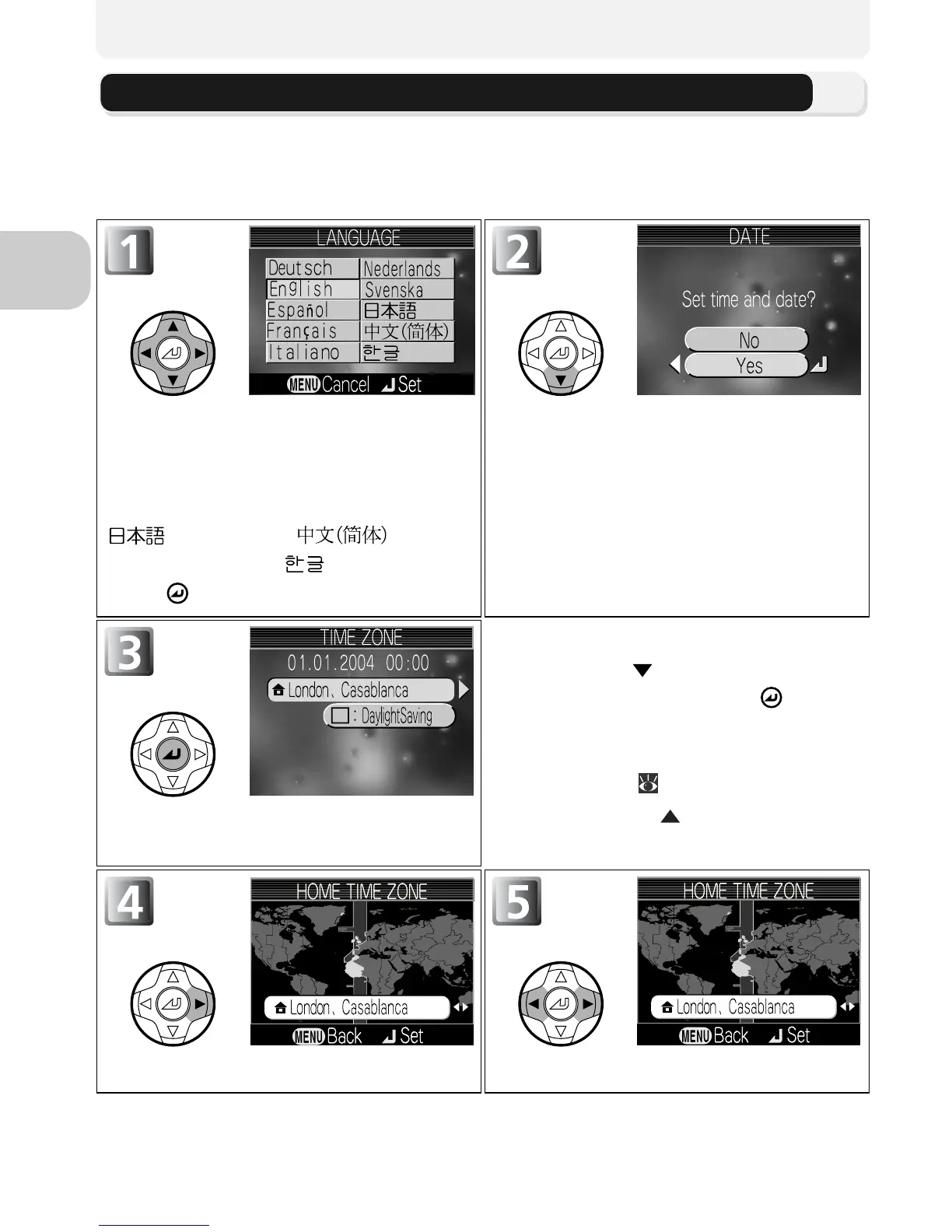
The first time the camera is turned on, a language-selection dialog will be dis-
played in the monitor. Follow the steps below to choose a language and set
the time and date.
Highlight Deutsch (German), En-
glish, Español (Spanish), Français
(French), Italiano, (Italian), Neder-
lands (Dutch), Svenska (Swedish),
(Japanese), (Simpli-
fied Chinese), or (Korean), and
press .
Confirmation dialog displayed.
Highlight Yes.
* To turn daylight saving time on or
off, press to highlight Day-
lightSaving and press . When
DaylightSaving is checked, time
will automatically be advanced
one hour ( 114). To return to
Step 3, press to highlight cur-
rent time zone.
TIME ZONE menu displayed.*
Display map of world time zones. Select home time zone.



 To Next Page
 Loading...











