34
Scene Mode
Scene Mode
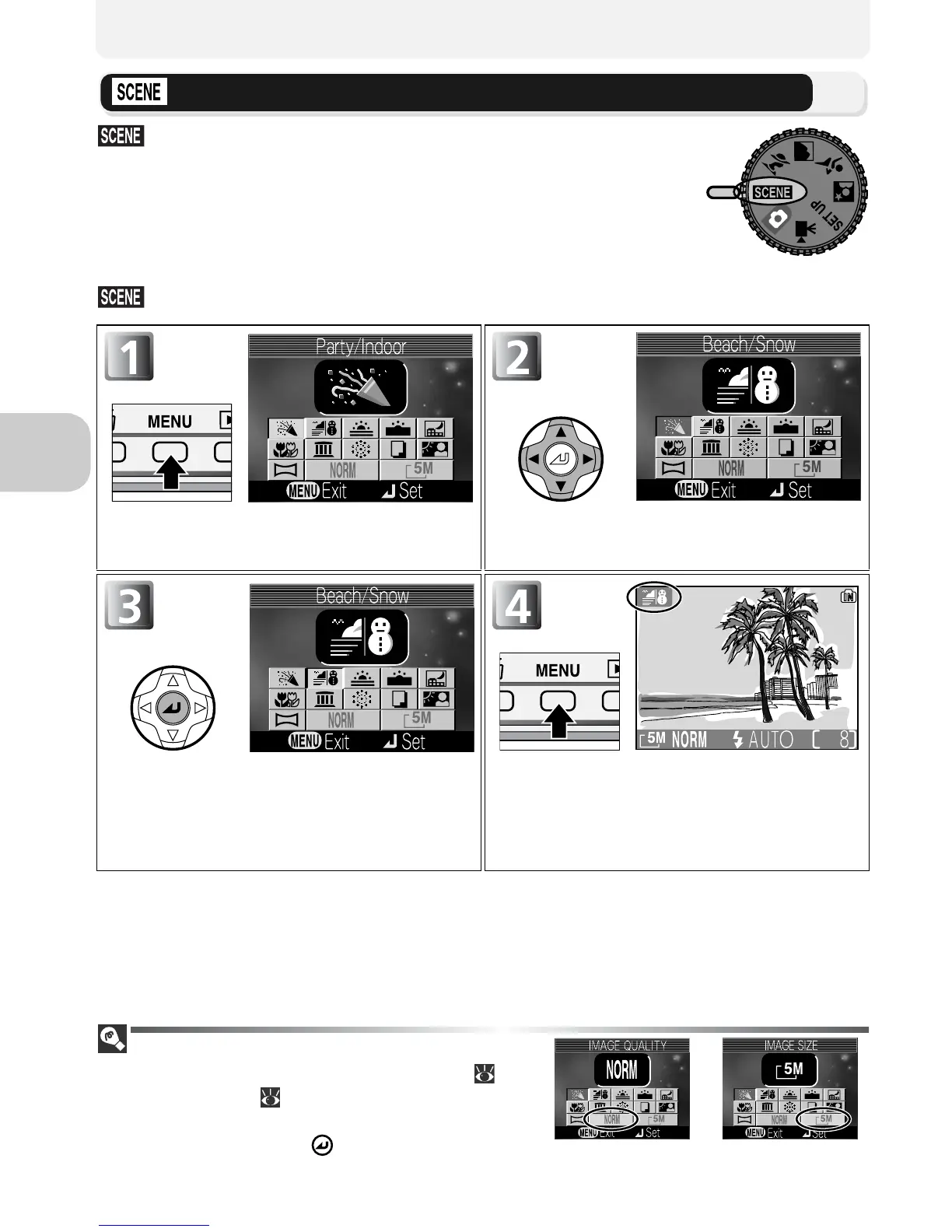
(scene) mode offers a menu of eleven “scenes,”
each corresponding to a common situation, such as a
backlit subject, sunset, or interior shot. Camera settings
are automatically adjusted to suit the selected scene, spar-
ing you the necessity of adjusting each setting separately.
To take pictures in scene mode, rotate the mode dial to
and follow the steps below:
Image Quality and Image Size
It is possible to change Image quality ( 75)
and Image size ( 77) from this menu. Select
an icon of Image quality or Image size shown
on the right, and press to change them.
Display scene menu. Choose scene. Current selection shown
by large icon and caption.
Make selection. Press MENU button to return shooting
mode and take pictures.
• Selected scene shown by icon at top
left corner of monitor.
Scene mode
Image quality Image size



 To Next Page
 Loading...











