9
Take Pictures
Storing Pictures
Pictures will be stored in the camera’s internal memory (capacity: about
13.5MB) unless a Secure Digital (SD) memory card is inserted in the camera,
in which case pictures will be stored on the card. For information on insert-
ing a memory card, see the Nikon Guide to Digital Photography (see pages
12 - 13).
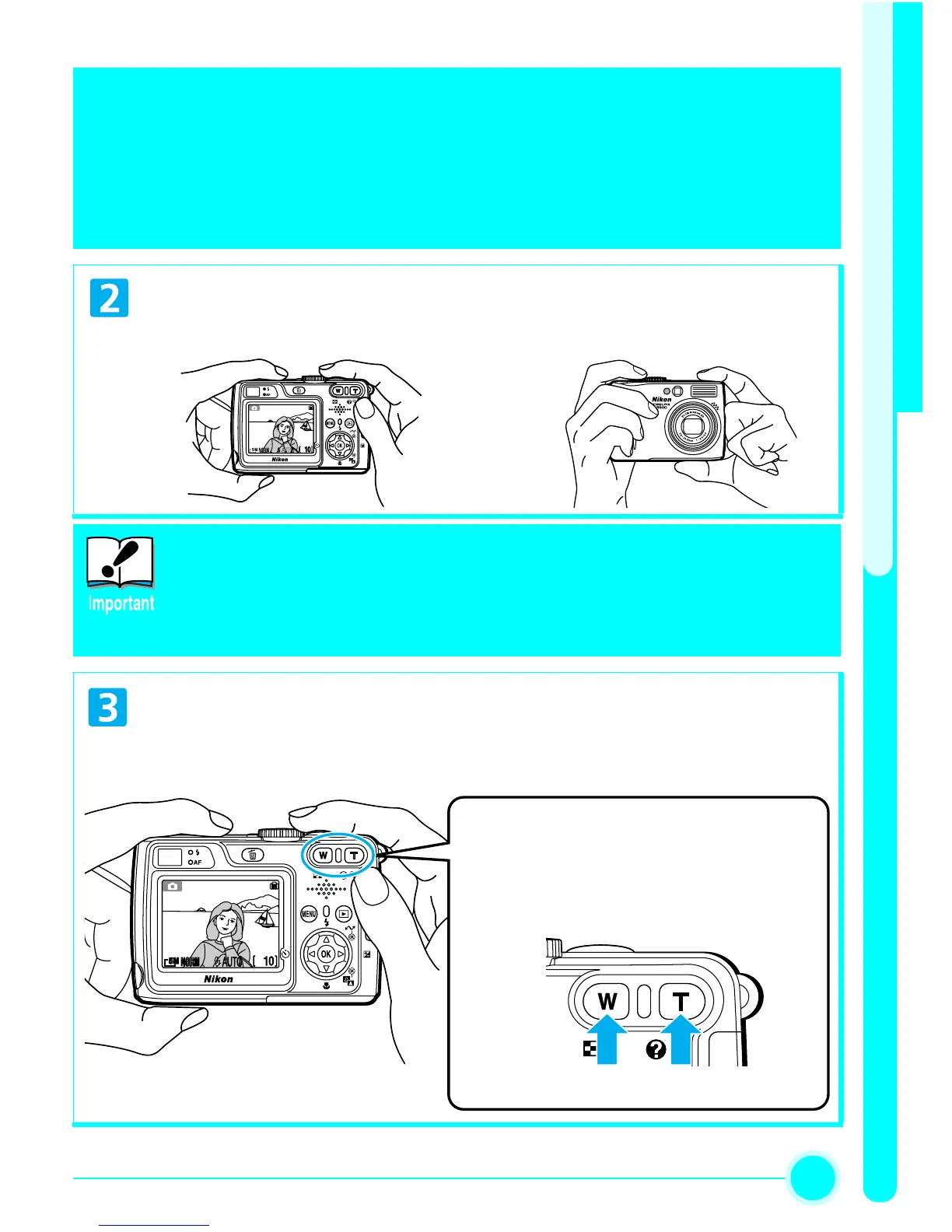
Ready the camera.
• Hold the camera steadily with both hands.
Don’t Block the Shot
To avoid dark or partially obscured pictures, keep your fingers and
other objects away from the lens, flash window, AF-assist Illuminator,
and microphone.
Frame the subject.
• Frame the subject in the center of the monitor.
• Pictures can be framed in the monitor or the viewfinder.
Zoom Buttons
Press
T
to zoom in on your subject so that it fills
a larger area of the frame.
Press
W
to zoom out, increasing the area visible
in the frame.
Zoom out Zoom in


 To Next Page