EasyManua.ls Logo

Nikon coolpix A300 - User Manual

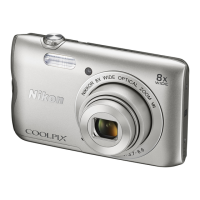
Nikon coolpix A300
44 pages
Print Icon
To Next Page IconTo Next Page
Loading...
DIGITAL CAMERA
Quick Start Guide
En
For Smart Device Users ii
Introduction iv
Parts of the Camera 1
Getting Started
2
Basic Shooting and Playback Operations 12
Other Functions 17
Technical Notes 21
• Read this manual thoroughly before using the camera.
• To ensure proper use of the camera, be sure to read “For
Your Safety” (page viii).
• After reading this manual, keep it in a readily accessible
place for future reference.

Other manuals for Nikon coolpix A300

Questions and Answers

  • J
    Jared GarrettAug 21, 2025
    What to do if my Nikon coolpix A300 Digital Camera is on but not responding?
    • P
      Paul HendricksAug 21, 2025
      If your Nikon Digital Camera is on but not responding, first wait for any recording to end. If the problem continues, turn the camera off. If it still does not turn off, remove and reinsert the battery or batteries. If you are using an AC adapter, disconnect and reconnect it. Note that any data being recorded will be lost, but previously recorded data will not be affected.
  • C
    Crystal CrossSep 4, 2025
    What to do if the flash does not fire on my Nikon coolpix A300 Digital Camera?
    • M
      Mr. Thomas Ramsey MDSep 4, 2025
      If the flash isn't firing, check if the flash mode is set to off. Also, some scene modes or enabled functions might restrict the flash.
  • J
    Jack HubbardSep 2, 2025
    How to fix blurred images on my Nikon Digital Camera?
    • V
      vaughnjillSep 2, 2025
      To reduce blur in your images, try the following: use the flash, increase the ISO sensitivity, use Photo VR for still images and Movie VR for videos. For added stability, use a tripod, and the self-timer can also help.
  • T
    twestSep 1, 2025
    Why are my Nikon Digital Camera images too dark (underexposed)?
    • Z
      Zachary JohnsonSep 1, 2025
      There are several reasons why your images might be too dark: the flash mode could be set to off, the flash window might be blocked, the subject could be too far for the flash to reach, you may need to adjust exposure compensation or increase ISO sensitivity. Also, if the subject is backlit, try using Backlighting scene mode or setting the flash mode to fill flash.
  • S
    scott20Aug 30, 2025
    Why is my Nikon coolpix A300 monitor blank?
    • K
      Kenneth MoranAug 31, 2025
      A blank monitor can occur for several reasons: the camera might be off, the auto-off function may be activated, the flash might be charging, the camera could be connected to a TV or computer, or the camera and smart device are connected using a Wi-Fi connection and the camera is being operated by remote control. Check these possibilities to restore the display.
  • O
    ojohnsonAug 29, 2025
    Why is the monitor blank on my Nikon coolpix A300 Digital Camera?
    • S
      Shawn JacksonAug 29, 2025
      The monitor on your Nikon Digital Camera might be blank because: * The camera is off. * The camera automatically turns off to save power (auto off function). * The flash lamp flashes while the flash is charging; wait until charging is complete. * The camera is connected to a TV or computer. * The camera and smart device are connected using a Wi-Fi connection and the camera is being operated by remote control.
  • H
    Holly CastilloAug 27, 2025
    Why does my Nikon Digital Camera turn off without warning?
    • C
      Cynthia MooreAug 27, 2025
      Your Nikon Digital Camera may turn off without warning for several reasons: * The camera automatically turns off to save power (auto off function). * The camera and battery may not work properly at low temperatures. * The inside of the camera has become hot. If the camera turns off due to overheating, leave it off until the inside cools down, then try turning it on again.
  • N
    Nathan WilsonAug 27, 2025
    What to do if my Nikon coolpix A300 battery cannot be charged?
    • K
      Karen HubbardAug 27, 2025
      First, confirm all connections are secure. If connected to a computer, charging issues may arise if 'Charge by computer' is off in the setup menu, or if the camera is turned off during charging. Battery charging is not possible if the camera’s display language and date and time have not been set, or the date and time were reset after the camera’s clock battery was exhausted; use the Charging AC Adapter to charge the battery. Charging may also stop if the computer enters sleep mode or depending on the computer’s specifications, settings, and status.
  • E
    eric08Aug 25, 2025
    How to fix Nikon coolpix A300 that cannot focus?
    • W
      William OwensAug 25, 2025
      If your camera is having trouble focusing, it could be due to several reasons. The subject might be too close, try using scene auto selector mode, Close-up scene mode, or macro mode. The subject may be hard to focus on. Try setting AF assist to Auto in the setup menu. Alternatively, try turning the camera off and then on again.
  • R
    Robert MurphyAug 23, 2025
    Why is my Nikon Digital Camera not turning on?
    • D
      Danielle ReevesAug 23, 2025
      The most likely reason is that the battery is exhausted. Please replace or charge the battery.

Summary

For Smart Device Users

SnapBridge Service Overview

Introduction to Nikon's SnapBridge for enriching image experience and connecting camera to smart devices.

Download SnapBridge App

Instructions for downloading and installing the SnapBridge app for iOS and Android devices.

Key SnapBridge Features

Explains auto transfer, NIKON IMAGE SPACE, remote control, and photo information imprinting.

Introduction

Important First Steps

Essential introductory information and instructions before using the camera and its manuals.

Download Manuals & Software

Guide to downloading the Reference Manual and ViewNX-i software from the Nikon Download Center.

Nikon Product Support

Information on contacting Nikon representatives for technical assistance with Nikon products.

Parts of the Camera

Camera Body Component Guide

Identifies and labels key components and buttons on the Nikon COOLPIX A300 camera body.

Getting Started

Attach Camera Strap

Step-by-step instructions on securely attaching the camera strap to the device.

Insert Battery & Memory Card

Guide to correctly inserting the battery and memory card into their respective slots.

Format Memory Card

Instructions for formatting a memory card for first-time use in the camera for compatibility.

Remove Battery & Memory Card

Procedures for safely removing the battery and memory card from the camera.

Memory Card & Internal Storage

Details on using memory cards or the camera's internal memory for saving data.

Charge Camera Battery

Detailed steps for charging the camera's battery using the AC adapter and USB cable.

Camera Setup

Connect to Smartphone;Tablet

Connect the COOLPIX A300 camera to a smartphone or tablet using Bluetooth and Wi-Fi.

Camera Device Pairing

Instructions for pairing the camera with Android and iOS devices via NFC or Bluetooth.

Manual Camera Menu Setup

Configure camera settings like language, time zone, and date via the camera's menu interface.

Basic Shooting & Playback

Shooting Images Guide

Instructions for holding the camera steady, framing shots, and using the shutter button.

Playback Images Guide

Steps to enter playback, select images with multi selector, and zoom in on photos.

Delete Images from Camera

How to delete the current image, selected images, or all images from the camera's memory.

Other Camera Functions

Select Shooting Mode

Overview of shooting modes: Scene auto selector, Scene mode, Special effects, Smart portrait, Auto mode.

Adjust Shooting Settings

How to adjust flash mode, self-timer, macro mode, and exposure compensation with the multi selector.

Navigate Camera Menus

Guide to using shooting, movie, playback, network, and setup menus via the MENU button.

Technical Notes

Supported Memory Cards

Information on supported memory card types and recommendations for movie recording.

Product Trademark Information

List of trademarks and registered trademarks for the camera and its software.

Export & Travel Precautions

Guidelines on export controls and compliance with regulations for international product use.

Nikon coolpix A300 Specifications

General IconGeneral
Sensor TypeCCD
Effective Pixels20.1 million
Optical Zoom8x
Digital Zoom4x
Battery TypeEN-EL19 Rechargeable Li-ion Battery
TypeCompact digital camera
Autofocus (AF)Contrast-detect AF
Monitor TypeTFT LCD
Shutter TypeMechanical and CMOS electronic shutter
ApertureElectronically-controlled ND filter (-2.6 AV) selection
Built-in FlashYes
Flash ControlTTL auto flash with monitor preflashes
Movie RecordingYes
Movie Frame Rate30 fps
ConnectorsHi-Speed USB
Tripod Socket1/4 (ISO 1222)
Operating EnvironmentTemperature: 0°C to 40°C (32°F to 104°F), Humidity: 85% or less (no condensation)
Image ProcessorEXPEED C2
Focal Length4.5-36.0 mm (angle of view equivalent to that of 25-200 mm lens in 35mm [135] format)
ISO Sensitivity80-1600
Display Size2.7 in.
Image StabilizationLens-shift VR
Video Resolution1280 x 720
LensNIKKOR lens
Focus Range[W]: Approx. 50 cm (1 ft 8 in.) to infinity, [T]: Approx. 1.5 m (5 ft) to infinity
Monitor ResolutionApprox. 230k-dot
Storage MediaSD, SDHC, SDXC memory cards
File SystemDCF, Exif 2.3
File FormatsJPEG
Image Size (pixels)5152 x 3864
ISO Sensitivity (Auto mode)80-1600
Shutter Speed1/1500-1 s
Self-Timer2, 10 s
Exposure Compensation–2.0 to +2.0 EV in steps of 1/3 EV
Scene Modesportrait, landscape, sports, night portrait, party/indoor, beach, snow, sunset, dusk/dawn, night landscape, close-up, food, museum, fireworks show, black and white copy, backlighting, pet portrait
Movie Recording TimeUp to 29 minutes
Wi-FiIEEE 802.11b/g
Power SourcesEN-EL19 rechargeable battery
Battery LifeApprox. 240 shots when using EN-EL19
DimensionsApprox. 95.9 x 58.0 x 20.1 mm (3.8 x 2.3 x 0.8 in.) excluding projections
LCD Monitor Size2.7 in.
LCD Monitor Resolution460, 000 dots
Flash Range[T]: 1.5 m (5 ft)

Related product manuals